

Latest Version
1.13.0
October 23, 2024
Jigsaw Operations LLC
Tools
Android
0
Free
org.outline.android.client
Report a Problem
More About Outline
Unlocking the Power of Outline: Your Guide to Setting Up a Personal VPN
In today's digital age, ensuring your online privacy and security is paramount. With the rise of cyber threats and data breaches, having a reliable Virtual Private Network (VPN) is essential. Outline offers a user-friendly solution for creating your own VPN server, allowing you to browse the internet securely and privately. This article will guide you through the process of setting up Outline and highlight its key benefits.
Getting Started with Outline
If you've received an access key, you're ready to dive into the world of Outline. Simply download the Outline app to begin your secure browsing experience. However, if you haven't received an access key, don't worry! You can easily set up your own server by following these steps:
Step 1: Download Outline Manager
To create your own server, start by downloading the Outline Manager. This tool is essential for managing your VPN and is designed to be user-friendly. The Manager will provide you with step-by-step instructions to ensure a smooth setup process.
Step 2: Create Your VPN Server
Outline consists of two main components: the Outline Manager and the Outline app. The Outline Manager allows you to create and operate your own VPN server. With just a few clicks, you can set up a VPN server on a cloud provider in under five minutes. The intuitive interface guides you through each step, making the process quick and straightforward.
Step 3: Download the Outline App
Once your VPN server is set up, download the Outline app on your mobile device or desktop. This app will enable you to connect to your newly created VPN server and enjoy secure internet access.
Step 4: Share Access with Others
One of the standout features of Outline is the ability to share internet access with friends or colleagues. From the Outline Manager, you can send invitations directly to anyone you wish to grant access. This feature is perfect for collaborative work environments or for sharing secure browsing capabilities with trusted individuals.
Step 5: Using an Access Code
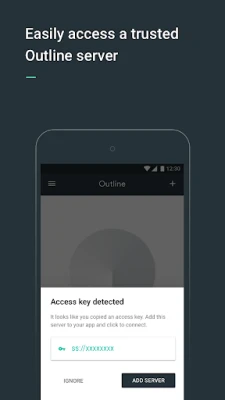
If you have received an access code from someone using the Outline Manager, you're all set! Simply download the Outline app, enter the access code, and start enjoying secure internet access immediately.
Why Choose Outline for Your VPN Needs?
Outline stands out in the crowded VPN market for several compelling reasons:
1. Fast and Reliable Internet Access
Powered by the Shadowsocks protocol, Outline provides fast and reliable access to the open internet. This ensures that you can browse, stream, and download without frustrating slowdowns.
2. Control Over Your VPN
With Outline, you have complete control over your VPN server. You can create and maintain your own server, allowing you to provide access only to those you trust. This level of control enhances your online security and privacy.
3. Strong Encryption for Privacy
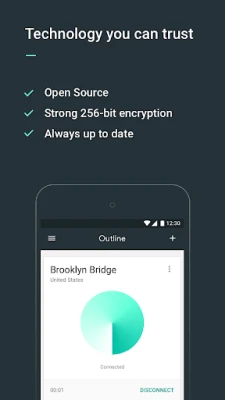
Outline employs strong encryption methods to keep your communications private. This means that your online activities remain confidential, protecting you from prying eyes and potential cyber threats.
4. Open Source and Audited
Transparency is crucial in the world of cybersecurity. Outline is completely open source and has been audited by a nonprofit security firm. This ensures that the software is secure and trustworthy, giving you peace of mind as you navigate the internet.
Conclusion
Setting up your own VPN with Outline is a straightforward process that empowers you to take control of your online privacy. Whether you have an access key or need to create your own server, Outline provides the tools you need for secure browsing. With its fast performance, strong encryption, and user-friendly interface, Outline is an excellent choice for anyone looking to enhance their online security. Start your journey to a safer internet today!
Rate the App
User Reviews















Popular Apps










Editor's Choice









