

Latest Version
June 22, 2026
Ourbit
Tools
Android
0
Free
com.obtool.authenticator
Report a Problem
More About Ourbit Authenticator
Unlock Enhanced Security with the Ourbit Authenticator: Your Ultimate Guide
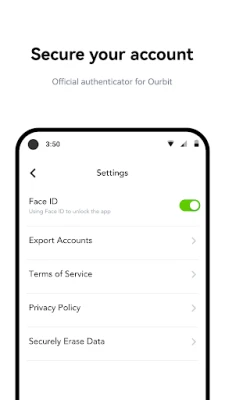
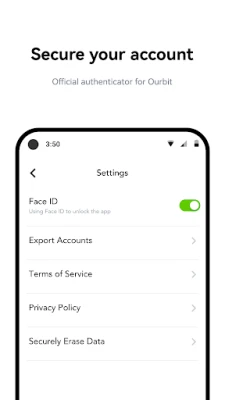
The Ourbit Authenticator serves as the official authentication application for the Ourbit platform, accessible at www.ourbit.com. This powerful tool not only secures your Ourbit account but also generates verification codes for a multitude of other applications that support two-step verification on both web and mobile platforms. Two-step verification, often referred to as two-factor authentication (2FA), adds an extra layer of security by requiring users to log in with their password and a temporary verification code. For enhanced protection, users can also configure Face ID on the Ourbit Authenticator, ensuring that only authorized individuals can generate codes.
Key Features of the Ourbit Authenticator
The Ourbit Authenticator is packed with features designed to streamline your security experience. Here’s a closer look at what it offers:
- Multi-Application Support: Seamlessly generate verification codes for popular platforms such as Facebook, Google, and Amazon.
- Time-Based and Counter-Based Codes: The app provides both time-based and counter-based verification codes, ensuring flexibility in how you secure your accounts.
- Effortless QR Code Transfers: Transfer accounts between devices effortlessly using a fuss-free QR code system.
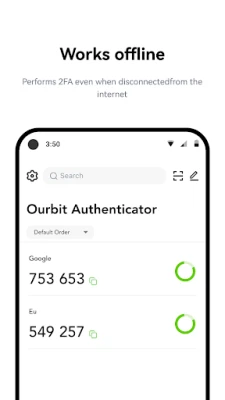
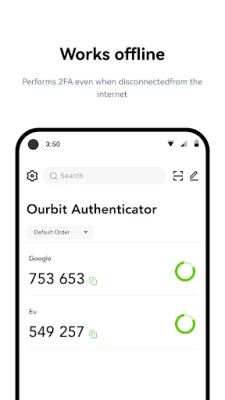
- Offline Code Generation: Generate verification codes without an internet connection, ensuring you remain secure even in offline scenarios.
- Secure Data Deletion: The app supports secure data deletion, giving you peace of mind when managing your accounts.
- Icon Customization: Customize icons for easy reference, making it simpler to identify your accounts at a glance.
- Search Functionality: Quickly find accounts by name with the built-in search function, enhancing your user experience.
- Account Grouping: Organize your accounts better with the grouping function, allowing for a more structured approach to account management.
How to Set Up the Ourbit Authenticator
To begin using the Ourbit Authenticator with your Ourbit account, follow these simple steps:
- Download the App: Start by downloading the Ourbit Authenticator from your device’s app store.
- Create an Account: If you don’t already have an Ourbit account, create one by visiting the Ourbit website.
- Enable 2-Step Verification: Log into your Ourbit account and navigate to the security settings. Here, you will find the option to enable 2-Step Verification.
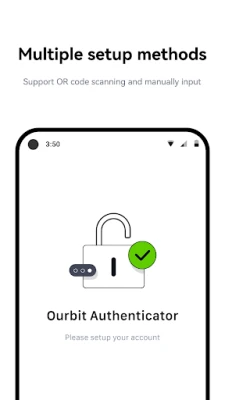
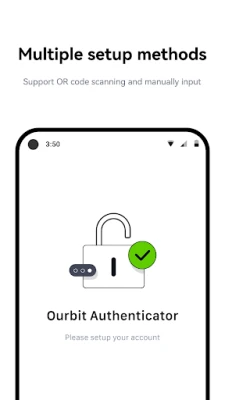
- Link the Authenticator: Follow the prompts to link your Ourbit account with the Ourbit Authenticator. This typically involves scanning a QR code displayed on your account settings page.
- Start Using the App: Once linked, you can start generating verification codes for secure logins.
Why Choose the Ourbit Authenticator?
In today’s digital landscape, security is paramount. The Ourbit Authenticator stands out for several reasons:
- Comprehensive Security: By utilizing two-step verification, you significantly reduce the risk of unauthorized access to your accounts.
- User-Friendly Interface: The app is designed with user experience in mind, making it easy for anyone to navigate and utilize its features.
- Versatile Compatibility: With support for multiple applications, the Ourbit Authenticator is a one-stop solution for all your verification needs.
- Offline Functionality: The ability to generate codes offline ensures that you can access your accounts anytime, anywhere.
Conclusion
The Ourbit Authenticator is an essential tool for anyone looking to enhance their online security. With its robust features, user-friendly design, and compatibility with various applications, it provides a comprehensive solution for two-step verification. By enabling 2-Step Verification on your Ourbit account and utilizing the Ourbit Authenticator, you can enjoy peace of mind knowing that your sensitive information is well-protected. Don’t compromise on security—download the Ourbit Authenticator today and take the first step towards a safer online experience.
Rate the App
User Reviews















Popular Apps










Editor's Choice









