


Latest Version
June 11, 2026
ottplayer
Entertainment
Android
0
Free
es.ottplayer.tv
Report a Problem
More About OttPlayer
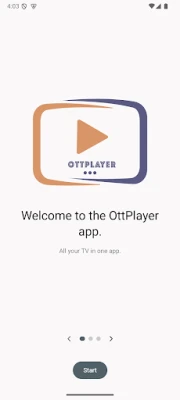
Unlock Seamless IPTV Streaming with Centralized Control
In today's digital age, accessing your favorite television channels has never been easier. With the right tools, you can enjoy a streamlined IPTV experience, all managed through a centralized website. This article explores the features and setup process of a powerful IPTV application that enhances your viewing experience.
Key Features of the IPTV Application
This IPTV application boasts a range of features designed to provide users with a seamless streaming experience. Here are some of the standout functionalities:
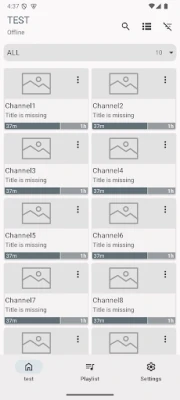
- Protocol Support: The application supports various streaming protocols, including HLS, RTSP, TS via UDP, and RTMP, ensuring compatibility with a wide range of devices and services.
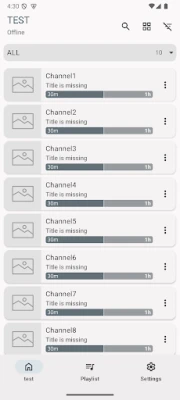
- Playlist Management: Users can easily manage their playlists, including M3U8 support, allowing for quick access to favorite channels.
- Customizable Icons: The app allows for easy management of playlist icons, making it simple to identify channels at a glance.
- No Advertisements: Enjoy an uninterrupted viewing experience with no ads disrupting your favorite shows.
Important Note: No TV Channels Included
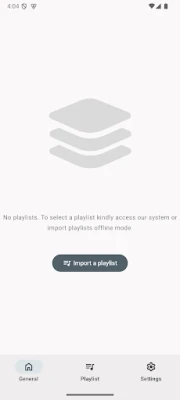
It is essential to understand that this software does not come pre-loaded with TV channels. Instead, it serves as a tool for easy viewing of IPTV content. To utilize the application effectively, you will need to obtain a list of channels, typically in the form of an M3U8 playlist. This playlist can be sourced from your Internet Service Provider (ISP) or any other reliable source.
Step-by-Step Guide to Setting Up Your IPTV Application
Getting started with the IPTV application is straightforward. Follow these steps to set up your account and begin streaming:
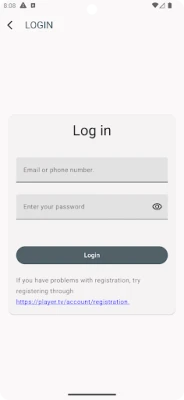
- Create an Account: Visit ottplayer.tv and create your account. This step is crucial for accessing the app's features.
- Input Registration Details: Once registered, enter your login credentials (username and password) into the application to link your account.
- Download Your Playlist: Obtain your M3U8 playlist from your chosen source and upload it to ottplayer.tv.
- Link Your Device: Connect your device to the uploaded playlist, ensuring you can access your favorite channels seamlessly.
- Start Watching: With everything set up, you can now enjoy your IPTV content without any hassle!
Enhancing Your IPTV Experience
To maximize your IPTV experience, consider the following tips:
- Regularly Update Your Playlist: Keep your M3U8 playlist updated to ensure access to the latest channels and content.
- Explore Different Sources: Don’t hesitate to explore various sources for playlists to find the best channels that suit your preferences.
- Utilize Support Resources: If you encounter any issues, refer to the support resources available on the OTTPlayer website for assistance.
Conclusion
With the right IPTV application, you can enjoy a centralized and user-friendly streaming experience. By following the simple setup process and leveraging the app's features, you can access your favorite channels effortlessly. Remember, the key to a great IPTV experience lies in having a reliable playlist and staying updated with the latest content. Start your IPTV journey today and transform the way you watch television!
Rate the App
User Reviews














Popular Apps










Editor's Choice









