

Latest Version
1.3.16.13
April 19, 2026
OSLink
Tools
Android
0
Free
io.oslink.link
Report a Problem
More About OSLink
Unlock Seamless Remote Access and Gaming with OSLink
In today's fast-paced digital world, the ability to access and control devices remotely has become essential. OSLink offers a comprehensive solution that allows users to connect their Android phones, tablets, and Windows computers effortlessly. This article explores the remarkable features of OSLink, highlighting its capabilities in remote access, screen mirroring, and gaming.
Effortless Remote Access
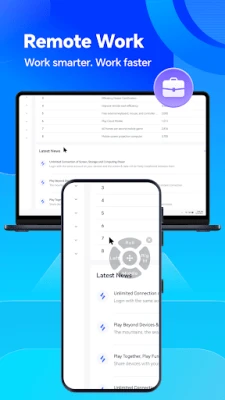
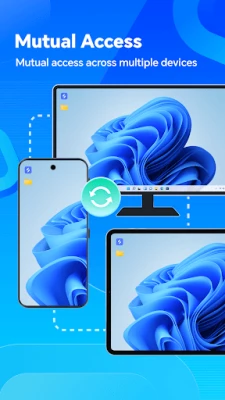
OSLink enables seamless remote access between various devices, including Android phones, tablets, and Windows computers. Users can connect an unlimited number of devices, making it an ideal solution for both personal and professional use. Whether you need to access files, applications, or settings, OSLink ensures that you can do so from anywhere, at any time.
Screen Mirroring Made Easy
One of the standout features of OSLink is its screen mirroring capability. Users can effortlessly mirror their mobile screens onto a Windows computer. This feature is particularly useful during meetings, where sharing mobile files is essential. Additionally, OSLink offers a dedicated Game Mode, providing an unparalleled experience for mobile gaming on a larger screen. Enjoy your favorite games with enhanced graphics and controls, all while using your computer.
Remote Control of Android Devices
OSLink allows users to remotely control Android phones and tablets, ensuring a stable gaming experience. By hosting games on real mobile devices, users can enjoy smoother gameplay and better performance. This feature is perfect for gamers who want to take their mobile gaming to the next level without compromising on quality.
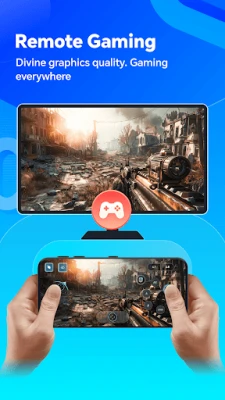
Transform Your Mobile into a Gaming Hub
With OSLink, you can remotely access your computer to play PC games using your mobile device. This innovative feature transforms your PC, Xbox, emulators, and popular gaming platforms like Epic and Steam into mobile versions. Enjoy the freedom of gaming on the go, without being tethered to your computer.
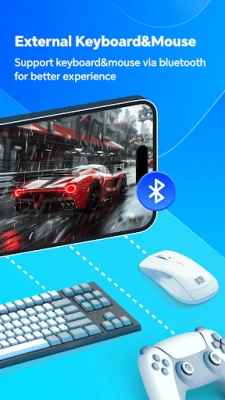
Bluetooth Keyboard and Mouse Support
OSLink enhances your gaming experience by supporting Bluetooth keyboards and mice. Connect your controller, keyboard, or mouse to your mobile device for a more immersive gaming experience. The platform also provides virtual keymaps for popular games such as GTA5, COD, PUBG, and WOW, while allowing users to create customized keymaps tailored to their preferences.
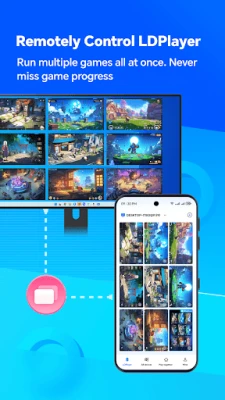
Control LDPlayer Remotely
For those who enjoy using LDPlayer, OSLink offers the ability to remotely control this Android emulator on your computer. Users can run multiple games or applications simultaneously, monitor game progress in real-time, and save valuable storage space on their mobile devices. This feature is perfect for gamers who want to maximize their gaming potential without sacrificing performance.
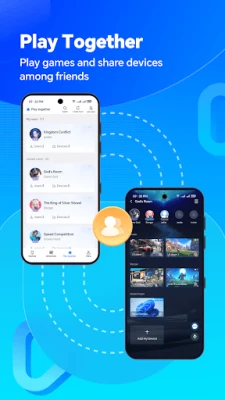
Play Together with Friends
OSLink introduces a new online multiplayer mode, allowing users to share their computer desktop and LDPlayer with friends. This feature fosters collaboration and fun, enabling you to play games together, regardless of your physical location. Invite your friends to join in on the action and enjoy a shared gaming experience like never before.
Getting Started with OSLink
To begin using OSLink, follow these simple steps:
- Open Google Play on your mobile device and search for "OSLink" to install the app. After installation, log in to your account.
- Visit the official OSLink website on your computer, download the Windows version, and log in with the same account as your mobile device to establish a connection.
How OSLink Works
OSLink utilizes the Accessibility Service API to deliver its impressive functionality:
- Simulated Clicks and Swipes: OSLink can simulate click and swipe actions, allowing you to control your device remotely. This feature enables you to open applications, browse the web, and utilize various app functionalities with ease.
- Text Input: The platform detects your input focus status, enabling you to type text on your device remotely. Whether sending messages or filling out forms, OSLink makes it simple.
- Floating Icons: OSLink displays a floating icon on your device screen to indicate that it is under remote control. This feature ensures you remain aware of the remote operation.
- Smart Locked Screen: To prevent your device from entering sleep mode during remote control, OSLink displays a smart locked screen floating icon, keeping your device active for uninterrupted operation.
It is important to note that OSLink requires your consent for remote control. The platform checks your input focus state to facilitate text input. If you wish to disable any Accessibility Service functions after screen mirroring, you can easily do so in the OSLink settings. OSLink is committed to respecting your privacy and data security, adhering strictly to relevant privacy policies and regulations.
Contact Us
For more information about OSLink, visit our official website: https://www.nicooapp.com/
Stay connected with us on Facebook: https://www.facebook.com/oslink.io
In conclusion, OSLink is a powerful tool that revolutionizes the way users interact with their devices. With its extensive features, including remote access, screen mirroring, and gaming capabilities, OSLink is the ultimate solution for anyone looking to enhance their digital experience. Embrace the future of remote connectivity with OSLink today!
Rate the App
User Reviews















Popular Apps










Editor's Choice









