




Latest Version
1.18.2
October 15, 2024
Ora Tools
Tools
Android
0
Free
storage.manager.ora
Report a Problem
More About Ora Storage Manager -Antivirus
Maximize Your Android Device's Performance with Ora Storage Manager
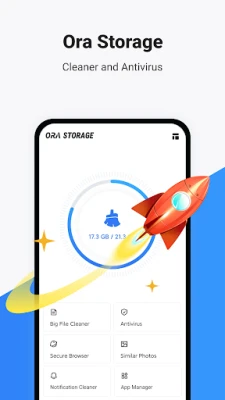
In today's digital age, managing your Android device's storage and performance is crucial. With the Ora Storage Manager, you can ensure your device runs smoothly while efficiently storing more data. This powerful tool not only removes cache and cleans up large file junk but also includes antivirus protection, an app manager, and a suite of handy tools designed to help you master your device effortlessly.
Key Features of Ora Storage Manager
Ora Storage Manager is packed with features that enhance your Android experience. Here’s a closer look at what it offers:
1. Cache Remover
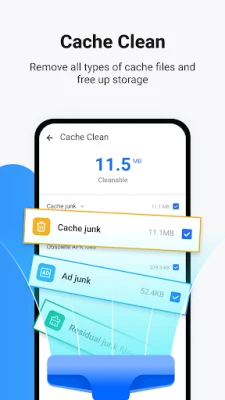
One of the standout features of Ora Storage Manager is its cache remover. This tool effectively eliminates unnecessary cache and junk files from your device, including app data and residual junk. By regularly cleaning your device, you can improve its performance and free up valuable storage space.
2. Advanced Antivirus Protection
Security is a top priority for any smartphone user. With the AV-Test antivirus engine integrated into Ora Storage Manager, you can scan your apps for viruses and malware. This feature ensures that your device remains safe from potential threats, giving you peace of mind while you browse and download.
3. Free Up Storage Space
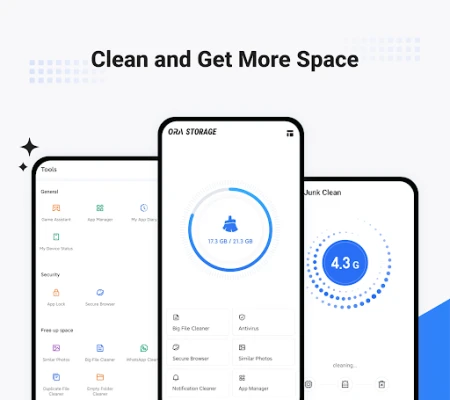
Are you running out of space on your device? Ora Storage Manager helps you reclaim storage by removing junk files, uninstalling unnecessary apps, and deleting unwanted photos and videos. This feature is essential for maintaining optimal device performance and ensuring you have enough space for the apps and media you love.
4. Comprehensive System Information
With Ora Storage Manager, you can access all the essential information about your phone on a single screen. This system info feature provides insights into your device's performance, helping you make informed decisions about storage management and app usage.
5. Smart App Manager
The App Manager within Ora Storage Manager is a smart tool that analyzes your apps, allowing you to take control of your Android device. It helps you identify apps that consume excessive data or storage, making it easier to manage your device effectively.
Advanced App Management
Managing apps on your Android device has never been easier. Ora Storage Manager offers advanced features that allow you to:
App Analyzer
The app analyzer feature identifies apps that overuse mobile data or take up too much storage space. This functionality enables you to clean out unnecessary apps quickly, optimizing your device's performance.
APK File Management
Ora Storage Manager also helps you find installed APK files, giving you a comprehensive view of your app landscape. This feature is particularly useful for users who frequently install and uninstall applications.
Photo Management Made Easy
Photos can quickly consume storage space on your device. Ora Storage Manager simplifies photo management with its photo analyzer feature:
Fast Photo Gallery Optimization
Optimize your photo gallery effortlessly by finding similar and duplicate photos. This feature allows you to clean your photo library, freeing up space for new memories.
Media Overview
With the media overview feature, you can:
- Optimize pictures to save space
- Sort media by source folders
- View all large video files in one place
- Scan and clean empty folders
App Overview for Informed Decisions
Understanding your app usage is vital for effective management. Ora Storage Manager provides an app overview that includes:
- Usage statistics
- App size analysis
- Installation time analysis
- Frequency of use analysis
Conclusion: Clean and Optimize Your Android Device
With Ora Storage Manager, you can clean your phone to free up storage space, eliminate junk, manage apps, and delete low-quality or duplicate photos. This powerful tool ensures you have ample storage for the apps, photos, and other content you cherish. Don't let a cluttered device slow you down—download Ora Storage Manager today and take control of your Android experience!
Rate the App
User Reviews















Popular Apps










Editor's Choice









