

Latest Version
7.69.0-2
October 12, 2024
Opensignal.com
Tools
Android
0
Free
com.staircase3.opensignal
Report a Problem
More About Opensignal - 5G, 4G Speed Test
Ultimate Guide to Mobile and WiFi Speed Testing with Opensignal
In today's fast-paced digital world, having reliable internet connectivity is essential. Whether you're streaming videos, playing online games, or simply browsing the web, understanding your mobile and WiFi speeds can significantly enhance your online experience. Opensignal offers a comprehensive suite of tools to measure and analyze your internet performance. This article delves into the various features of Opensignal, including speed tests, video playback assessments, and connectivity maps, ensuring you have all the information you need to optimize your internet usage.
Understanding Opensignal Speed Tests
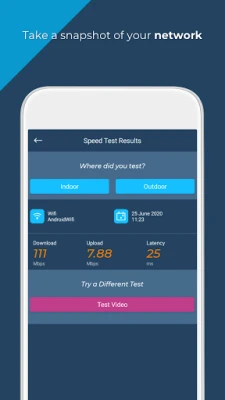
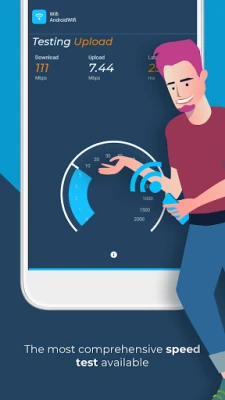
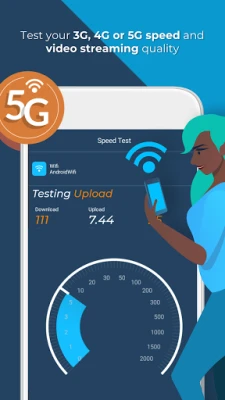
Opensignal's speed tests provide a detailed analysis of your mobile connectivity and signal strength. The process involves a series of tests designed to deliver accurate measurements of your internet speed. Each test includes:
- Download Test: A 5-second assessment to gauge how quickly data is downloaded from the internet.
- Upload Test: A 5-second evaluation to measure the speed at which data is uploaded to the internet.
- Ping Test: A measurement of the latency in your connection, indicating how quickly your device can communicate with the server.
These tests utilize common internet Content Delivery Network (CDN) servers, ensuring that the results reflect the typical speeds users can expect. The final speed result is calculated using the median of the samples collected, providing a reliable overview of your internet performance.
Video Playback Performance Assessment
Experiencing slow video load times or frequent buffering can be frustrating. Opensignal addresses this issue with its dedicated video playback test. This feature plays a 15-second video snippet to evaluate:
- Load Time: The duration it takes for the video to start playing.
- Buffering Events: Instances where the video pauses to load additional data.
- Playback Speed: The smoothness of the video playback, particularly for HD and SD content.
By logging these metrics in real-time, Opensignal provides users with a clear understanding of what to expect when streaming videos on their network.
Network Coverage and Speed Test Map
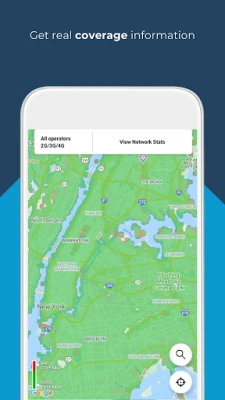
Finding the best coverage and fastest internet speeds is crucial, especially when traveling or in remote areas. Opensignal's network coverage map offers a detailed view of signal strength down to the street level. This map is powered by:
- User-Generated Data: Speed test and signal data collected from local users.
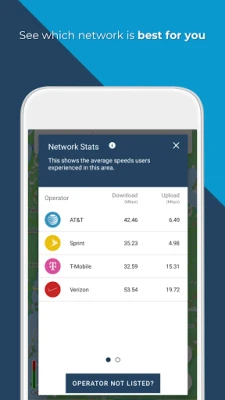
- Network Statistics: Information on local network operators, allowing users to compare coverage and speeds.
With this tool, you can check coverage before embarking on a trip, assess internet strength in less populated areas, and make informed decisions about local SIM cards and network providers.
Cell Tower Compass for Enhanced Connectivity
The cell tower compass feature is a valuable tool for users seeking to optimize their internet connection. It allows you to identify the direction of the nearest or strongest cell tower signal. This information can be instrumental in:
- Using Signal Boosters: Positioning your broadband and signal-boosting technology for maximum effectiveness.
- Improving Connectivity: Understanding where to direct your device for better signal reception.
While the cell tower compass relies on aggregate data, users should be aware that accuracy may vary in certain areas. Opensignal is continuously working to enhance this feature for improved user experience.
Connection Availability Statistics
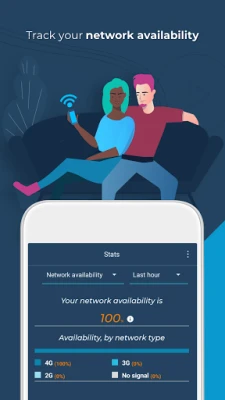
Opensignal tracks the time users spend connected to various networks, including 3G, 4G, 5G, and WiFi, as well as instances of no signal. This data empowers users to:
- Evaluate Service Quality: Determine if you are receiving the service you are paying for from your network provider.
- Report Issues: Use the collected data and individual speed tests to highlight connectivity problems to your mobile network operator.
By understanding your connection availability, you can make informed decisions about your mobile service and advocate for better connectivity.
About Opensignal: Your Trusted Source for Mobile Network Insights
Opensignal serves as an independent source of truth regarding mobile network experiences. By collecting anonymized data on signal strength, network performance, and device sensors, Opensignal provides users with a comprehensive view of mobile network speeds, gaming, video, and voice services worldwide. This data is shared with network operators and industry stakeholders to drive improvements in connectivity for all users.
For more information on how Opensignal handles your data, please refer to our Privacy Policy.
CCPA Compliance and User Permissions
Opensignal is committed to user privacy and complies with the California Consumer Privacy Act (CCPA). For more details, visit our CCPA page.
To enhance the accuracy of speed tests and network statistics, Opensignal requests the following permissions:
- Location: This allows speed tests to appear on a map and enables users to contribute to network statistics and coverage maps.
- Telephone: This permission helps gather more accurate data on dual SIM devices.
By utilizing Opensignal's tools and insights, you can ensure that you are making the most of your mobile and WiFi internet experience. Stay connected, informed, and empowered to choose the best network options available to you.
Rate the App
User Reviews















Popular Apps










Editor's Choice









