

Latest Version
2.7.5_1d04077_250430
December 04, 2025
OnePlus Ltd.
Tools
Android
0
Free
com.oneplus.health.international
Report a Problem
More About OnePlus Health
Resolving Application Startup Issues on OxygenOS 13
If you're experiencing difficulties with applications not launching on OxygenOS 13, you're not alone. This issue can be frustrating, but there are effective solutions to get your apps up and running smoothly again. Follow these steps to troubleshoot and resolve the problem.
Step 1: Log Out of Your OnePlus Account
The first step in resolving application startup issues is to log out of your OnePlus account. This can often reset any session-related problems that may be causing the app to malfunction. Here’s how to do it:
- Open the Settings app on your OnePlus device.
- Scroll down and select Accounts.
- Find and tap on your OnePlus account.
- Select Log Out to disconnect your account from the device.
Once you’ve logged out, restart your device to ensure all changes take effect.
Step 2: Log Back into the OnePlus Health App
After logging out, the next step is to log back into the OnePlus Health App. This app is essential for tracking your health data and ensuring that all features function correctly. Here’s how to log back in:
- Locate the OnePlus Health App on your device.
- Open the app and select Log In.
- Enter your credentials to access your account.
Logging back in can help re-establish a connection with the app and resolve any startup issues you may have encountered.
Utilizing Health Data Effectively
Once your applications are functioning properly, take advantage of the OnePlus Health App to monitor your health. This app allows you to:
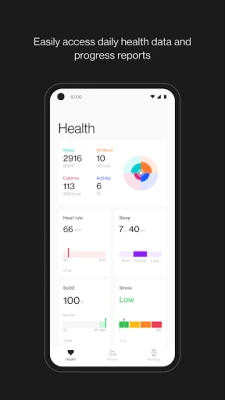
- Record Daily Activities: Keep track of your daily movements and activities.
- Visualize Heart Rate: Monitor your heart rate throughout the day.
- Track Sleep Data: Analyze your sleep patterns for better rest.
By regularly checking your health data, you can gain insights into your overall well-being and make informed decisions about your lifestyle.
Tracking Your Workouts
The OnePlus Health App also offers robust features for tracking workouts. Here’s what you can do:
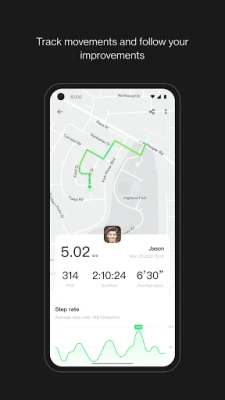
- Record Routes: Use GPS to track your running or cycling routes.
- Monitor Steps: Keep a count of your daily steps to stay active.
- Log Workout Duration: Measure how long you’ve been exercising.
- Calculate Distance and Calories Burned: Get detailed insights into your workout efficiency.
Generating personal exercise reports can help you understand your progress over time, allowing you to set and achieve fitness goals more effectively.
Managing Smart Devices
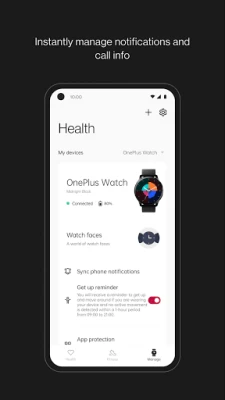
Another fantastic feature of the OnePlus Health App is its ability to pair and manage various smart devices. Here’s how you can enhance your experience:
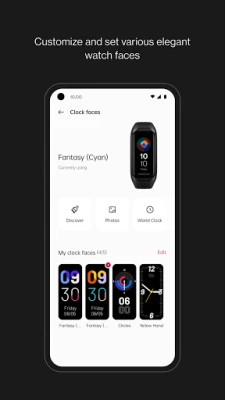
- Pair with OnePlus Band and OnePlus Watch: Connect your smart wearables to track health metrics seamlessly.
- Customize Notifications: Set up personalized notifications for calls and messages.
- Sync Incoming Call Info: Stay updated with call alerts directly on your smart devices.
- Access Recent Call Logs: Quickly view your call history for better communication management.
By effectively managing your smart devices, you can create a cohesive ecosystem that enhances your health tracking and overall user experience.
Conclusion
Encountering application startup issues on OxygenOS 13 can be a hassle, but with the right steps, you can quickly resolve them. By logging out of your OnePlus account and logging back into the OnePlus Health App, you can restore functionality. Additionally, utilizing the app’s features for health tracking, workout monitoring, and smart device management can significantly enhance your overall experience. Stay proactive about your health and enjoy the benefits of a well-functioning application.
Rate the App
User Reviews















Popular Apps










Editor's Choice









