

Latest Version
3.9.1
February 25, 2026
norisbank GmbH
Finance
Android
1
Free
com.db.pbc.phototan.nb
Report a Problem
More About norisbank photoTAN
Unlocking the Power of photoTAN: A Secure Way to Approve Your Online Transactions
In today's digital age, ensuring the security of your online banking transactions is paramount. The photoTAN app offers a seamless and secure method for approving orders, such as transfers, in both online and mobile banking environments. This article will delve into the functionalities of the photoTAN system, its advantages, and the transition to the new BestSign security process.
Understanding photoTAN and photoTAN Push
With the photoTAN security procedure activated, users have two efficient options for approving their transactions:
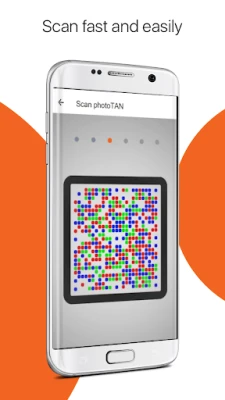
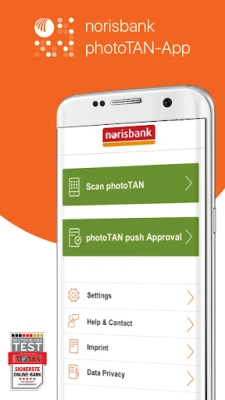
- photoTAN: This method involves scanning a graphic and entering the generated Transaction Number (TAN) into the order. This step confirms and approves the transaction.
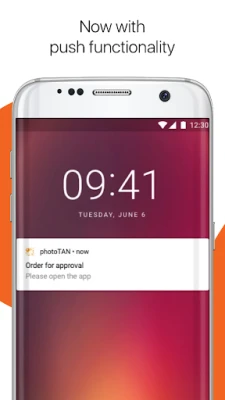
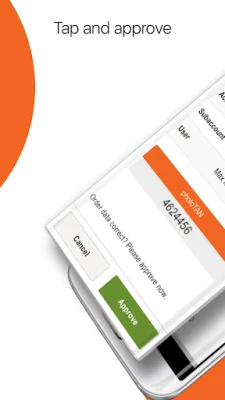
- photoTAN Push: For enhanced convenience, the photoTAN Push option allows users to confirm their orders directly within the app after verifying the transaction details.
Ensuring Security with the photoTAN App
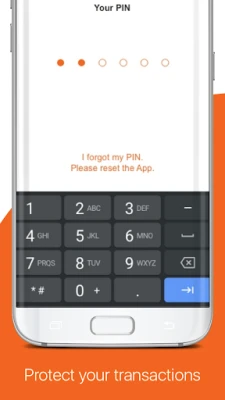
The photoTAN app prioritizes your security by requiring a personal identification number (PIN) that you select or by utilizing biometric data. This dual-layer security ensures that only you can authorize transactions, providing peace of mind while managing your finances online.
How to Activate photoTAN
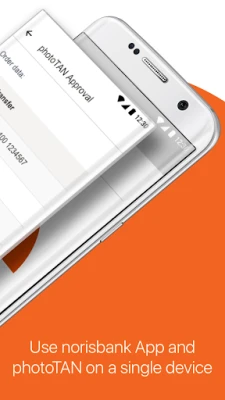
As of May 23, 2025, new photoTAN security procedures can no longer be established. However, existing active photoTAN methods remain functional. Users are encouraged to transition to the BestSign security process, which can be set up directly within the norisbank app. This integration allows you to manage both your banking and security procedures in one convenient application.
Transitioning to BestSign: The Future of Secure Banking
The BestSign security process is designed to enhance user experience while maintaining high-security standards. By consolidating banking and security features into a single app, users can enjoy a more streamlined and efficient banking experience. This transition marks a significant step forward in online banking security, ensuring that your transactions remain protected.
Learn More About Your Security Options
For further information on the photoTAN and BestSign security procedures, please visit the official website. Note that detailed resources are currently available in German: norisbank Security Procedures.
Conclusion
In conclusion, the photoTAN app provides a reliable and secure method for approving online transactions. With options like photoTAN and photoTAN Push, users can choose the method that best suits their needs. As the banking landscape evolves, transitioning to the BestSign security process will ensure that you continue to enjoy a secure and efficient banking experience. Stay informed and take advantage of these innovative security measures to protect your financial transactions.
Rate the App
User Reviews















Popular Apps










Editor's Choice









