

Latest Version
1.47
December 30, 2025
Craxiom
Tools
Android
0
Free
com.craxiom.networksurvey
Report a Problem
More About Network Survey
Unlocking the Power of Network Survey: A Comprehensive Guide
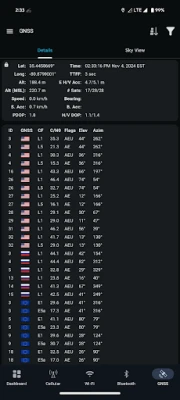
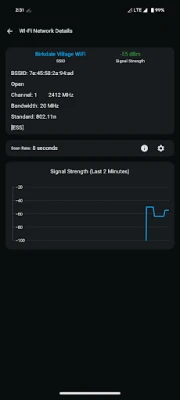
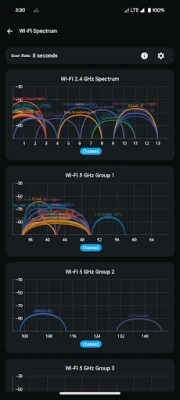
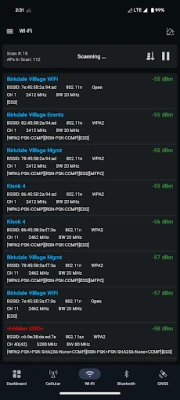
In today's digital age, understanding your device's connectivity is crucial. The Network Survey app offers a robust solution for users looking to analyze their cellular network performance. This article delves into the app's features, permissions, and functionalities, ensuring you maximize its potential.
Background Location Access: Why It Matters
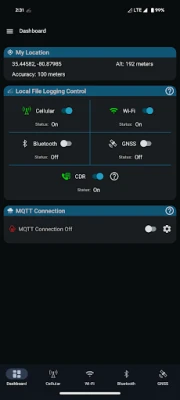
The Network Survey app requires background location access to function optimally. This permission is essential for initiating the network survey process upon device boot. By allowing the app to access your location in the background, you enable continuous monitoring and analysis of your cellular connectivity. For detailed information regarding privacy and data handling, refer to the app's privacy policy.
Cellular Logging: Insights into Your Network
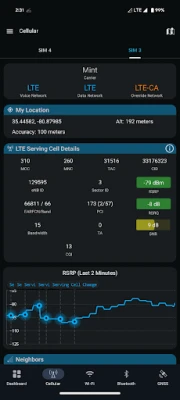
One of the standout features of the Network Survey app is its cellular logging capability. This feature captures vital information about your current serving cell and provides insights into neighboring cells. However, it's important to note that the app does not log all five cellular protocols simultaneously. Instead, it focuses on the protocols currently in use. If you wish to log data for a specific protocol, you can lock your phone to that protocol using the dial pad code *#*#4636#*#*.
Streaming Cellular Survey Records
The app allows users to stream cellular survey records to a gRPC server or an MQTT broker. This feature is not enabled by default, so users must set up a gRPC server or MQTT broker to utilize this functionality. For detailed instructions on setting up a network survey gRPC server, visit this GitHub page. For MQTT broker setup, check out Mosquitto's official site.
Bonus Feature: Call Detail Record (CDR) File Creation
Another impressive feature of the Network Survey app is its ability to generate a Call Detail Record (CDR) file. When enabled, the app logs CDR events into a CSV file, providing users with a comprehensive overview of their call data. This feature is particularly useful for those who want to analyze their call patterns and network performance.
Advanced Calculators for LTE Analysis
The app also includes advanced calculators designed for LTE analysis. Users can convert an LTE Cell ID to its corresponding eNodeB ID and Sector ID. Additionally, it offers a calculator to convert an LTE PCI to the corresponding Primary Sync Sequence (PSS) and Secondary Sync Sequence (SSS). These tools are invaluable for network engineers and enthusiasts looking to dive deeper into cellular technology.
Feedback and Contributions
The developers of the Network Survey app are eager to enhance user experience. If you have feature requests or suggestions, feel free to reach out by creating a GitHub issue at the link provided below. Your feedback is instrumental in shaping the future of this app.
For those interested in the technical aspects, the source code for the Network Survey app is available on GitHub. This transparency allows developers and tech enthusiasts to explore and contribute to the app's development.
Conclusion: Embrace the Power of Network Survey
The Network Survey app is a powerful tool for anyone looking to understand and optimize their cellular connectivity. With features like background location access, cellular logging, streaming capabilities, CDR file creation, and advanced calculators, it stands out as a comprehensive solution for network analysis. Embrace the power of this app and take control of your network experience today!
Icon made by Smashicons from www.flaticon.com is licensed by CC BY 3.0.
Rate the App
User Reviews















Popular Apps










Editor's Choice









