
Latest Version
April 09, 2026
Core Apps Creation
Tools
Android
0
Free
com.cac.networkstrength
Report a Problem
More About Network Signal Strength On Map
Maximize Your Internet Experience: Track Speed and Signal Strength on a Map
In today's digital age, a reliable internet connection is essential for both work and leisure. Understanding your internet speed and network signal strength can significantly enhance your online experience. With innovative tools available, you can now save your internet speed data and visualize it on an interactive map. This article explores how you can leverage these features to optimize your connectivity.
Monitor Network Signal Strength in Real-Time
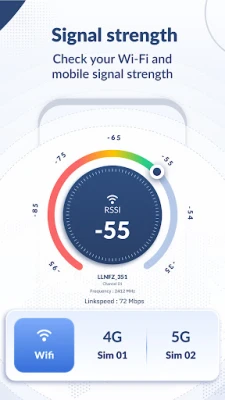
Stay ahead of connectivity issues by receiving real-time updates on your network signal strength. Whether you are using WiFi or mobile data, having access to accurate signal measurements is crucial. The application offers both normal and advanced modes, allowing you to choose the level of detail you need. This feature ensures that you are always aware of your network's performance, enabling you to make informed decisions about your internet usage.
Conduct Comprehensive Internet Speed Tests
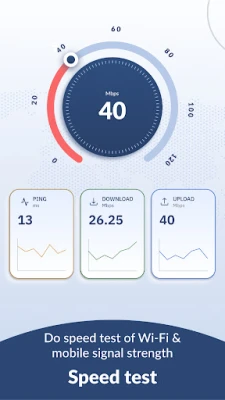
Understanding your internet speed is vital for a seamless online experience. With built-in speed test functionality, you can easily measure both download and upload speeds. This feature keeps you informed about your internet connection's performance, helping you identify any potential issues that may arise. Regularly testing your speed can also assist in determining whether your internet service provider is delivering the promised speeds.
Visualize Speed History on an Interactive Map
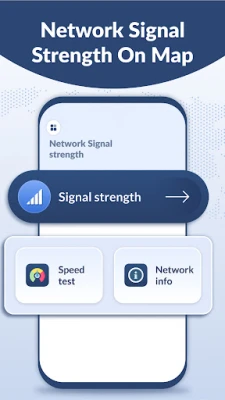
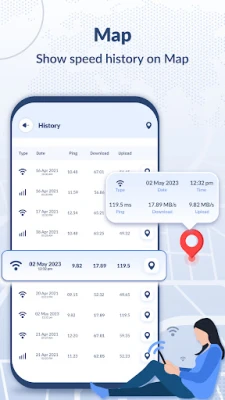
One of the standout features of this application is the ability to save and track your internet speed data on an interactive map. This functionality allows you to pinpoint locations where you experience the best internet speed and network signal. By visualizing your speed history, you can make strategic decisions about where to work or stream content, ensuring you always have the best possible connection.
Access Detailed Network Information
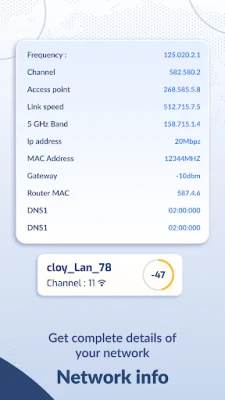
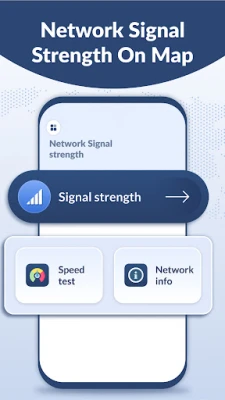
In addition to speed tracking, the application provides comprehensive information about your connected networks. You can access essential details related to your SIM card and WiFi connection, including:
- Network Name: Identify the WiFi network you are connected to.
- Access Point: View the access point details for your connection.
- IP Address: Check your device's IP address for troubleshooting.
- MAC Address: Access your device's MAC address for network identification.
This wealth of information empowers you to troubleshoot connectivity issues and optimize your network settings effectively.
Utilize the Signal Meter for Enhanced Visualization
The signal meter feature allows you to visualize the strength of your network connections, including 2G, 3G, 4G, 5G, and WiFi. This intuitive tool provides a clear representation of your signal strength, making it easier to identify areas with weak connectivity. By understanding your signal strength, you can make adjustments to improve your internet experience, whether that means changing locations or switching networks.
Review Your Speed Test History
Keeping track of your internet performance over time is essential for understanding trends and identifying issues. The application offers a comprehensive history of your speed test results, allowing you to monitor your network performance. By reviewing this data, you can determine if your internet speed fluctuates based on time of day or location, helping you make informed decisions about your internet usage.
Download the Network Signal Strength App Today
Stay informed about your network's performance and take control of your internet experience. Download the Network Signal Strength app now to track your speed history on a map, access crucial network information, and visualize your signal strength. With these powerful features at your fingertips, you can ensure that you are always connected to the best possible internet experience.
Permissions Required for Optimal Functionality
To fully utilize the features of the application, certain permissions are required:
- Location Permission: This permission is necessary to display WiFi signal strength details and to show the location of your speed tests.
- Read Phone State Permission: This permission allows the app to display available cellular-related information, enhancing your overall experience.
By granting these permissions, you enable the app to provide you with the most accurate and useful information regarding your internet connectivity.
In conclusion, understanding your internet speed and network signal strength is crucial in today's connected world. With the right tools, you can optimize your online experience, ensuring that you always have the best possible connection. Download the Network Signal Strength app today and take the first step towards a more reliable internet experience.
Rate the App
User Reviews















Popular Apps










Editor's Choice









