

Latest Version
2.7.6
April 01, 2026
First Row
Tools
Android
0
Free
com.myprog.netscan
Report a Problem
More About Network Scanner
Essential Network Diagnostic Tools for Effective Troubleshooting
In today's digital landscape, maintaining a robust network is crucial for both personal and professional environments. Whether you're a network administrator or a casual user, having access to reliable network diagnostic tools can significantly enhance your troubleshooting capabilities. This article explores essential network tools that can help you diagnose and resolve connectivity issues efficiently.
1. Understanding Ping: A Fundamental Network Tool
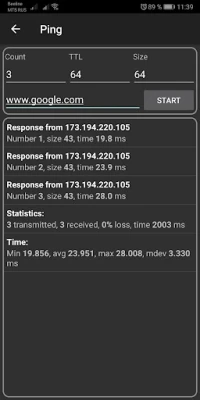
Ping is one of the most widely used network diagnostic tools. It operates by sending Internet Control Message Protocol (ICMP) echo request packets to a target host and waiting for a response. This simple yet powerful tool helps determine the reachability of a host on an Internet Protocol (IP) network.
Using Ping, you can:
- Check if a device is online.
- Measure the round-trip time for messages sent to the destination.
- Identify packet loss, which can indicate network issues.
2. Traceroute: Mapping the Path of Your Data
Traceroute is another essential tool that helps you understand the path your data takes to reach its destination. By sending packets with incrementally increasing Time to Live (TTL) values, Traceroute identifies each hop along the route and measures the time taken for each segment.
This tool is invaluable for:
- Identifying network bottlenecks.
- Diagnosing routing issues.
- Understanding the overall health of your network path.
3. Port Scanner: Assessing Network Security
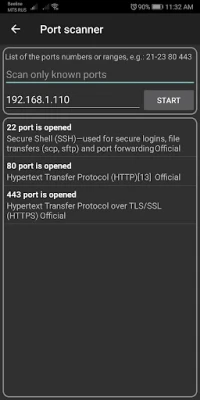
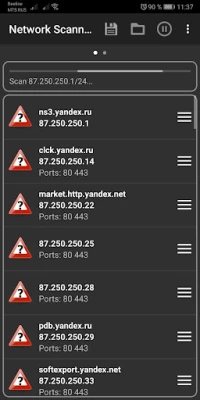
A port scanner is a vital tool for network security assessments. It scans a range of ports on a device to determine which ones are open, closed, or filtered. This information is crucial for identifying potential vulnerabilities in your network.
Key benefits of using a port scanner include:
- Identifying unauthorized services running on your network.
- Assessing the security posture of your devices.
- Helping in compliance audits and vulnerability assessments.
4. IP Calculator: Simplifying Network Configuration
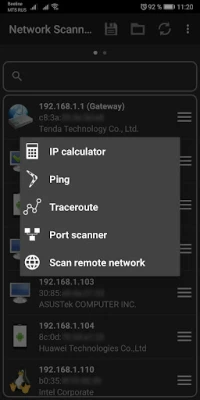
An IP calculator is an essential tool for anyone involved in network configuration. It simplifies the process of subnetting and helps you understand IP address ranges, subnet masks, and CIDR notation.
With an IP calculator, you can:
- Quickly determine the number of hosts in a subnet.
- Convert between different IP address formats.
- Ensure efficient IP address allocation in your network.
5. Wake On LAN: Remotely Powering Up Devices
Wake On LAN (WoL) is a feature that allows you to remotely power on a computer or device over the network. This tool is particularly useful for IT administrators who need to manage devices without being physically present.
Benefits of using Wake On LAN include:
- Saving energy by powering down devices when not in use.
- Facilitating remote maintenance and updates.
- Enhancing productivity by allowing users to access their devices from anywhere.
6. Network Information Screen: Comprehensive Network Overview
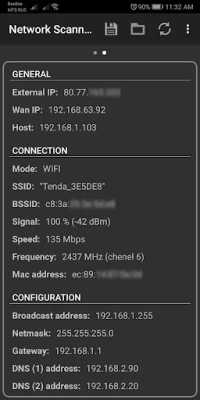
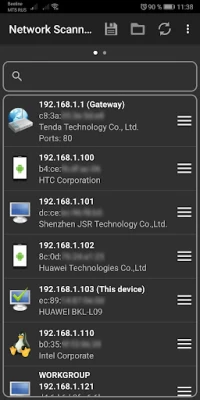
A network information screen provides a comprehensive overview of your network's status. It displays critical information such as connected devices, IP addresses, and network performance metrics.
This tool is essential for:
- Monitoring network health in real-time.
- Identifying unauthorized devices on your network.
- Gathering data for troubleshooting and performance optimization.
Conclusion: Empower Your Network Management with Diagnostic Tools
Incorporating these essential network diagnostic tools into your toolkit can significantly enhance your ability to troubleshoot and maintain a healthy network. From Ping and Traceroute to Port Scanners and Wake On LAN, each tool serves a unique purpose that contributes to effective network management. By leveraging these tools, you can ensure optimal performance, security, and reliability in your network environment.
Stay proactive in your network management efforts, and equip yourself with the right tools to tackle any connectivity challenges that may arise.
Rate the App
User Reviews















Popular Apps










Editor's Choice









