

Latest Version
1.0.281
March 15, 2026
KF Software House
Tools
Android
0
$3.99
info.kfsoft.android.TrafficIndicatorPro
Report a Problem
More About Network Monitor Mini Pro
Unlock the Full Potential of Your Network with the PRO Version Features
In today's digital age, monitoring your network traffic is essential for optimizing performance and ensuring security. The PRO version of our traffic monitoring application offers a suite of advanced features designed to enhance your user experience. Below, we delve into the standout functionalities that set the PRO version apart from the free version, ensuring you get the most out of your network management.
Customizable Kilo Value for Precise Monitoring
One of the key features of the PRO version is the Adjustable Kilo Value. This allows users to customize the measurement units according to their preferences, ensuring that you can monitor your network traffic in a way that makes the most sense for you. Whether you prefer kilobytes, megabytes, or gigabytes, this feature provides flexibility and precision.
Fine-Tune Your Readings with Adjustable Decimal Places
Another significant advantage of the PRO version is the ability to Adjust Decimal Places. This feature is particularly useful for users who require detailed readings. However, if you experience flickering issues, it is advisable to turn this feature off for a smoother experience. This level of customization ensures that you can view your data in the most comprehensible format.
Normalize Traffic for Accurate Insights
The PRO version also includes the ability to Normalize VPN, Proxy, and Loopback Traffic. This feature is crucial for users who rely on virtual private networks or proxies, as it ensures that your traffic data remains accurate and reflective of your actual usage. By normalizing this traffic, you can gain clearer insights into your network performance.
Custom Readings Location for Enhanced Usability
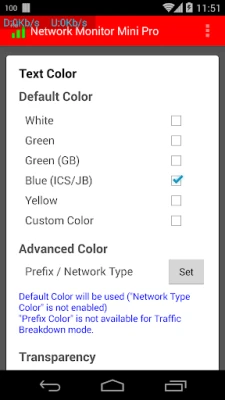
With the Custom Readings Location feature, users can choose where they want their traffic data displayed. This flexibility allows for a more personalized experience, enabling you to position your readings in a way that is most convenient for you. Whether you prefer a specific corner of your screen or a dedicated area, this feature enhances usability.
Status Bar Integration for Quick Access
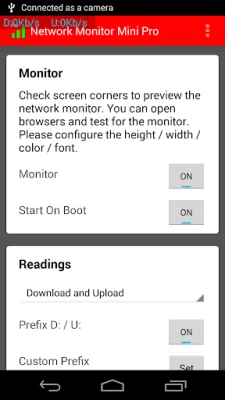
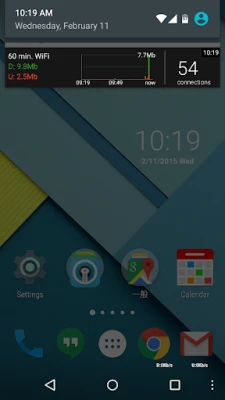
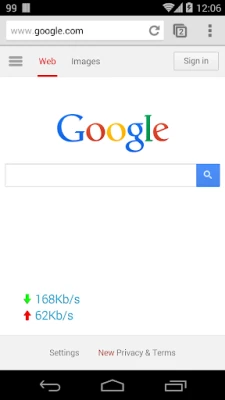
The PRO version allows you to Show Readings on the Status Bar, providing quick access to your network data without needing to open the app. This feature is particularly beneficial for users who want to keep an eye on their traffic without interrupting their workflow. It ensures that you are always informed about your network status at a glance.
Smart Hiding Features for a Clutter-Free Experience
One of the standout features of the PRO version is its ability to Hide Readings When There is No Traffic. This smart functionality ensures that your screen remains uncluttered, displaying information only when it is relevant. Additionally, you can choose to Hide Readings When Specific Apps are Running, allowing for a more focused user experience when using resource-intensive applications.
Day Dreaming Mode for Seamless Monitoring
For users who utilize screen savers, the PRO version includes a feature to Hide Readings When Day Dreaming (available for Android 4.2 and above). This ensures that your traffic data does not interfere with your screen saver, providing a seamless transition between active monitoring and idle time.
Beta Test: Traffic Breakdown Mode
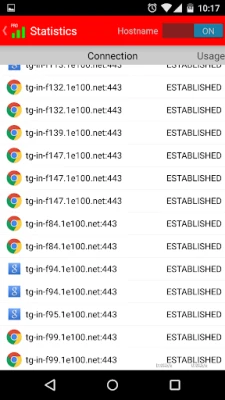
For those looking to dive deeper into their network usage, the PRO version offers a Beta Test: Traffic Breakdown Mode for supported devices. This feature allows users to analyze their traffic in greater detail, providing insights into which applications or services are consuming the most bandwidth. This information is invaluable for optimizing your network performance.
Ad-Free Experience for Uninterrupted Monitoring
One of the most significant advantages of the PRO version is that it is completely Ad-Free. This means you can monitor your network traffic without interruptions, allowing for a more focused and efficient experience. Enjoy the benefits of advanced features without the distraction of advertisements.
Explore the Free Version
If you're interested in trying out the application, the Free Version is available for download. While it offers essential features for basic traffic monitoring, upgrading to the PRO version unlocks a wealth of advanced functionalities that can significantly enhance your network management experience.
Conclusion: Elevate Your Network Monitoring with the PRO Version
In conclusion, the PRO version of our traffic monitoring application provides a comprehensive suite of features designed to optimize your network management. From customizable settings to smart hiding options and an ad-free experience, the PRO version is tailored for users who demand precision and efficiency. Upgrade today to unlock the full potential of your network monitoring capabilities.
Rate the App
User Reviews















Popular Apps










Editor's Choice









