
Latest Version
March 05, 2026
Our Phones Today
Tools
Android
0
Free
com.ourphonestoday.networkmonitor
Report a Problem
More About Network Monitor - 5G, 4G, WiFi
Maximizing Your Connectivity: Understanding Nearby Cellular and Wi-Fi Networks
In today's digital age, staying connected is more important than ever. Whether you're streaming your favorite show, working from home, or simply browsing the web, understanding your nearby cellular and Wi-Fi networks can significantly enhance your online experience. This article delves into the intricacies of these networks, providing you with the knowledge to optimize your connectivity.
Exploring Nearby Cellular Networks
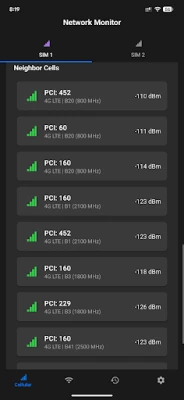
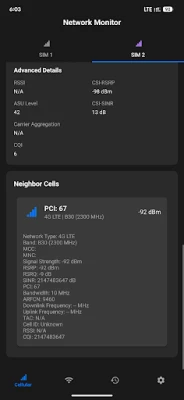
Cellular networks are the backbone of mobile communication, allowing users to make calls, send texts, and access the internet on the go. Understanding the nearby cellular networks can help you choose the best service provider and improve your mobile experience.
- Network Coverage: Check the coverage maps provided by cellular providers to ensure you have a strong signal in your area.
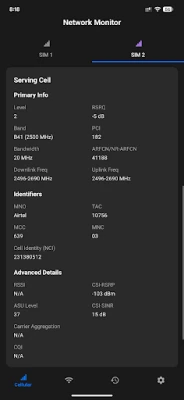
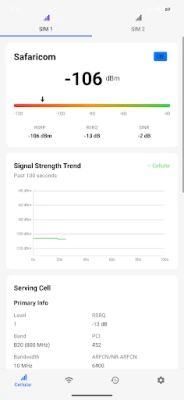
- Signal Strength: Use your device to assess the signal strength of nearby networks. A stronger signal often translates to faster data speeds and more reliable connections.
- Network Type: Familiarize yourself with the different types of cellular networks available, such as 4G LTE and 5G, to take advantage of the latest technology.
Connected Wi-Fi Networks: What You Need to Know
Wi-Fi networks provide a convenient way to connect multiple devices to the internet without relying on cellular data. Understanding the details of your connected Wi-Fi network can help you optimize your home or office setup.
- Network Information: Access your router settings to view essential information about your Wi-Fi network, including the SSID, security type, and IP address.
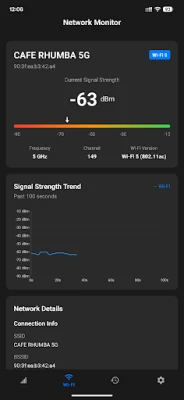
- Channel Selection: Selecting the right channel for your Wi-Fi network can reduce interference from neighboring networks. Use tools to analyze nearby Wi-Fi channels and choose the least congested one.
- Bandwidth Management: Monitor the bandwidth usage of connected devices to ensure that no single device is hogging the connection, which can slow down your network.
Choosing the Right Wi-Fi Channel
When setting up a Wi-Fi network, selecting the appropriate channel is crucial for optimal performance. Here’s how to make an informed choice:
- Wi-Fi Analyzer Tools: Utilize Wi-Fi analyzer applications to scan for nearby networks and their channels. This will help you identify which channels are crowded and which are free.
- 2.4 GHz vs. 5 GHz: Understand the differences between the 2.4 GHz and 5 GHz bands. The 2.4 GHz band offers broader coverage but is more prone to interference, while the 5 GHz band provides faster speeds with a shorter range.
- Regularly Update Settings: Periodically reassess your channel selection, especially if you notice a decline in performance, as new networks may have appeared in your vicinity.
Monitoring Signal Trends Over Time
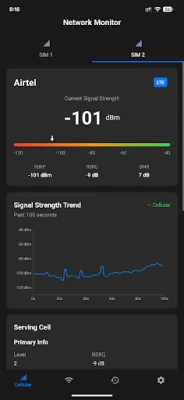
Keeping an eye on your network's signal strength can help you identify issues before they become significant problems. Monitoring trends over a period of 100 seconds can provide valuable insights.
- Real-Time Monitoring: Use applications that allow you to track signal strength in real-time. This can help you pinpoint when and where your connection drops.
- Historical Data: Analyze historical data to understand patterns in signal strength. This can help you determine if there are specific times when your connection is weaker.
- Adjusting Equipment: If you notice consistent drops in signal strength, consider repositioning your router or investing in signal boosters to enhance coverage.
Receiving Alerts for Signal Changes and Data Usage
Staying informed about your network's performance is essential for maintaining a seamless online experience. Setting up alerts can help you stay on top of any changes.
- Signal Change Notifications: Enable notifications on your devices to alert you whenever there is a significant change in signal strength. This can help you react quickly to connectivity issues.
- Data Usage Alerts: Monitor your data usage with alerts that notify you when you approach your data limit. This is especially important for those on limited data plans.
- Network Health Checks: Regularly perform health checks on your network to ensure optimal performance. This includes checking for firmware updates and ensuring your security settings are up to date.
Conclusion
Understanding nearby cellular and Wi-Fi networks is crucial for maximizing your connectivity. By exploring network options, selecting the right channels, monitoring signal trends, and setting up alerts, you can ensure a seamless online experience. Stay informed and proactive to make the most of your digital life.
Rate the App
User Reviews















Popular Apps










Editor's Choice









