

Latest Version
1391-1r
April 20, 2026
BGN CAPITAL
Tools
Android
0
Free
com.burakgon.netoptimizer
Report a Problem
More About Net Optimizer: Optimize Ping
Unlock Blazing Fast Internet: Find and Connect to the Fastest DNS Server
In today's digital age, a fast and reliable internet connection is essential for both work and play. Whether you're streaming your favorite shows, browsing the web, or engaging in online gaming, the speed of your internet can significantly impact your experience. One often-overlooked factor that can enhance your browsing speed is the Domain Name System (DNS). This article will guide you on how to find and connect to the fastest DNS server based on your location and network, ultimately improving your web surfing speed and gaming performance.
Why DNS Matters for Your Internet Speed
DNS acts as the phonebook of the internet, translating human-friendly domain names into IP addresses that computers use to identify each other on the network. If your DNS server is slow, it can lead to delays in loading websites, resulting in frustrating lag times. By optimizing your DNS settings, you can significantly enhance your browsing speed and reduce latency, especially during online gaming sessions.
Features of the Fastest DNS Server Finder
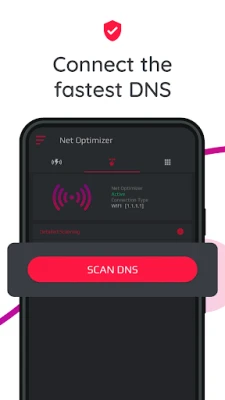
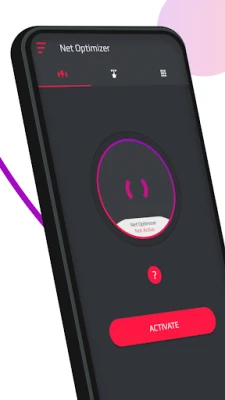
- One-Touch Connection: Easily find and connect to the fastest DNS server with just a single tap, optimizing your internet connection effortlessly.
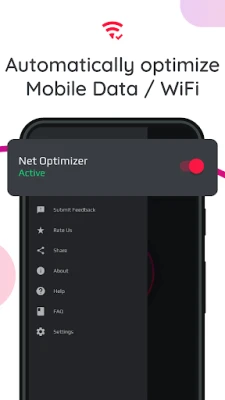
- Automatic Detection: The tool automatically detects changes in your connection and optimizes your network settings accordingly.
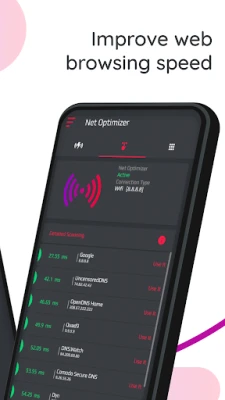
- Manual DNS Scanning: For those who prefer a hands-on approach, you can manually scan all available DNS servers with one touch to view detailed information.
- Compatibility: Works seamlessly with both mobile data (3G/4G/5G) and WiFi connections, ensuring you stay connected wherever you are.
- Supported DNS Servers: Access a variety of DNS servers, including Cloudflare, Level3, Verisign, Google, DNS Watch, Comodo Secure, OpenDNS, SafeDNS, OpenNIC, SmartViper, Dyn, FreeDNS, Alternate DNS, Yandex DNS, UncensoredDNS, and puntCAT.
How Does It Work?
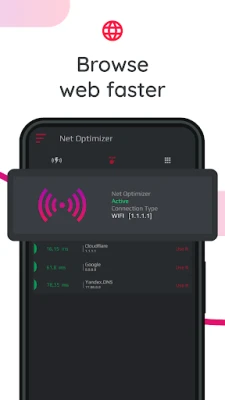
If you have a high-speed internet connection but still experience sluggish web browsing, the issue may stem from your DNS settings. By optimizing your device's DNS records, you can identify the fastest routes for your data packets, enhancing your overall browsing experience. While this won't directly increase your download or upload speeds, it can lead to noticeable improvements in how quickly web pages load.
Many users encounter slowdowns while using the internet, often due to their Internet Service Provider's (ISP) DNS settings. ISPs may not always provide the fastest DNS servers, which can hinder your browsing speed. By selecting the optimal DNS server based on your geographical location, you can significantly enhance your internet experience.
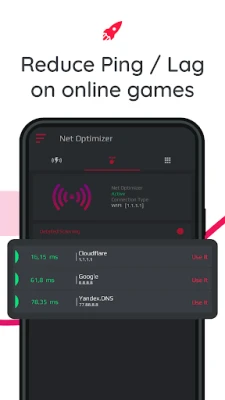
With tools like Net Optimizer, finding and connecting to the fastest DNS server is a breeze. A simple tap allows you to optimize your browsing speed and improve your gaming experience by reducing ping and latency. Remember, while DNS settings won't affect your internet's download or upload speeds, they can greatly influence response times.
Real-World Results
Testing has shown that switching to Google's DNS servers can yield a remarkable 132.1% improvement compared to using default DNS servers. While real-world results may vary, this simple adjustment can make your internet connection feel significantly faster, allowing you to enjoy a seamless online experience.
Permissions and Privacy Considerations
To provide an optimal user experience, certain permissions are required:
- Overlay Permission: This permission allows the app to display an Auto Optimize pop-up over other applications.
- VPN Service: Net Optimizer utilizes the VPNService base class to establish a DNS connection. When your Android device connects to the internet, it is assigned an IP address, which is a unique identifier in the virtual network. Net Optimizer processes these encrypted numbers as site addresses using DNS servers, enabling efficient access to websites.
Conclusion
In conclusion, optimizing your DNS settings can lead to a faster and more enjoyable internet experience. By using tools like Net Optimizer, you can easily find and connect to the fastest DNS server tailored to your location and network. This simple yet effective adjustment can enhance your web surfing speed, reduce latency in online gaming, and ultimately provide a smoother online experience. Don't let slow DNS servers hold you back—take control of your internet speed today!
Rate the App
User Reviews















Popular Apps










Editor's Choice









