
Latest Version
v3.10.0_1069
October 24, 2025
Anker
Tools
Android
0
Free
com.zhixin.controller
Report a Problem
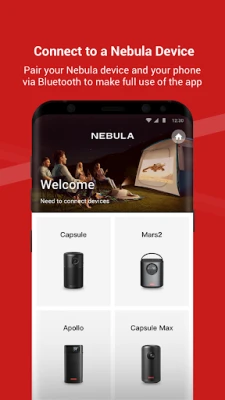
More About Nebula Connect
Get Expert Assistance Anytime: Contact Us at Seenebula
At Seenebula, we understand that navigating through challenges can be daunting. Whether you have questions about our services, need technical support, or seek guidance on optimizing your experience, our dedicated team is here to help you every step of the way.
Why Reach Out to Us?
Our commitment to customer satisfaction sets us apart. We prioritize your needs and strive to provide timely and effective solutions. Here are a few reasons why contacting us is beneficial:
- Expert Guidance: Our knowledgeable support team is equipped to handle a wide range of inquiries, ensuring you receive the best advice tailored to your situation.
- Quick Response Times: We value your time. When you reach out, expect prompt replies that address your concerns without unnecessary delays.
- Comprehensive Support: From technical issues to service inquiries, our team is well-versed in all aspects of our offerings, ready to assist you with any challenge.
How to Contact Us
Getting in touch with us is simple and straightforward. You can reach our support team via email at support@seenebula.com. Here’s how to ensure your inquiry is handled efficiently:
- Be Clear and Concise: When composing your email, provide a brief overview of your issue or question. This helps us understand your needs quickly.
- Include Relevant Details: If applicable, include any relevant information such as account details, error messages, or screenshots. This will assist us in diagnosing the problem more effectively.
- Specify Your Availability: Let us know your preferred times for a follow-up, so we can accommodate your schedule.
What to Expect After Contacting Us
Once you reach out, here’s what you can expect:
- Acknowledgment: You will receive a confirmation that your email has been received, along with an estimated response time.
- Personalized Assistance: Our team will review your inquiry and provide a tailored response, addressing your specific needs.
- Follow-Up: If necessary, we may reach out for additional information or clarification to ensure we resolve your issue effectively.
Customer Satisfaction is Our Priority
At Seenebula, we believe that exceptional customer service is the foundation of our success. Your feedback is invaluable, and we continuously strive to improve our support processes. If you have suggestions or comments, please don’t hesitate to share them with us.
Join Our Community
In addition to direct support, we encourage you to explore our online resources. Our website features a wealth of information, including FAQs, tutorials, and community forums where you can connect with other users. Engaging with our community can provide additional insights and tips to enhance your experience with Seenebula.
Conclusion
Don’t hesitate to reach out for assistance. Whether you have a simple question or require in-depth support, our team at Seenebula is ready to help. Contact us today at support@seenebula.com and experience the exceptional service that sets us apart.
Rate the App
User Reviews















Popular Apps










Editor's Choice









