

Latest Version
1.8.5
May 19, 2026
MyScript
Education
Android
0
Free
com.myscript.math
Report a Problem
More About MyScript Math: Solve & Plot
Unlock Your Math Potential with MyScript Math: The Ultimate Handwriting Recognition Tool
Experience seamless math problem-solving with MyScript Math, a cutting-edge application designed to enhance your mathematical journey. This innovative tool allows you to focus on solving equations without the worry of miscalculations. With its advanced handwriting recognition engine, MyScript Math accurately interprets any handwritten equation, making it an ideal companion for students and math enthusiasts alike.
Effortless Equation Solving
MyScript Math simplifies the process of tackling complex equations, whether they involve variables, percentages, fractions, or even inverse trigonometry. The app’s solver provides quick and precise answers, ensuring you can tackle any math challenge with confidence.
Instant Solutions with a Simple Gesture
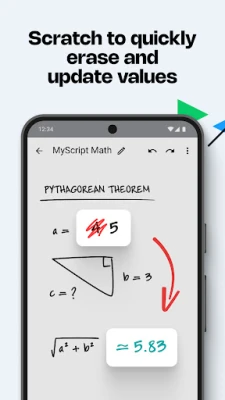
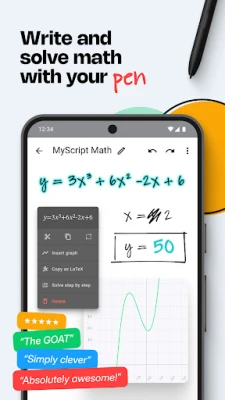
To solve an equation, simply write an equal sign. As you update your equation, the result refreshes automatically, allowing for a fluid and dynamic problem-solving experience.
Interactive Graphing Capabilities
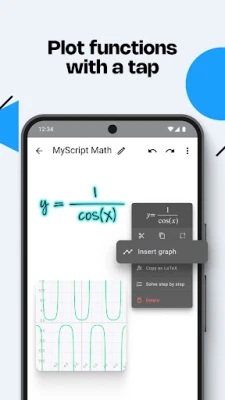
Transform your equations into visual representations with MyScript Math’s plotting feature. By tapping on your equation, you can create an interactive graph that updates in real-time as you make changes. This functionality not only aids in understanding but also enhances your ability to visualize mathematical concepts.
Dynamic Variable Management
Define variables within your equations and utilize them across multiple calculations. When you update a variable, all related calculations and graphs adjust automatically, providing a comprehensive view of how changes impact your results.
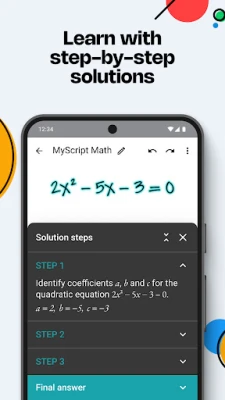
Step-by-Step Solutions for Enhanced Learning
MyScript Math goes beyond just providing answers; it offers detailed step-by-step explanations for each solution. This feature is invaluable for students seeking to deepen their understanding of mathematical principles and improve their problem-solving skills.
Expandable Workspace for Maximum Efficiency
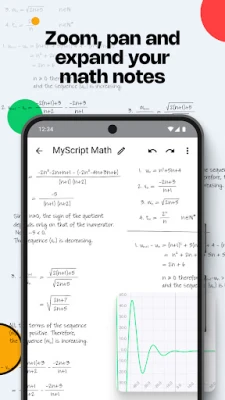
Adjust the zoom level and navigate your workspace effortlessly. MyScript Math allows you to utilize as much space as you need, making editing and reviewing your work a breeze. This expandable workspace ensures that you can see everything clearly, enhancing your overall productivity.
Intuitive Editing Tools
Editing your work is simple with MyScript Math. Use the scratch-to-erase feature to remove mistakes without switching tools—just scribble out what you want to delete and continue working. Additionally, the drag-and-drop functionality allows you to select content easily and reposition it as needed.
Customizable Preferences for Tailored Results
MyScript Math offers various preferences to customize the format of your results. Choose between degrees, radians, decimals, fractions, or mixed numbers to suit your needs. This flexibility ensures that you receive answers in the format that works best for you.
Seamless LaTeX Support
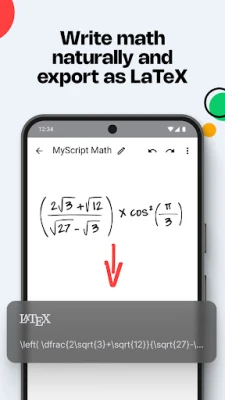
For those who prefer working with LaTeX, MyScript Math allows you to write your equations naturally and easily copy and paste them into other applications. This feature is particularly useful for students and professionals who need to integrate their work into reports or presentations.
Organized Math Notes at Your Fingertips
Keep all your math notes in one convenient view. MyScript Math enables you to display multiple notes simultaneously, making it easy to access and reference your work. You can also export your notes as images or PDFs for sharing with classmates or colleagues.
Compatibility and Privacy Assurance
MyScript Math is compatible with any active or passive pen, providing flexibility in how you interact with the app. For detailed information on device compatibility, visit the official website. Importantly, MyScript Math respects your privacy and does not store your content on its servers without your explicit consent.
Get Support When You Need It
If you require assistance or have feature requests, you can easily create a support ticket at MyScript Support. The dedicated team is ready to help you make the most of your MyScript Math experience.
In conclusion, MyScript Math is an essential tool for anyone looking to enhance their mathematical skills. With its powerful features, intuitive design, and commitment to user privacy, it stands out as a premier solution for solving equations and understanding math concepts. Embrace the future of math with MyScript Math and unlock your full potential today!
Rate the App
User Reviews















Popular Apps










Editor's Choice









