


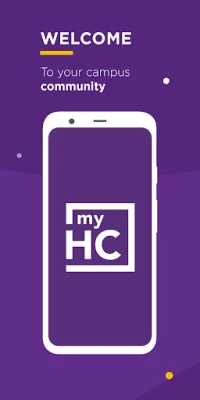
Latest Version
July 11, 2026
Ready Education Inc.
Education
Android
0
Free
com.novalsys.holycross
Report a Problem
More About myHC
Get Support from Holy Cross: Your Guide to myHC
Are you seeking assistance with your Holy Cross account? Look no further! This comprehensive guide will walk you through the steps to get the support you need from myHC at Holy Cross. Whether you have questions about your account, need technical help, or require general information, we’ve got you covered.
Understanding myHC at Holy Cross
myHC is the online portal for Holy Cross students, faculty, and staff. It serves as a central hub for accessing important resources, managing academic information, and connecting with various services. Understanding how to navigate this platform is essential for maximizing your experience at Holy Cross.
How to Contact Support
If you encounter any issues or have questions regarding myHC, reaching out for support is simple. You can contact the support team directly via email at myHC@holycross.edu. This email address is monitored by knowledgeable staff who are ready to assist you with any inquiries.
Accessing myHC Online
To access myHC, simply visit myhc.holycross.edu. This user-friendly website allows you to log in securely and access a variety of features tailored to your needs. Here’s a quick overview of what you can find:
- Academic Resources: Access course materials, grades, and academic calendars.
- Financial Information: View tuition statements, financial aid details, and payment options.
- Campus Services: Connect with various campus services, including housing, dining, and health services.
Common Issues and Solutions
While using myHC, you may encounter some common issues. Here are a few typical problems and their solutions:
Login Problems
If you have trouble logging in, ensure that you are using the correct username and password. If you’ve forgotten your password, use the “Forgot Password” link on the login page to reset it. If issues persist, contact support for further assistance.
Accessing Course Materials
Sometimes, course materials may not be visible. Ensure that you are enrolled in the correct courses and that your professors have uploaded the necessary documents. If you still can’t find what you need, reach out to your instructor or the support team.
Technical Glitches
Technical issues can arise from time to time. If you experience slow loading times or error messages, try clearing your browser cache or using a different browser. If the problem continues, contact the support team for help.
Tips for a Smooth Experience with myHC
To enhance your experience with myHC, consider the following tips:
- Regularly Check for Updates: Stay informed about any updates or changes to the platform by checking your Holy Cross email regularly.
- Utilize Available Resources: Take advantage of the resources available through myHC, including academic advising and counseling services.
- Engage with the Community: Use myHC to connect with fellow students and faculty, fostering a sense of community and support.
Conclusion
Getting support for your myHC account at Holy Cross is straightforward. By contacting the support team at myHC@holycross.edu or visiting myhc.holycross.edu, you can resolve any issues and make the most of your experience. Remember to utilize the resources available to you and stay engaged with the Holy Cross community. Your success is just a click away!
Rate the App
User Reviews














Popular Apps










Editor's Choice









