

Latest Version
10.9.23
September 05, 2025
Flexisoftwarebd
Finance
Android
0
Free
com.khidmahtelecom.user
Report a Problem
More About MY Telecom
Top Up Your Mobile from Home: A Comprehensive Guide
In today's fast-paced digital world, staying connected is more important than ever. Whether you're using your mobile for work, socializing, or entertainment, ensuring that your phone is always charged and ready to go is essential. One of the most convenient ways to keep your mobile device topped up is by recharging it from the comfort of your home. This guide will explore various methods to top up your mobile, the benefits of online recharging, and tips to make the process seamless.
Why Top Up Your Mobile from Home?
Recharging your mobile from home offers numerous advantages:
- Convenience: You can top up your mobile anytime, without the need to visit a store.
- Time-Saving: Avoid long queues and save time by recharging online.
- 24/7 Availability: Online platforms are available around the clock, allowing you to recharge whenever you need.
- Exclusive Offers: Many online services provide discounts and promotions that you might not find in physical stores.
Methods to Top Up Your Mobile from Home
There are several ways to recharge your mobile phone from home. Here are some popular methods:
1. Mobile Apps
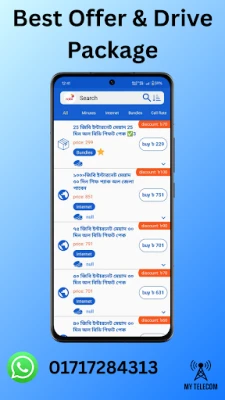
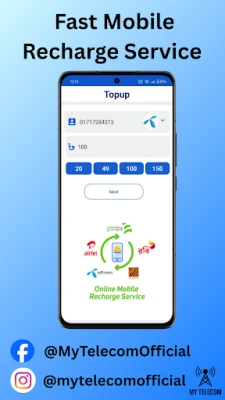
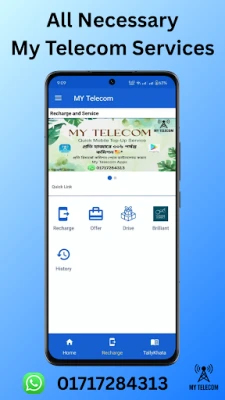
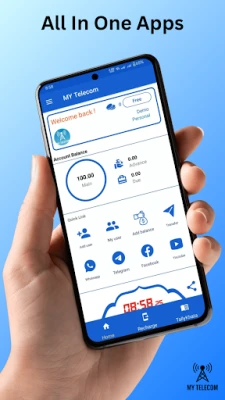
Many mobile service providers offer dedicated apps that allow users to recharge their phones easily. Simply download the app, create an account, and follow the prompts to add funds to your account. Most apps also allow you to set up automatic recharges, ensuring you never run out of balance.
2. Online Portals
Most mobile carriers have user-friendly websites where you can log in to your account and recharge your mobile. This method is straightforward and often provides access to exclusive online deals. Just enter your mobile number, select the amount you wish to top up, and complete the payment process.
3. Third-Party Recharge Services
Numerous third-party websites and apps specialize in mobile recharges. These platforms often support multiple carriers and provide competitive rates. Make sure to choose a reputable service to ensure your transaction is secure.
Steps to Recharge Your Mobile Online
Recharging your mobile online is a simple process. Follow these steps for a hassle-free experience:
- Select Your Method: Choose whether you want to use a mobile app, your carrier's website, or a third-party service.
- Log In or Create an Account: If required, log in to your account or create a new one.
- Enter Your Mobile Number: Provide the mobile number you wish to recharge.
- Choose the Amount: Select the amount you want to add to your balance.
- Complete the Payment: Choose your payment method and complete the transaction.
- Confirmation: Wait for a confirmation message or email to ensure your recharge was successful.
Tips for a Smooth Mobile Recharge Experience
To ensure a seamless mobile recharge experience, consider the following tips:
- Keep Your Information Updated: Ensure your account details, including payment methods, are current to avoid any issues during the recharge process.
- Check for Promotions: Before recharging, look for any available discounts or promotional offers that can save you money.
- Use Secure Payment Methods: Opt for secure payment options, such as credit cards or trusted digital wallets, to protect your financial information.
- Set Reminders: If you frequently forget to recharge, set reminders on your phone or calendar to ensure you stay connected.
Conclusion
Recharging your mobile from home is not only convenient but also a smart way to manage your mobile expenses. With various methods available, including mobile apps, online portals, and third-party services, you can easily keep your phone topped up without leaving your house. By following the steps outlined in this guide and implementing the tips provided, you can enjoy a hassle-free mobile recharge experience. Stay connected and make the most of your mobile device by ensuring it’s always ready for use!
Rate the App
User Reviews















Popular Apps










Editor's Choice









