

Latest Version
6.2.38
December 15, 2025
Synovus Bank
Finance
Android
1
Free
com.synovus.mobilebanking
Report a Problem
More About My Synovus Mobile Banking
Mastering Simple Account Management with My Synovus App
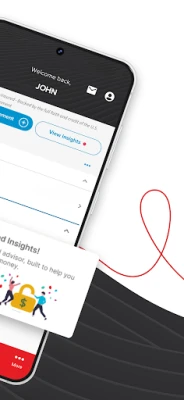
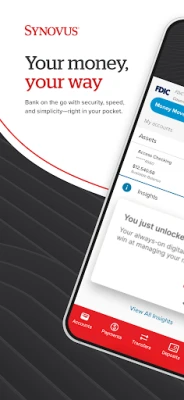
In today's fast-paced world, managing your finances efficiently is crucial. The My Synovus App offers a comprehensive suite of features designed to simplify account management, enhance security, and facilitate seamless transactions. This article delves into the app's functionalities, ensuring you can make the most of your banking experience.
Effortless Account Management
The My Synovus App provides a user-friendly interface that allows you to:
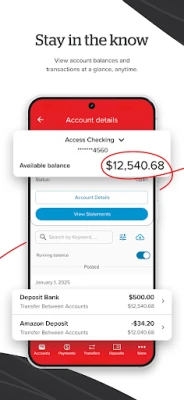
- Review Account Activity: Instantly check your balances and transaction history for checking, savings, loans, and credit card accounts.
- Track External Accounts: Keep an eye on balances from external accounts, ensuring you have a complete financial overview.
- Instant Balances: View your account balances without the need to log in, saving you time and effort.
- Set Alerts: Receive notifications for important account activities, helping you stay informed about your finances.
- Search Transactions: Easily find transactions by keyword, amount, date, or check number, making it simple to track your spending.
Enhanced Security with Multifactor Authentication
Your financial security is paramount. The My Synovus App incorporates advanced security measures, including:
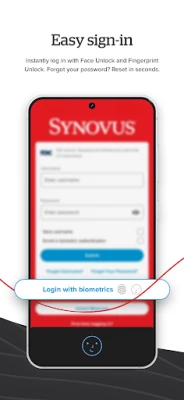
- Fingerprint Recognition: Quickly sign in using your fingerprint for a secure and convenient experience.
- Security Questions: After entering your unique username and password, answer a security question for added protection.
- One-Time Passcode: For first-time logins or logins from unfamiliar devices, a one-time passcode is required, ensuring your account remains secure.
Seamless Fund Transfers
Transferring funds between your accounts has never been easier. The My Synovus App allows you to:
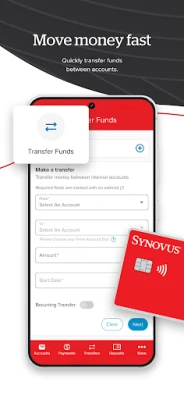
- Move Funds Quickly: Transfer money securely between your Synovus accounts with just a few taps.
Paying People Made Simple
With the My Synovus App, sending and receiving money is straightforward:
- Popmoney® Integration: Securely send and receive money from friends and family using just their email address or mobile number.
Efficient Bill Payments
Managing your bills is hassle-free with the My Synovus App:
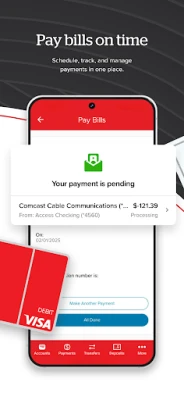
- Schedule Payments: Easily schedule, edit, or cancel payments to various companies.
- Add Recipients: Manage your list of bill recipients effortlessly.
- View Upcoming eBills: Stay on top of your bills by viewing and paying upcoming eBills directly through the app.
Convenient Mobile Check Deposits
Depositing checks is now as easy as taking a photo:
- Camera Functionality: Use your smartphone's camera to deposit checks by simply entering the deposit amount and submitting photos of your endorsed check.
Find Synovus Locations Easily
Need to find a branch or ATM? The My Synovus App helps you:
- Locate Branches and ATMs: Search for Synovus locations across the Southeast, whether near you, at a specific address, or within a designated ZIP code.
Permissions for Optimal Functionality
To ensure the app functions smoothly, certain permissions are necessary:
- Location Permissions: Required to display nearby Synovus locations and provide mapping directions.
- Camera Permissions: Necessary for utilizing the Mobile Deposit feature.
- Internet Access: Essential for connecting with My Synovus.
- Device Compatibility: The app requires Android 5 or higher.
- Contacts Access: Needed for the Popmoney® service.
About My Synovus
The My Synovus App is free to download and offers a range of features to enhance your banking experience. To use the app, you need to have a mobile service provider's data and/or text plan, which may incur charges. Signing in is easy with your existing My Synovus username and password, or you can enroll directly through the app. Security measures, such as answering security questions or receiving a one-time passcode, may be required during login. The app is designed for users aged 13 and up, with limited access for minors aged 13 and older.
Important Disclaimers
For complete details, please refer to the My Synovus agreement.
- Account Transaction Limitations: Savings and Money Market accounts are limited to six debit transactions per month. Exceeding this limit may result in conversion to a checking account.
- Popmoney® Enrollment: Required for sending and receiving payments. Individual payment limits apply.
- Bill Pay Enrollment: Necessary for managing bill payments through the app.
- Deposit Limits: Restrictions apply, and funds are subject to verification.
Experience the convenience and security of managing your finances with the My Synovus App today!
Rate the App
User Reviews













Popular Apps










Editor's Choice









