

Latest Version
7.15.0.b1
December 26, 2025
Raiffeisen Bank International AG
Finance
Android
0
Free
com.rbinternational.retail.mobileapp
Report a Problem
More About my Raiffeisen mobile app
Unlock Seamless Banking with the myRaiffeisen Mobile App
In today's fast-paced world, managing your finances should be as simple and efficient as possible. With the myRaiffeisen mobile application, you can keep your bank right in your pocket, making daily banking not only convenient but also secure. This article will guide you through the process of opening a new account and highlight the app's features that make banking easier than ever.
How to Open a New Account
Opening a new account with Raiffeisen Bank is a straightforward process. Follow these steps to get started:
- Gather your identification documents, including your ID and address card. If you're opening a business account, ensure you have your tax number ready.
- Click on the "Open New Account" button on the website or app.
- Select the type of account and card you wish to open, and provide your contact information.
- Review and accept the terms and conditions.
- Scan your documents and the NFC chip of your ID for verification.
- Take a selfie and sign the contract using an SMS code for added security.
- Log in with the provided code to start using your new account.
Experience Banking Anytime, Anywhere
The myRaiffeisen mobile application is designed to make banking simple, comfortable, and quick, available to you around the clock. With its user-friendly interface, you can perform various banking tasks with ease.
Key Features of the myRaiffeisen App
The app offers a range of features that enhance your banking experience:
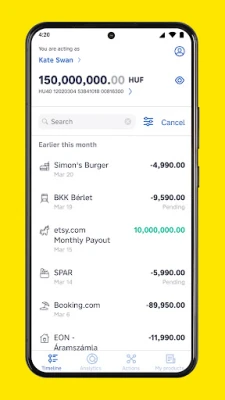
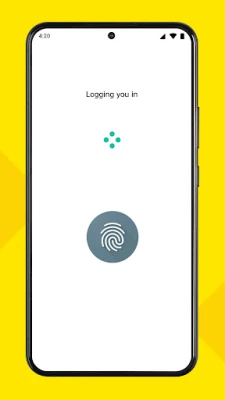
- Secure Transactions: Access your data and transactions with a PIN code or biometric authentication, ensuring your information remains protected.
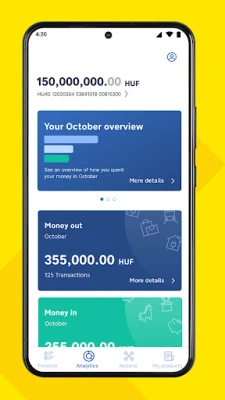
- Comprehensive Financial Overview: The app provides an Analytics section that categorizes your spending, giving you a clearer picture of where your money goes.
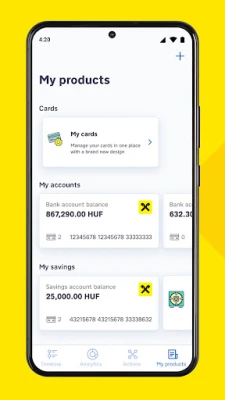
- All Accounts in One Place: Manage all your Raiffeisen bank accounts, debit cards, credit cards, and term deposits from a single platform.
Manage Your Finances with Ease
With the myRaiffeisen app, you can accomplish various banking tasks effortlessly:
- Adjust your card limits at any time.
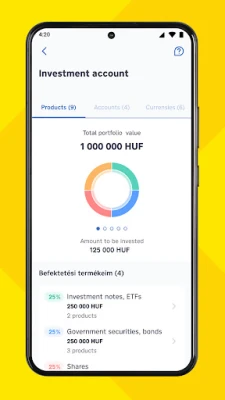
- Monitor your overdraft and investment portfolio.
- Create, terminate, or withdraw term deposits.
- Activate, block, or unlock your cards as needed.
Effortless Banking Transactions
Experience a new level of convenience with the following features:
- Log in securely using your fingerprint (Mobile Token).
- Make transfers using email, mobile numbers, tax numbers, or IDs.
- Manage your card limits and pay off your credit card with ease.
- Open foreign currency accounts and apply for personal loans, overdrafts, or credit cards.
- View, create, and delete existing standing orders and direct debits.
- Exchange currencies between your accounts with special offers.
- Request payments and send money via QR codes.
- Authorize online purchases directly through the mobile application.
Getting Started with the myRaiffeisen App
To activate the myRaiffeisen mobile app, you need to meet the following requirements:
- Maintain an account with Raiffeisen Bank Hungary.
- Have a bank account or credit card with Raiffeisen Bank Hungary.
- Access to internet banking services with valid DirektNet credentials.
- Use a smartphone operating on Android 7.0 or later.
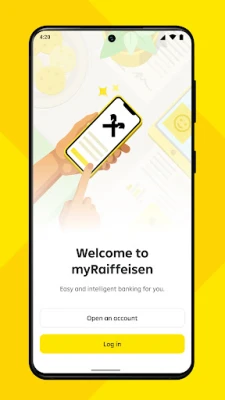
To register, simply download the app, log in with your internet banking credentials, and choose a PIN code to activate the Mobile Token. You can also opt for biometric authentication for added convenience.
Innovative Banking Solutions Await
At Raiffeisen Bank, we leverage technology creatively to enhance your daily banking experience. Stay tuned for more exciting features and improvements coming soon. If you enjoy using our app, please consider giving us a rating. For any suggestions or feedback, feel free to reach out via email at info@raiffeisen.hu.
Embrace the future of banking with the myRaiffeisen mobile application, where convenience meets security, and your financial management is just a tap away!
Rate the App
User Reviews















Popular Apps










Editor's Choice









