
Latest Version
4.0.6.5
April 18, 2026
Michael Totschnig
Finance
Android
0
Free
org.totschnig.myexpenses
Report a Problem
More About My Expenses
Master Your Finances with My Expenses: The Ultimate Expense Tracking App
In today's fast-paced world, managing your finances effectively is crucial. With the right tools, you can take control of your spending and savings effortlessly. My Expenses is designed to simplify your financial management, offering a range of features that cater to both casual users and financial enthusiasts. This article delves into the key features of My Expenses, highlighting how it can transform your financial planning and tracking.
Effortless Expense Tracking
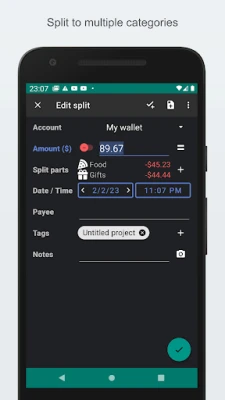
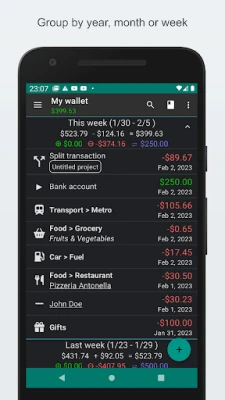
One of the standout features of My Expenses is its effortless expense tracking. Whether you're using a smartphone or tablet, you can easily monitor your income and expenses in real-time. The intuitive interface allows you to log transactions quickly, ensuring you never lose sight of your financial status.
Flexible Account Management
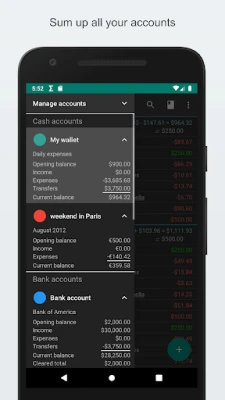
Managing multiple accounts has never been easier. My Expenses supports flexible account management, allowing you to handle various accounts seamlessly. You can transfer funds between different currencies without any hassle, making it ideal for travelers and those dealing with international transactions.
Streamlined Financial Planning
Planning your finances is crucial for achieving your financial goals. With My Expenses, you can set up plans for recurring transactions effortlessly. This feature ensures that you never miss a payment, whether it's a monthly subscription or a regular bill, helping you maintain a clear financial overview.
Seamless Data Management
Data management is a breeze with My Expenses. You can export and import data easily using QIF and CSV formats. This functionality allows you to back up your financial information or transfer it to other applications without any complications, ensuring your data is always accessible.
Enhanced Security Features
Your financial data's security is paramount. My Expenses offers enhanced security options, including password protection and device lock screen security. These features ensure that your sensitive information remains safe from unauthorized access, giving you peace of mind as you manage your finances.
Customizable User Experience
Everyone has different preferences when it comes to app interfaces. My Expenses allows for a customizable experience, enabling you to tailor the app to your liking. You can choose from various themes and adjust font sizes, ensuring that your financial management experience is both enjoyable and user-friendly.
Bank Statement Reconciliation Made Easy
Keeping track of your transactions is essential for accurate financial management. My Expenses simplifies this process with its bank statement reconciliation feature. You can easily compare your transaction status with your bank statements, ensuring that your records are always accurate and up-to-date.
Quick Data Entry with Homescreen Widgets
Time is money, and My Expenses understands that. The app offers quick data entry options through homescreen widgets and shortcuts. This feature allows you to log expenses and income swiftly, making it easier to stay on top of your finances without wasting time.
Powerful Data Analysis Tools
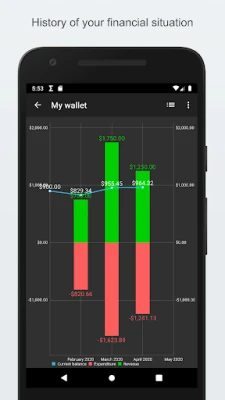
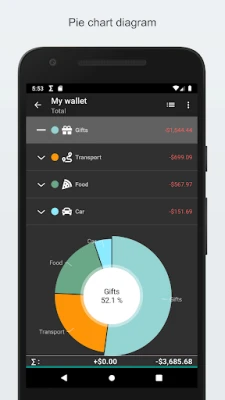
Understanding your financial habits is key to making informed decisions. My Expenses provides powerful data analysis tools that allow you to filter your data based on various criteria. You can visualize your spending distribution and historical trends with dynamic graphs, giving you valuable insights into your financial behavior.
Unlock Premium Features for Enhanced Functionality
For those looking to elevate their financial management experience, My Expenses offers several premium features:
- Contrib Key: Eliminate ads and unlock unlimited accounts, recurring transaction plans, and more.
- Extended Key: Benefit from cloud synchronization, automated backups, and advanced CSV imports.
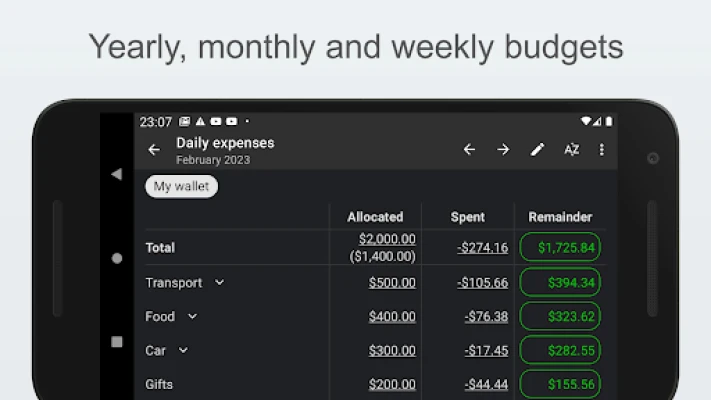
- Professional Key: Access budgeting tools, receipt scanning, and dedicated email support to take your financial management to the next level.
Permissions Required for Optimal Functionality
To ensure seamless operation, My Expenses requires the following permissions:
- Calendar: Plans for future and recurring transactions are stored in a local calendar or any calendar you designate.
- Internet: Enables anonymous usage tracking, crash reports, and cloud synchronization.
- Accounts: Facilitates synchronization across devices via cloud services.
Take Control of Your Finances Today!
With My Expenses, you can take control of your finances like never before. Its comprehensive features and user-friendly interface make it the perfect tool for anyone looking to improve their financial management. Start your journey towards financial freedom today by downloading My Expenses and experience the difference it can make in your life!
Rate the App
User Reviews















Popular Apps










Editor's Choice









