

Latest Version
February 07, 2026
T.O.P.S INTERNATIONAL JOINT STOCK COMPANY
Tools
Android
0
Free
com.tops.datausage.datamanager
Report a Problem
More About My data - Data usage manager
Maximize Your Mobile Experience: The Ultimate Guide to Data Usage and Internet Speed Testing
In today's digital age, understanding your mobile data usage and internet speed is crucial for optimizing your online experience. This article delves into two powerful functions that can help you monitor your data consumption and test your internet speed effectively. Whether you're a casual user or a tech enthusiast, these tools will empower you to manage your mobile connectivity with ease.
Track Your Data Usage with Precision
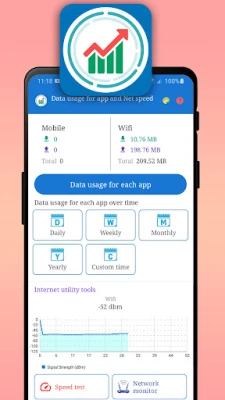
One of the most significant challenges for mobile users is managing data consumption across various applications and games. The data usage tracking tool provides a comprehensive overview of how much data each app consumes over time. This feature is particularly beneficial for users who want to avoid exceeding their data limits.
Visualize Your Data Consumption
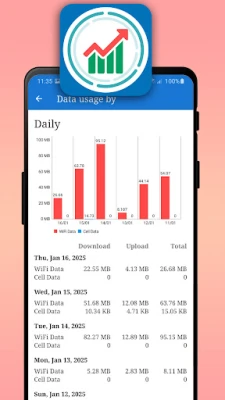
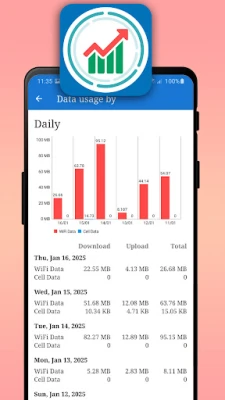
The data usage tool graphs your data consumption over time, allowing you to visualize trends and patterns. Users can filter their data usage by specific time frames, such as:
- Daily
- Weekly
- Monthly
- Yearly
This flexibility enables you to track the amount of data uploaded and downloaded for each application and game, ensuring you stay informed about your usage habits.
Dual Connection Measurement
The tool measures data usage through two independent connection types:
- Wi-Fi
- Mobile Networks (5G, 4G, 3G)
This dual measurement capability allows users to understand how different connections impact their data consumption, helping them make informed decisions about when to connect to Wi-Fi or rely on mobile data.
Test Your Internet Speed with Ease
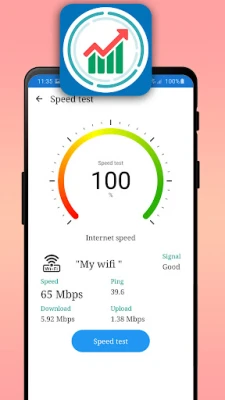
Another essential function is the internet speed test, which allows users to measure their connection speed effortlessly. This tool evaluates various aspects of your internet connection, including:
- Upload Speed
- Download Speed
- Data Latency (Ping)
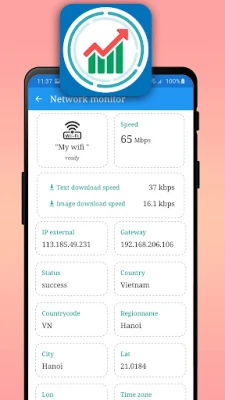
By utilizing the ping command, users can gain insights into their internet performance, ensuring they have a reliable connection for streaming, gaming, or browsing.
Check Your 5G Signal Strength
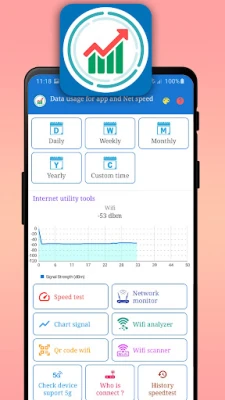
For those using 5G networks, it's essential to monitor your signal strength. The tool provides real-time information about your 5G signal, helping you determine the best locations for optimal connectivity. Additionally, it checks the overall connection status of your internet, ensuring you remain connected when you need it most.
Scan and Connect to Nearby Wi-Fi
Finding a reliable Wi-Fi connection is easier than ever. The tool scans for nearby Wi-Fi networks, allowing you to connect quickly. Users can also scan QR codes to connect to Wi-Fi without the hassle of remembering passwords, streamlining the connection process.
Permissions for Enhanced Functionality
To provide these powerful features, the application requires specific permissions:
- PACKAGE_USAGE_STATS: This permission allows the app to read the data usage of installed applications and games on your Android device.
- ACCESS_FINE_LOCATION: This permission is necessary to access information about the Wi-Fi networks you are connected to.
- CAMERA: This permission enables the app to read QR code images for quick Wi-Fi connections.
Conclusion: Empower Your Mobile Experience
Understanding your data usage and internet speed is vital for maximizing your mobile experience. With the right tools at your disposal, you can track your data consumption, test your internet speed, and connect to Wi-Fi networks effortlessly. By leveraging these features, you can ensure that you stay within your data limits while enjoying a seamless online experience.
We value your feedback and are committed to improving our application. Please reach out via email with any suggestions or comments to help us enhance your experience further. Thank you for choosing our application!
Rate the App
User Reviews















Popular Apps










Editor's Choice









