

Latest Version
4.0.16(5b3c)
August 01, 2025
EaseUS Data Recovery Software
Tools
Android
0
Free
com.easeus.mobisaver
Report a Problem
More About MobiSaver: Data&Photo Recovery
Ultimate Guide to EaseUS MobiSaver: The Best Android Data Recovery App
In today's digital age, losing important files can be a nightmare. Whether it's cherished photos, vital videos, or essential contacts, the need for a reliable data recovery solution is paramount. Enter EaseUS MobiSaver, a top-tier Android data recovery app designed to help users effortlessly retrieve lost data. This article delves into its features, recent updates, and a step-by-step guide on how to use it effectively.
Supported Formats for Recovery
EaseUS MobiSaver supports a wide range of file formats, ensuring that you can recover various types of data:
- Photo Formats: JPG/JPEG, PNG, GIF, BMP, TIF/TIFF
- Video Formats: MP4, 3GP, AVI, MOV
Recent Updates to Enhance User Experience
EaseUS MobiSaver continually evolves to meet user needs. Here are some of the latest updates:
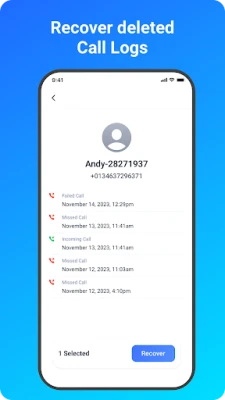
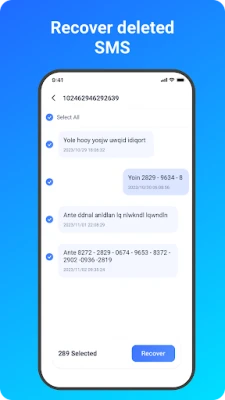
- Backup and Recovery: Users can now enable messages and call logs backup and recovery.
- SD Card Recovery: The app now supports recovery of photos and videos from Android SD cards.
- Improved Scan Performance: Enhanced scanning capabilities for lost data ensure quicker and more efficient recovery.
Why Choose EaseUS MobiSaver?
EaseUS MobiSaver has earned its reputation as a leading Android data recovery app, particularly for recovering photos, videos, and contacts. If you've accidentally deleted important files, this software is your go-to solution. With just a few taps, you can restore your lost data.
How to Use EaseUS MobiSaver
Using EaseUS MobiSaver is straightforward. Follow these steps to recover your lost data:
1. Select a Recovery Mode
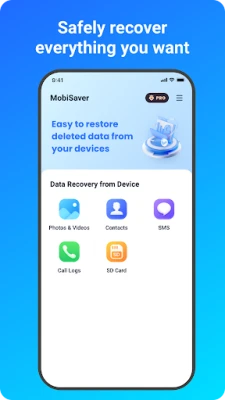
Choose from various recovery modes, including:
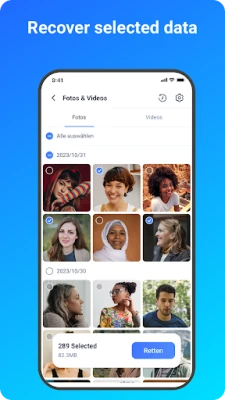
- Photo & Video
- SMS
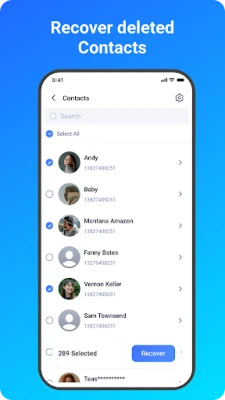
- Contacts
- Call Logs
- SD Card
2. Scan Your Device
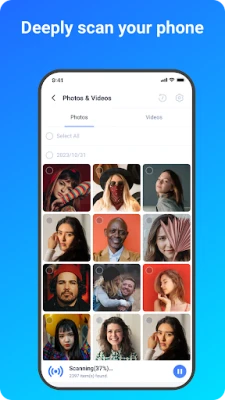
The app quickly scans your device for deleted files, including photos, videos, and contacts, in just a few minutes.
3. Display Found Files
During the scanning process, the app displays the files it has found. You can preview them as thumbnails, showing the file format and size. Contacts will be listed with the corresponding names and phone numbers.
4. Filter Your Results
To streamline your search, you can filter the results. The app offers three filtering options for pictures and videos:
- By size
- By file type
- By date
5. Recover Your Data
Once you've identified the files you want to recover, simply select them and tap on the Recover button.
Data Security and Privacy
EaseUS MobiSaver prioritizes your privacy. Here’s how:
- Your data is encrypted from start to finish, ensuring secure recovery and transfer.
- To maximize recovery potential, grant the app access to manage all files on your device. Without this permission, the app cannot scan or restore data.
Requirements for Optimal Performance
To ensure the best experience with EaseUS MobiSaver, consider the following requirements:
- Non-Rooted Android: The app performs a quick scan for deleted files by searching cache and thumbnails.
- Rooted Android: The app conducts a deep search of your device memory for every missing photo and video.
Conclusion
EaseUS MobiSaver stands out as a reliable solution for Android users seeking to recover lost data. With its user-friendly interface, robust features, and commitment to data security, it simplifies the recovery process. Don't let accidental deletions cause you stress—download EaseUS MobiSaver today and restore your precious memories with ease.
For more information, visit the official website: EaseUS MobiSaver.
Rate the App
User Reviews















Popular Apps










Editor's Choice









