



Latest Version
5.0
December 30, 2025
Javier Santos V
Tools
Android
0
Free
com.javiersantos.mlmanager
Report a Problem
More About ML Manager: APK Extractor
Discover the Ultimate APK Manager: ML Manager for Android
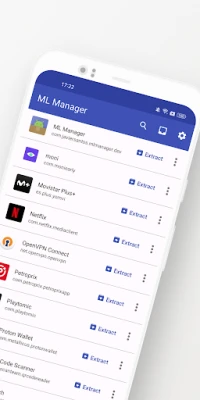
In the ever-evolving world of Android applications, managing your apps efficiently is crucial. Enter ML Manager, the easiest app manager and extractor designed with a stunning Material Design interface. This powerful tool simplifies the process of extracting and managing APK files, making it a must-have for any Android user.
Key Features of ML Manager
ML Manager is packed with features that enhance your app management experience. Here’s a closer look at what this app has to offer:
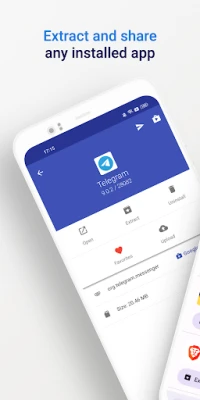
- Extract Any App: Easily extract both installed and system apps, saving them as APK files for future use.
- Batch Extraction: Save time by extracting multiple APKs simultaneously with the batch mode feature.
- Seamless Sharing: Share your extracted APKs effortlessly through various platforms like Telegram, Dropbox, and Email.
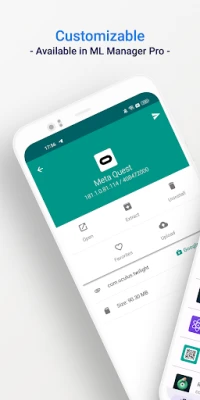
- Favorites Organization: Mark your favorite apps for quick and easy access, streamlining your app management.
- APKMirror Upload: Upload your latest APKs directly to APKMirror, ensuring you have the latest versions at your fingertips.
- Uninstall Apps: Remove any installed app with just a few taps, keeping your device clutter-free.
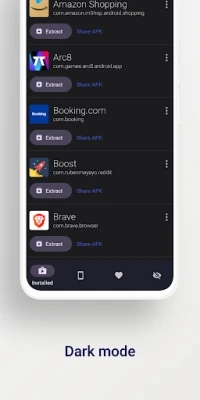
- Customizable Settings: Personalize your experience with options like dark mode and custom main colors.
- No Root Required: Enjoy all these features without needing root access, making it accessible for all users.
Unlock More with the Pro Version
For those seeking advanced functionalities, the Pro version of ML Manager offers additional features that require root access:
- Uninstall System Apps: Gain the ability to uninstall system apps, giving you more control over your device.
- Hide Apps: Keep your apps private by hiding them from the device launcher, ensuring only you can access them.
- Clear Cache & Data: Optimize your device’s performance by clearing cache and data for any app.
- Elegant Compact Mode: Enable a new, sleek compact mode for a more streamlined experience.
- Background Extraction: Continue extracting APKs in the background while you manage other apps, enhancing productivity.
What the Media Says About ML Manager
ML Manager has garnered attention from various tech publications, highlighting its user-friendly design and functionality:
AndroidPolice: "ML Manager makes extracting APKs from your device easy."
PhoneArena: "With a combination of basic, essential features and a Material-inspired user interface, the app is definitely something to look out for."
Xataka Android: "ML Manager is the easiest way to extract and share APKs."
HDBlog: "If you need a simple, beautiful, and optimized application, without losing basic and essential features, ML Manager is a good choice."
Why Choose ML Manager?
ML Manager stands out in the crowded app management landscape due to its intuitive design and robust features. Whether you are a casual user or a tech enthusiast, this app caters to all your APK management needs. Its ability to extract, share, and organize apps efficiently makes it an invaluable tool for anyone looking to optimize their Android experience.
Conclusion
In summary, ML Manager is the ultimate APK manager for Android users who value simplicity and efficiency. With its comprehensive features and user-friendly interface, it empowers you to take control of your apps like never before. Whether you opt for the free version or the enhanced Pro version, ML Manager is sure to elevate your app management experience. Download it today and discover the ease of managing your APKs!
Rate the App
User Reviews















Popular Apps










Editor's Choice









