


Latest Version
2.76
December 19, 2025
MIT App Inventor
Education
Android
0
Free
edu.mit.appinventor.aicompanion3
Report a Problem
More About MIT AI2 Companion
Unlocking the Power of MIT App Inventor: A Comprehensive Guide
In today's digital age, creating mobile applications has become more accessible than ever. One of the most innovative platforms that facilitate this process is MIT App Inventor. This powerful tool empowers users, regardless of their programming background, to design and develop their own apps. In this article, we will explore the features, benefits, and step-by-step instructions on how to get started with MIT App Inventor.
What is MIT App Inventor?
MIT App Inventor is a web-based application development platform that allows users to create Android applications using a visual programming interface. Developed by the Massachusetts Institute of Technology (MIT), this tool is designed to make app development accessible to everyone, from beginners to experienced developers. With its drag-and-drop functionality, users can easily build apps without needing extensive coding knowledge.
Key Features of MIT App Inventor
- User-Friendly Interface: The intuitive design of MIT App Inventor allows users to create apps by simply dragging and dropping components onto a canvas.
- Real-Time Testing: Users can test their applications in real-time on their Android devices, making the development process more efficient.
- Extensive Component Library: MIT App Inventor offers a wide range of components, including buttons, text boxes, and sensors, enabling users to create diverse applications.
- Community Support: A vibrant community of users and developers provides support, tutorials, and resources, making it easier to learn and troubleshoot.
Benefits of Using MIT App Inventor
Choosing MIT App Inventor for app development comes with numerous advantages:
1. Accessibility for All
MIT App Inventor is designed for users of all skill levels. Whether you are a student, educator, or hobbyist, you can easily navigate the platform and start building your app.
2. Educational Resource
This platform serves as an excellent educational tool, allowing students to learn programming concepts while creating functional applications. It fosters creativity and problem-solving skills.
3. Cost-Effective Solution
MIT App Inventor is free to use, making it an ideal choice for individuals and organizations looking to develop apps without incurring high costs.
Getting Started with MIT App Inventor
Ready to dive into app development? Follow these simple steps to get started with MIT App Inventor:
Step 1: Create an MIT App Inventor Account
Visit the MIT App Inventor website and sign up for a free account. This will give you access to the platform and its resources.
Step 2: Familiarize Yourself with the Interface
Once logged in, take some time to explore the interface. Familiarize yourself with the different sections, including the Designer and Blocks Editor, where you will build your app's user interface and functionality.
Step 3: Start a New Project
Click on "Projects" and select "Start New Project." Give your project a name and begin designing your app by dragging components onto the screen.
Step 4: Design Your App
Utilize the various components available in the palette to create your app's layout. You can add buttons, images, text, and more to enhance user experience.
Step 5: Add Functionality with Blocks
Switch to the Blocks Editor to add functionality to your app. Here, you can create logic and control the behavior of your app using visual blocks that represent different programming constructs.
Step 6: Test Your App
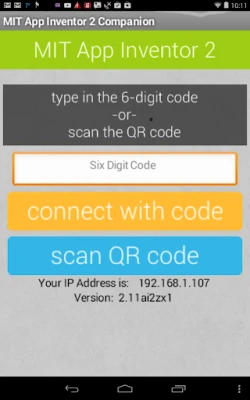
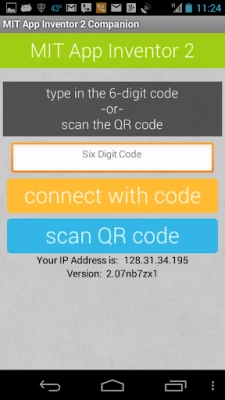
Connect your Android device to your computer and use the MIT AI2 Companion app to test your app in real-time. Make adjustments as needed to ensure a smooth user experience.
Step 7: Publish Your App
Once you are satisfied with your app, you can package it for distribution. Follow the instructions on the platform to generate an APK file, which can be installed on Android devices.
Conclusion
MIT App Inventor is a revolutionary platform that democratizes app development, allowing anyone to create functional and engaging mobile applications. With its user-friendly interface, extensive resources, and supportive community, it stands out as an excellent choice for aspiring developers. Whether you are looking to build a simple app or explore complex functionalities, MIT App Inventor provides the tools you need to bring your ideas to life. Start your app development journey today and unlock the potential of your creativity!
Rate the App
User Reviews















Popular Apps










Editor's Choice









