

Latest Version
3.34.0
May 31, 2026
MBC MidwestBankcentre
Finance
Android
0
Free
com.midwestbankcentre.grip
Report a Problem
More About Midwest BankCentre
Maximize Your Banking Experience with Midwest BankCentre
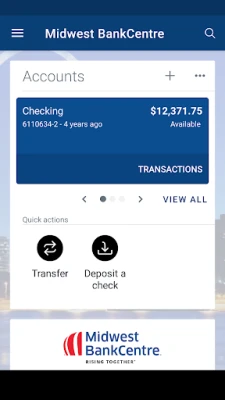
Midwest BankCentre offers a suite of features designed to enhance your banking experience, making it easier to manage your finances efficiently. Whether you’re looking to keep your transactions organized or ensure your account is secure, the Midwest BankCentre app has you covered. Here’s a comprehensive look at what you can do with this powerful banking tool.
Organize Your Transactions with Ease
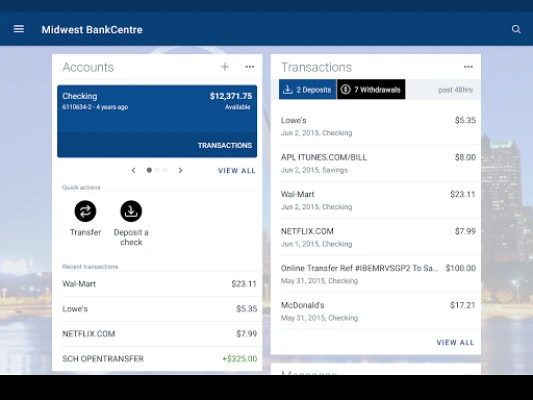
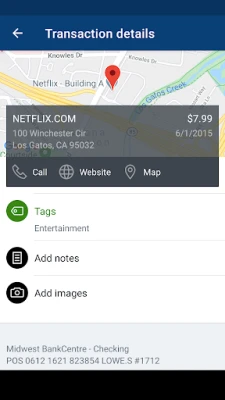
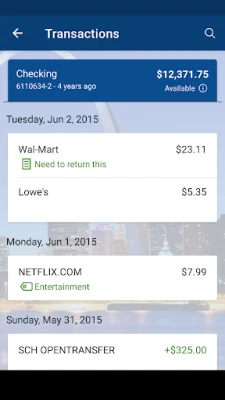
One of the standout features of the Midwest BankCentre app is its ability to help you keep your transactions organized. You can:
- Add tags to categorize your spending.
- Include notes for future reference.
- Upload photos of receipts and checks for easy tracking.
This functionality not only simplifies your financial management but also aids in budgeting and expense tracking, allowing you to make informed financial decisions.
Stay Informed with Custom Alerts
Never miss a beat with the app’s customizable alert system. You can set up notifications to:
- Alert you when your account balance falls below a specified amount.
- Notify you of important transactions or changes in your account.
These alerts ensure that you remain aware of your financial status, helping you avoid overdraft fees and maintain control over your spending.
Seamless Payment Options
Making payments has never been easier. With the Midwest BankCentre app, you can:
- Pay bills directly from your account.
- Send money to friends or family with just a few taps.
This convenience allows you to manage your payments on the go, ensuring that you never miss a due date.
Effortless Money Transfers
Transferring money between your accounts is a breeze with the Midwest BankCentre app. You can:
- Move funds between your checking and savings accounts.
- Schedule recurring transfers to automate your savings.
This feature provides flexibility and control over your finances, making it easy to manage your money according to your needs.
Quick Check Deposits
Gone are the days of waiting in line at the bank. With the Midwest BankCentre app, you can deposit checks instantly by:
- Taking a picture of the front and back of the check.
This feature not only saves you time but also allows you to deposit checks from the comfort of your home or on the go.
Manage Your Debit Card with Ease
Lost your debit card? No problem! The app allows you to:
- Reorder a new debit card quickly.
- Temporarily disable your card if you’ve misplaced it.
This level of control ensures that your account remains secure, giving you peace of mind.
Access Your Monthly Statements
Stay on top of your finances by viewing and saving your monthly statements directly through the app. This feature allows you to:
- Review your spending habits.
- Keep track of your financial progress over time.
Having easy access to your statements helps you stay organized and informed about your financial health.
Find Nearby Branches and ATMs
Need cash or prefer in-person banking? The Midwest BankCentre app makes it easy to:
- Locate branches and ATMs near you.
This feature ensures that you can access your funds whenever you need them, no matter where you are.
Secure Your Account with Advanced Features
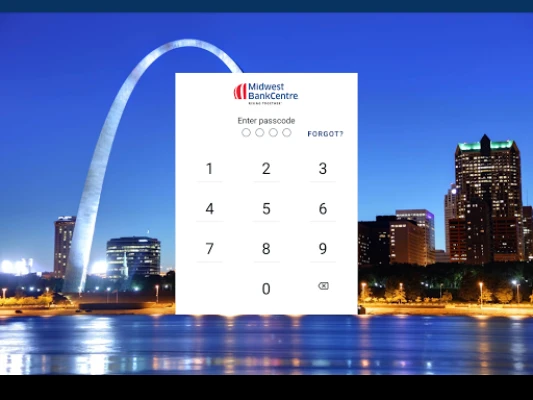
Your security is a top priority. The Midwest BankCentre app offers robust security features, including:
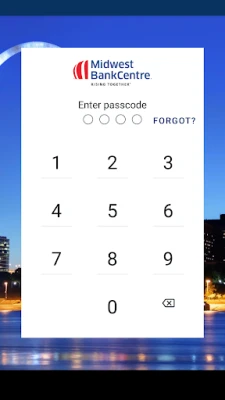
- A 4-digit passcode for quick access.
- Fingerprint or facial recognition on supported devices.
These security measures provide an extra layer of protection, ensuring that your personal and financial information remains safe.
Getting Started with the Midwest BankCentre App
To take advantage of all these features, you must be enrolled as a Midwest BankCentre Internet Banking user. If you’re already using Internet Banking, simply:
- Download the Midwest BankCentre app.
- Launch the app.
- Log in using your existing Internet Banking credentials.
Once logged in, you can start exploring the app’s features and take control of your banking experience.
Conclusion
The Midwest BankCentre app is designed to simplify your banking experience, offering a range of features that help you manage your finances effectively. From organizing transactions to ensuring your account's security, this app provides everything you need to stay on top of your financial game. Download the app today and discover how it can transform your banking experience.
Rate the App
User Reviews















Popular Apps










Editor's Choice









