

Latest Version
v2026.07.15 (2607.15)
July 23, 2026
Empower®
Finance
Android
0
Free
com.empower.retirement.android.MetLife.Mobile
Report a Problem
More About MetLife Retirement
Effortlessly Manage Your Retirement Account with Our Mobile App
In today's fast-paced world, managing your retirement account should be as convenient as possible. With our innovative mobile app, you can take control of your retirement savings anytime, anywhere, right from your mobile device. This article explores the key features of the app that empower you to manage your retirement plan effectively.
Seamless Enrollment and Account Access
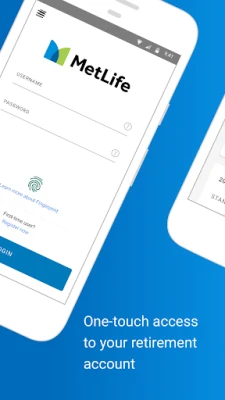
Getting started with your retirement plan has never been easier. The app allows you to enroll in your retirement plan or log in to your existing account using the same credentials you use on the retirement plan’s website, mlr.metlife.com. This streamlined process ensures that you can access your account quickly and efficiently, without any hassle.
Efficient Management of Contributions and Investments
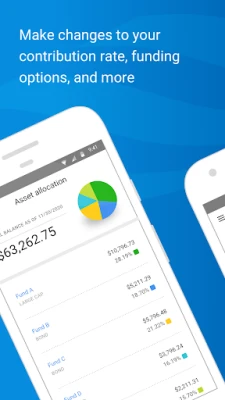
With the app, you can easily manage your contributions, investment selections, and beneficiaries. This feature allows you to make informed decisions about your retirement savings, ensuring that your investments align with your financial goals. Whether you want to increase your contributions or adjust your investment strategy, the app provides the tools you need to stay on track.
Real-Time Account Monitoring
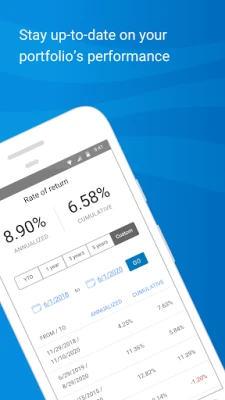
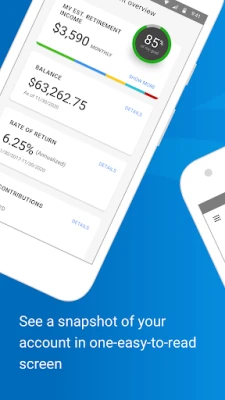
Stay informed about your retirement savings with real-time updates. The app enables you to view your account balances, funding options, and rate of return at a glance. You can also customize your document delivery preferences, ensuring that you receive important information in a way that suits you best. This level of transparency helps you make better financial decisions for your future.
Enhanced Security Features
Your security is our top priority. The app incorporates advanced biometric authentication features, such as fingerprint and facial recognition, allowing you to access your account in seconds without the need to remember a username and password. This cutting-edge technology ensures that your sensitive information remains protected while providing you with quick access to your retirement account.
Important Considerations
While the app offers a range of features, it's essential to note that account management capabilities may vary depending on your company’s specific retirement plan. Additionally, biometric authentication features may not be available on all devices. Always check your device compatibility to ensure you can take full advantage of these security measures.
System Availability and Performance
Keep in mind that system availability and response times may be limited during periods of peak demand, market volatility, or scheduled upgrades and maintenance. Factors such as mobile network availability and connection speed can also affect your experience. We recommend checking your connection and trying again if you encounter any issues.
Disclaimer
The images provided within the app are for illustrative purposes only and do not constitute a recommendation or solicitation for any product or service. Securities are distributed by MetLife Investors Distribution Company (MLIDC), a member of FINRA. Please note that MLIDC and MetLife are not affiliated with Morningstar. The asset classes are supplied by Morningstar Investment Management, LLC and are used with permission.
In conclusion, managing your retirement account has never been more accessible. With our mobile app, you can enroll, monitor, and adjust your retirement plan with ease, all while enjoying enhanced security features. Take control of your financial future today!
© 2022 MetLife Services and Solutions, LLC
Rate the App
User Reviews















Popular Apps










Editor's Choice









