


Latest Version
1.6.11
April 20, 2026
Smart Tools co.
Tools
Android
0
Free
kr.sira.metal
Report a Problem
More About Metal Detector
Unlocking the Secrets of Metal Detector Apps: A Comprehensive Guide
Metal detector apps have revolutionized the way enthusiasts and professionals alike explore their surroundings. Utilizing the embedded magnetic sensor, or magnetometer, these applications can detect variations in the magnetic field, providing users with valuable insights into hidden metallic objects. However, to ensure optimal performance, it’s crucial to understand the specifications of your device and how to effectively use these apps.
Understanding Magnetic Sensors in Metal Detector Apps
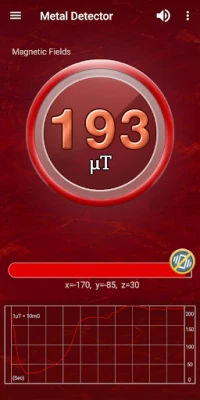
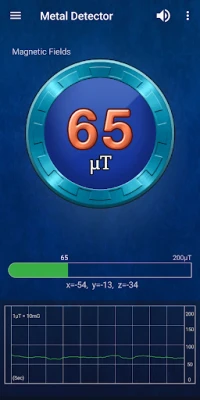
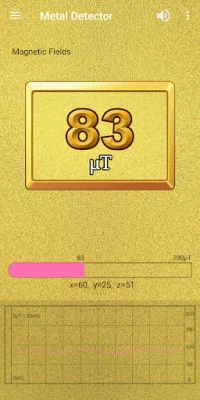
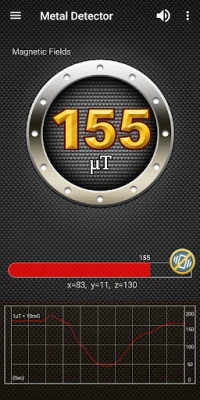
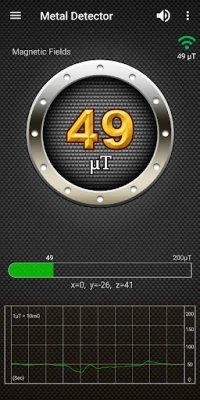
At the core of every metal detector app lies the magnetic sensor, which measures the magnetic field around it. In nature, the typical magnetic field level is approximately 49μT (microtesla) or 490mG (milligauss), with the conversion of 1μT equating to 10mG. When metallic objects, such as steel or iron, come into proximity, the magnetic field level will experience a noticeable increase.
How to Use Metal Detector Apps Effectively
Using a metal detector app is straightforward and user-friendly. Simply open the application and move your device around the area you wish to scan. As you do so, you will observe fluctuations in the magnetic field level displayed on your screen. This real-time feedback allows you to identify potential metallic objects in your vicinity.
Applications Beyond Treasure Hunting
Metal detector apps are not just for treasure hunters. They can also be utilized to locate electrical wires within walls, functioning similarly to a stud detector. Additionally, these apps can help identify iron pipes buried underground, making them a versatile tool for various applications.
The Ghost Hunting Community and Metal Detector Apps
Interestingly, many ghost hunters have embraced metal detector apps as part of their investigative toolkit. The fluctuations in magnetic fields are often associated with paranormal activity, leading to intriguing experiments and findings. However, the accuracy of these apps largely depends on the quality of the magnetic sensor in your device.
Factors Affecting Accuracy
It’s important to note that the performance of metal detector apps can be influenced by nearby electronic devices. Common household items such as televisions, computers, and microwaves emit electromagnetic waves that can interfere with the readings of your app. To achieve the best results, it’s advisable to minimize the presence of such devices while using the app.
Main Features of Metal Detector Apps
- Alarm Level: Alerts you when a significant magnetic field change is detected.
- Beep Sound: Provides auditory feedback for easier detection.
- Sound Effect On/Off: Customize your experience by toggling sound effects.
- Material Design: User-friendly interface for seamless navigation.
Pro Version Enhancements
For those seeking an enhanced experience, the pro version of the metal detector app offers additional features:
- No Ads: Enjoy an uninterrupted experience without advertisements.
- Compass: Navigate your surroundings with an integrated compass feature.
Expand Your Toolset
If you’re looking for more tools to complement your metal detecting experience, consider downloading Smart Compass Pro and the Smart Tools 2 package. These applications provide additional functionalities that can enhance your exploration efforts.
Important Limitations of Metal Detector Apps
While metal detector apps are powerful tools, it’s essential to understand their limitations. Notably, these apps cannot detect non-ferrous metals such as gold, silver, and copper coins. These materials do not generate a magnetic field, rendering them undetectable by standard metal detector applications.
Conclusion
Metal detector apps offer an exciting and innovative way to explore the world around you. By understanding how to use these applications effectively and being aware of their limitations, you can maximize your chances of discovering hidden treasures or simply gaining insights into your environment. For further information, consider watching tutorials on YouTube or visiting dedicated blogs that delve deeper into the world of metal detection.
Happy hunting!
Rate the App
User Reviews















Popular Apps










Editor's Choice









