


Latest Version
5.1.1
March 20, 2026
MCB GROUP Limited
Finance
Android
0
Free
com.mcbmu.juice
Report a Problem
More About MCB Juice
Unlock the Power of Mobile Banking with the MCB Juice App
In today's fast-paced world, managing your finances on the go is essential. The MCB Juice App offers a seamless mobile banking experience that allows you to handle your transactions with ease. Follow this comprehensive guide to download, register, and secure your account while enjoying a range of convenient features.
Step 1: Download the MCB Juice App
Getting started is simple. To download the MCB Juice App, scan the QR code provided on the official website or app store. This quick action will install the app on your mobile device, setting you on the path to effortless banking.
Step 2: Register Using Your Mobile Number
Once the app is installed, open it and register by entering your mobile number. This number will be linked to your Juice account, facilitating transactions, authentication, and communication. After entering your number, keep an eye out for a 6-digit verification code sent via SMS. This code is crucial for confirming your registration and ensuring your account's security.
Step 3: Complete Identity Verification
To enhance security, follow the instructions for identity verification using Jumio, our trusted verification partner. This process includes a secure face verification step, ensuring that only you can access your account. Your privacy and data security are paramount; all information is encrypted and kept confidential, adhering to our robust data protection measures.
Step 4: Secure Your Account
Once registered, it’s vital to protect your account. The MCB Juice App offers multiple security options, including fingerprint recognition, facial recognition, or a 4-digit PIN. For optimal security, choose a unique PIN that is not easily guessable. Avoid using consecutive numbers, repetitive digits, or personal information like your birthdate.
Experience Mobile Banking Made Easy
The MCB Juice App is designed to make banking simple, fast, and secure. Here are some of the standout features you can enjoy:
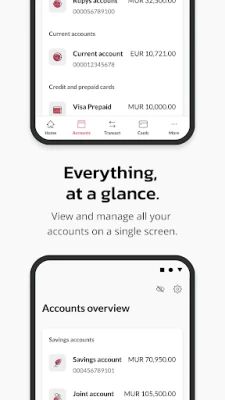
- Account Summary & Transaction History: Easily view your account balance and track your transaction history at a glance.
- Loan Status and Details: Stay informed about your loan status and access detailed information.
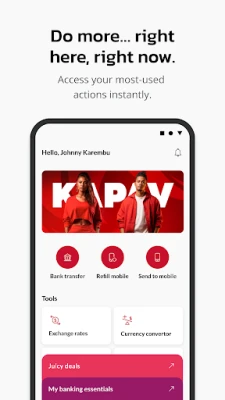
- Money Transfers: Send money to MCB customers using their mobile number or account number with the "Send to Mobile" feature.
- Instant Mobile Recharge: Quickly recharge your prepaid mobile phone account with just a few taps.
- Bill Payments: Pay your bills conveniently through the app.
- Cardless Withdrawals: Transfer funds to anyone and enable cardless withdrawals at MCB ATMs.
- PayPal Services: Access selected PayPal services directly from the app.
- Instant Card Activation: Activate your card or change your PIN instantly.
- Online Credit Card Payments: Manage your credit card payments and details effortlessly.
- Prepaid Card Replenishment: Replenish your MCB prepaid cards with ease.
- Exclusive Offers: Access special offers for Juice and card (debit & credit) customers.
- ATM and Branch Locator: Find the nearest MCB ATMs and branches quickly.
- Updates on New Features: Stay informed about the latest updates and features of MCB Juice.
Get Started Today!
Embrace the future of banking with the MCB Juice App. For more details, visit juice.mu or contact us at +230 202 6060. Experience the convenience of mobile banking and take control of your finances today!
Rate the App
User Reviews















Popular Apps










Editor's Choice









