
Latest Version
2.0
October 31, 2024
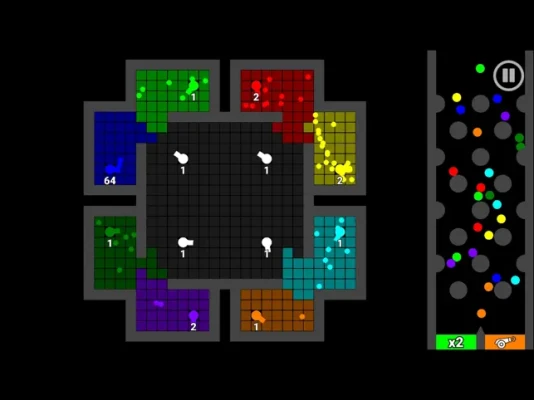
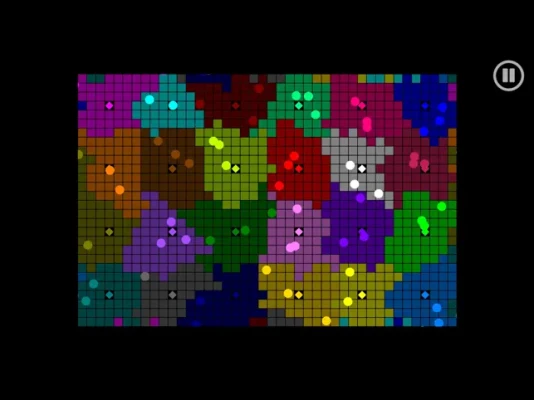
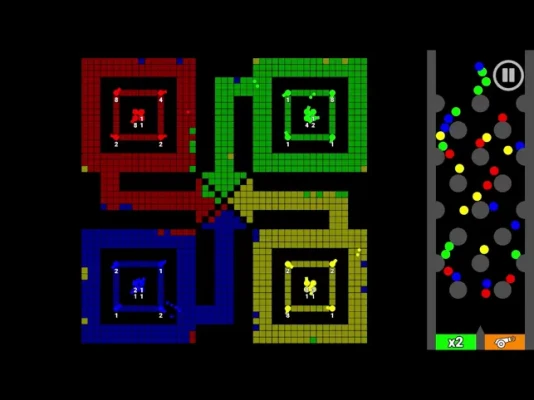
Marble territory battles!
Games
iOS
81.1 MB
3
Free
Report a Problem
More About Marble Wars!
Create Your Own Maps with the New Map Editor!
Exciting news for all map enthusiasts! The latest update introduces a powerful map editor that allows you to unleash your creativity and design your own unique maps. Whether you're a seasoned gamer or a newcomer, this tool is perfect for anyone looking to craft personalized gaming experiences.
Why Use the Map Editor?
The map editor offers a plethora of features that empower users to create intricate and engaging maps. Here are some compelling reasons to dive into this innovative tool:
- Unleash Your Creativity: The map editor provides a blank canvas for your imagination. Design landscapes, create challenges, and set the stage for epic adventures.
- User-Friendly Interface: With an intuitive layout, even beginners can navigate the editor with ease. Drag and drop elements, adjust settings, and see your vision come to life.
- Endless Possibilities: From simple terrains to complex structures, the editor allows for limitless customization. You can create anything from a serene village to a treacherous dungeon.
Getting Started with the Map Editor
Ready to start creating? Here’s a step-by-step guide to help you navigate the map editor:
1. Accessing the Map Editor
To begin, launch the game and navigate to the map editor option in the main menu. This will take you to the editing interface where you can start your project.
2. Familiarize Yourself with the Tools
Take some time to explore the various tools available. You’ll find options for terrain manipulation, object placement, and environmental effects. Understanding these tools will enhance your mapping experience.
3. Start Designing Your Map
Begin by laying down the terrain. Choose from different textures and shapes to create the foundation of your map. Once the terrain is set, start adding objects, obstacles, and interactive elements to enrich the gameplay.
4. Test Your Map
After you’ve crafted your map, it’s crucial to test it. Use the playtest feature to experience your creation firsthand. This will help you identify any areas that need adjustments or improvements.
5. Share Your Creation
Once you’re satisfied with your map, share it with the community! Upload your creation and let others experience your unique design. Engaging with fellow creators can provide valuable feedback and inspire future projects.
Tips for Creating Engaging Maps
To ensure your maps are not only visually appealing but also fun to play, consider the following tips:
- Balance Challenge and Fun: Create a mix of challenges that cater to different skill levels. This will keep players engaged and encourage them to return to your map.
- Incorporate Story Elements: Adding a narrative can enhance the player’s experience. Consider integrating quests or lore that players can discover as they explore your map.
- Utilize Feedback: After sharing your map, pay attention to player feedback. Use this information to make improvements and refine your design skills.
Join the Community
Engaging with other map creators can significantly enhance your skills. Join forums, social media groups, or Discord channels dedicated to map creation. Sharing ideas, tips, and experiences can lead to new insights and inspiration.
Conclusion
The new map editor is a game-changer for anyone looking to create their own gaming experiences. With its user-friendly interface and powerful features, you can bring your imaginative worlds to life. So, what are you waiting for? Dive into the map editor today and start crafting your masterpiece!
For more tips and tutorials, check out my YouTube channel: BouncyMarble.
Rate the App
User Reviews











Popular Apps










Editor's Choice









