


Latest Version
3.0.8
May 05, 2026
PT Bank Mandiri (Persero) Tbk
Finance
Android
0
Free
com.bmri.mobiletoken
Report a Problem
More About Mandiri Mobile Token
Unlocking the Power of the Mandiri Mobile Token: A Step-by-Step Guide
The Mandiri Mobile Token revolutionizes transaction approvals, offering a swift and secure method through QR code scanning or One-Time Password (OTP) usage. This guide will walk you through the activation process, ensuring you can leverage this powerful tool for your financial transactions.
What is the Mandiri Mobile Token?
The Mandiri Mobile Token is an innovative application designed to enhance the security and efficiency of your online transactions. By utilizing advanced technology, it allows users to approve transactions quickly, minimizing delays and maximizing convenience. Whether you prefer scanning a QR code or entering an OTP, the Mandiri Mobile Token simplifies the approval process, making it an essential tool for anyone managing their finances online.
Why Use the Mandiri Mobile Token?
There are several compelling reasons to adopt the Mandiri Mobile Token:
- Enhanced Security: The app provides an additional layer of security, protecting your transactions from unauthorized access.
- Speed: Approve transactions in seconds, allowing for a seamless banking experience.
- User-Friendly Interface: The app is designed for ease of use, making it accessible for everyone.
How to Activate Your Mandiri Mobile Token App
Activating your Mandiri Mobile Token app is a straightforward process. Follow these steps to get started:
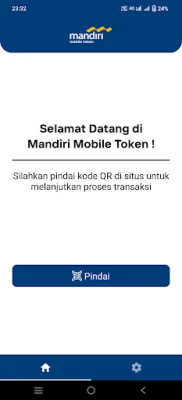
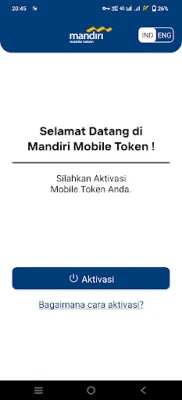
- Open the App: Launch the Mandiri Mobile Token app on your device.
- Click “Activate”: Select the “Activate” option within the app.
- Agree to Terms: Carefully read and accept the Mobile Token’s Terms and Conditions.
- Log into Your Account: Access your MCM or MCM Lite account via the MCM 2.0 website.
- Navigate to Activation Menu: Find and open the Mobile Token Activation menu on the website.
- Request OTP: Enter your phone number to request an OTP and click “Request OTP.”
- Enter OTP: Input the received OTP into the website and click "Activate."
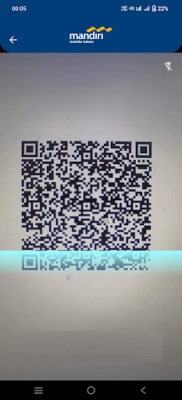
- Scan QR Code: Use the app to scan the QR code displayed on the website.
- Input Verification Code: Enter the verification code from the website into the Mobile Token app.
- Confirm Verification Code: Click “OK” to confirm the verification code.
- Input Registration Code: Enter the registration code into the website.
- Complete Activation: Click “Next” to finalize the activation process on the website.
- Proceed in the App: Click “Next” in the Mobile Token app.
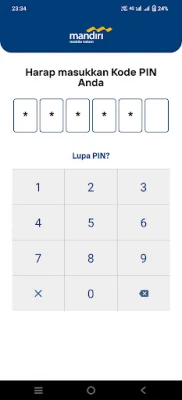
- Create Your PIN: Set and confirm your PIN code to complete the activation process in the app.
- Final Confirmation: Click "OK" to start using the Mobile Token.
Tips for Using the Mandiri Mobile Token Effectively
To maximize your experience with the Mandiri Mobile Token, consider the following tips:
- Keep Your App Updated: Regularly update the app to benefit from the latest features and security enhancements.
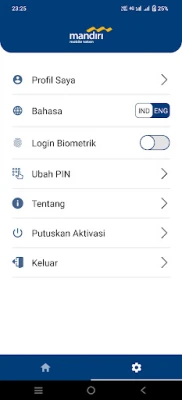
- Secure Your Device: Ensure your mobile device is protected with a strong password or biometric security.
- Monitor Transactions: Regularly check your transaction history for any unauthorized activities.
Conclusion
The Mandiri Mobile Token is an essential tool for anyone looking to streamline their online banking experience. By following the activation steps outlined above, you can quickly set up the app and enjoy the benefits of secure and efficient transaction approvals. Embrace the future of banking with the Mandiri Mobile Token and take control of your financial transactions today!
Rate the App
User Reviews















Popular Apps










Editor's Choice









