



Latest Version
1.6.0.2
December 03, 2025
KoK-CODE
Tools
Android
1
Free
com.kok_emm.mobile
Report a Problem
More About Macrorify - Image Auto Clicker
Unlock the Power of Automation with Macrorify: The Ultimate Macro Maker
Welcome to the world of Macrorify, your go-to solution for creating powerful macros that go beyond simple auto-clicking. With advanced features like Image Detection and Text Recognition, Macrorify empowers you to automate tasks efficiently and effectively. Let’s dive into the strengths, capabilities, and unique offerings of this remarkable tool.
Unmatched Strengths of Macrorify
Macrorify stands out in the realm of automation tools. Here’s what makes it exceptional:
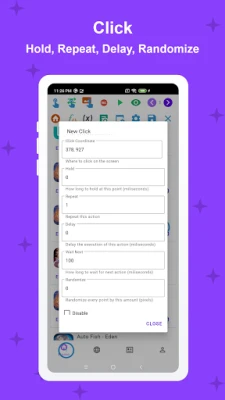
- Click and Swipe Mastery: Whether you need long clicks, double clicks, or complex gestures like drag-and-drop and pinch-to-zoom, Macrorify can handle it all with precision using all ten fingers.
- Record and Replay Functionality: Capture your touch actions and replay them at will. You can edit recordings, mix them in any order, and even adjust playback speeds and intervals. Randomizing touch points adds an extra layer of versatility.
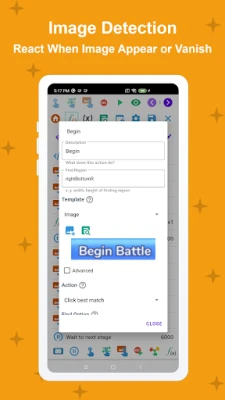
- Advanced Image Detection: Macrorify excels at recognizing images on your screen. It can trigger actions based on the appearance or disappearance of images, allowing for intricate conditional logic setups.
- Text Recognition Capabilities: Not only can Macrorify detect images, but it can also recognize text. This feature enables you to automate actions based on the presence of specific words or phrases on your screen.
- User-Friendly Interface: The intuitive UI makes it easy to set up everything from basic clicks to complex image detection. You can even customize your own interface to suit your needs.
- Wide Compatibility: Macrorify works seamlessly on devices running Android KitKat and above, including emulators, without the need for rooting your device.
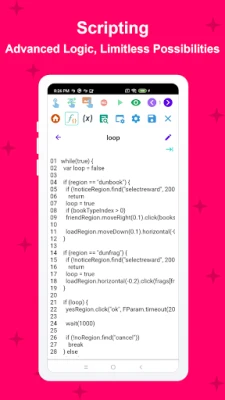
- Optional Scripting with EMScript: For those looking to elevate their macro-making skills, Macrorify offers an easy-to-learn scripting language. This opens up a world of limitless possibilities for automation.
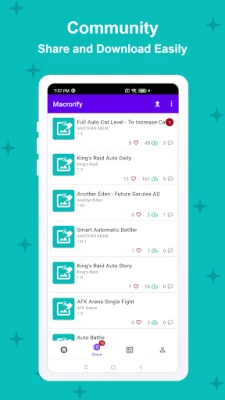
- Built-in Macro Store: Don’t want to create macros from scratch? Browse and download macros shared by other users, and earn rewards by uploading your own creations.
Additional Features and Functionalities
Beyond its core strengths, Macrorify offers a range of additional features that enhance its usability:
- Auto Screen Off: Save battery life by automatically turning off your screen when not in use.
- Pause and Resume Macros: Flexibility is key; pause and resume your macros as needed to adapt to changing circumstances.
- Adjustable Click Areas: Customize the specific areas on your screen where you want Macrorify to click, ensuring precision in your automation tasks.
- Item Limitation: Control the number of items displayed on your screen for a more streamlined experience.
- Testing Actions: Run specific actions for testing purposes, allowing you to fine-tune your macros before full deployment.
Addressing Limitations
While Macrorify is a powerful tool, it’s important to acknowledge that no application is without its flaws. Users may encounter occasional bugs or issues. If you experience any problems, please reach out to the developer through the official website or on Discord for assistance.
Note for Android 6 and Below Users: To ensure optimal performance, users on Android 6 and earlier versions must install a Native Service using a PC. Please refer to the Installation Guide within the app for detailed instructions.
Privacy and Security
Your privacy is paramount. Macrorify requires Accessibility Service to perform functions like auto-clicking, pasting text, and pressing navigation buttons. Rest assured, no personal data is collected or shared, ensuring a secure user experience.
Conclusion: Experience the Future of Automation
Thank you for considering Macrorify as your automation solution. With its robust features and user-friendly design, Macrorify is ready to transform the way you interact with your device. Give it a try and discover the endless possibilities of macro creation. We look forward to helping you unlock the full potential of automation!
Rate the App
User Reviews















Popular Apps










Editor's Choice









