

Latest Version
June 06, 2026
MH - Automation
Tools
Android
0
Free
com.macrohandler.app
Report a Problem
More About Macro Handler - Image Clicker
Unlock the Power of Automation with Macro Handler: Your Ultimate No-Code Solution
In today's fast-paced digital landscape, automation is key to enhancing productivity and streamlining workflows. With Macro Handler, users can effortlessly create and manage their own screen automation tasks using a visual no-code macro builder or advanced Lua scripting. This powerful tool allows for the creation of intricate tap flows, image-based actions, and much more, all designed to simplify your daily tasks.
What is Macro Handler?
Macro Handler is an innovative application tailored for users who wish to configure, test, and manage their screen automation workflows directly on their devices. Whether you're a novice or an experienced user, this tool provides a user-friendly interface that makes automation accessible to everyone.
Key Features of Macro Handler
Macro Handler is packed with features that cater to a wide range of automation needs. Here’s a closer look at what you can expect:
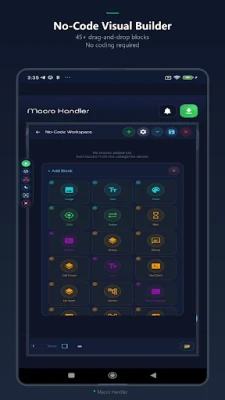
- Visual No-Code Macro Builder: Create macros without any coding knowledge. The intuitive drag-and-drop interface allows you to design workflows effortlessly.
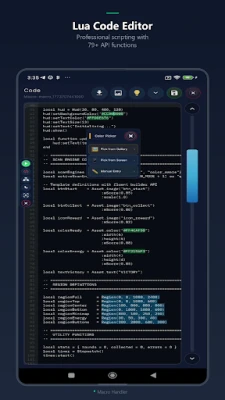
- Lua Scripting for Advanced Workflows: For those who want to take their automation to the next level, Lua scripting offers the flexibility to create complex workflows.
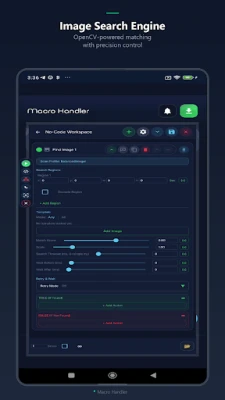
- Image Clicker and Auto Clicker Support: Automate repetitive tasks with image recognition and auto-clicking capabilities.
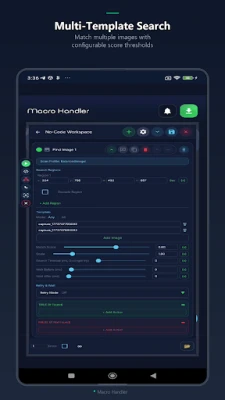
- Image and Template Matching: Utilize image matching to trigger actions based on visual cues on your screen.
- OCR Text Detection: Extract text from images and automate actions based on the detected content.
- Color Detection: Implement color checks to enhance decision-making in your automation processes.
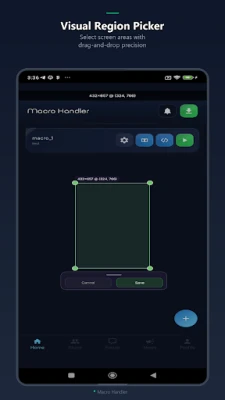
- Coordinate Picking and Region Setup: Define specific screen regions and coordinates for precise automation.
- Tap and Swipe Automation Blocks: Easily set up tap and swipe actions to navigate through apps and interfaces.
- Control Blocks for Wait, Replay, Conditions, and Loops: Incorporate logic into your macros with conditions and loops for dynamic automation.
- Variables and Reusable Logic: Use variables to store data and create reusable logic for efficient workflows.
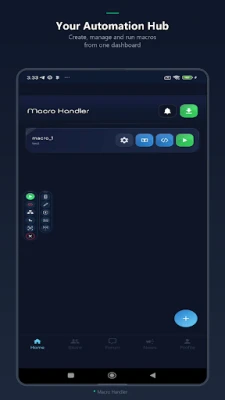
- Runtime Control Panel: Manage your macros with an on-screen panel that allows you to start, pause, resume, and stop actions seamlessly.
- Debugging Tools: Test and refine your macros with built-in debugging features to ensure optimal performance.
- Community Sharing and Forum Features: Engage with other users, share your creations, and gain insights from the community.
- Optional Premium Features: Unlock additional functionalities with a premium account for enhanced automation capabilities.
How Macro Handler Works
Macros created with Macro Handler operate strictly according to the rules and actions defined by the user. Depending on the complexity of your workflow, Macro Handler may utilize Android accessibility features, overlays, notifications, and screen-related capabilities to execute user-configured tap and swipe automation, perform on-device screen analysis, and conduct OCR text detection.
All screen-based detection processes occur locally on your device, ensuring privacy and security. Users can manage optional permissions and app features through Android settings at any time, providing full control over their automation experience.
Getting Started with Macro Handler
To begin your journey with Macro Handler, follow these simple steps:
- Download and Install: Get the Macro Handler app from the official source and install it on your device.
- Create Your First Macro: Use the visual no-code builder to design your first automation task. Experiment with different blocks and features to see what works best for you.
- Test and Refine: Utilize the debugging tools to test your macro. Make adjustments as needed to ensure it performs as expected.
- Engage with the Community: Join forums and community discussions to share your experiences, learn from others, and discover new automation techniques.
Conclusion
Macro Handler is a game-changer for anyone looking to enhance their productivity through automation. With its powerful features, user-friendly interface, and community support, it empowers users to create customized workflows that save time and effort. Whether you’re automating simple tasks or developing complex sequences, Macro Handler provides the tools you need to succeed. Start automating today and unlock the full potential of your device!
Rate the App
User Reviews















Popular Apps










Editor's Choice









