



Latest Version
1.1.2261
January 23, 2026
California Labs Inc.
Tools
Android
0
Free
com.calabs.loop.mobile.android
Report a Problem
More About Loop Photo Frame
Maximize Your Memories: How to Use the Loop App for Family Photo Sharing
In today’s digital age, capturing and sharing memories has never been easier. The Loop app offers a seamless way to connect with family through photos, allowing you to cherish those special moments together. This guide will walk you through the essential features of the Loop app, ensuring you make the most of your family photo-sharing experience.
Setting Up Your Loop Frame
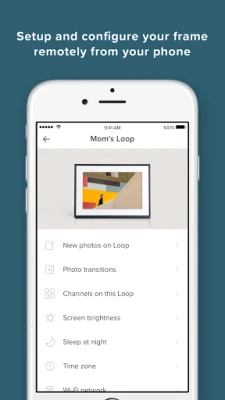
Getting started with the Loop app is simple. First, you need to set up your Loop frame, which serves as the centerpiece for your family’s photo sharing. Follow these steps to configure your frame:
- Download the Loop App: Available on both iOS and Android, download the app from your device’s app store.
- Create an Account: Sign up using your email address or social media account to create a personalized profile.
- Connect Your Frame: Follow the in-app instructions to connect your Loop frame to your Wi-Fi network. Ensure your frame is powered on and within range of your router.
- Adjust Settings: Customize your frame settings, including display preferences, brightness, and transition effects to suit your family’s style.
Once your frame is set up, you’re ready to start sharing memories!
Inviting Family Members to Share Photos
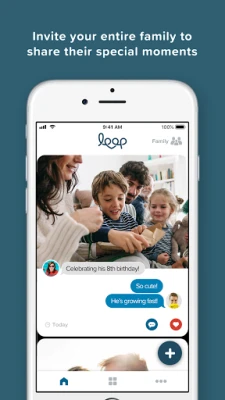
One of the standout features of the Loop app is its ability to invite family members to contribute photos. This collaborative aspect enhances the experience, allowing everyone to participate in sharing cherished moments. Here’s how to invite your loved ones:
- Access the Family Sharing Feature: Open the Loop app and navigate to the family sharing section.
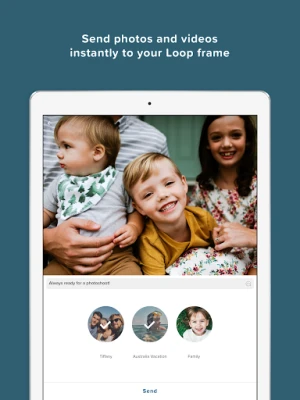
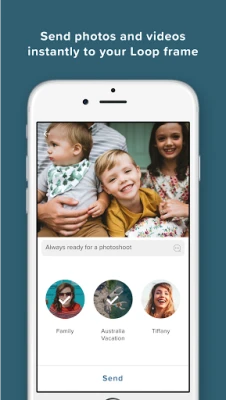
- Send Invitations: Enter the email addresses or phone numbers of family members you wish to invite. They will receive a link to join your private photo network.
- Set Permissions: Decide whether you want to allow family members to upload photos directly or if you prefer to approve submissions before they appear on the frame.
By inviting family members, you create a vibrant community where everyone can contribute to the family narrative through photos.
Sharing Your Best Moments Privately
The Loop app is designed to foster a secure environment for sharing memories. Unlike public social media platforms, Loop provides a private social network exclusively for your family. Here’s how to make the most of this feature:
- Curate Your Photo Gallery: Regularly update your Loop frame with new photos. This keeps the content fresh and engaging for all family members.
- Engage with Family: Encourage family members to comment on and react to photos. This interaction strengthens bonds and keeps everyone connected.
- Organize Events: Use the app to create events or themed photo challenges, prompting family members to share specific types of photos, such as vacations or holidays.
By sharing your best moments in a private setting, you ensure that your family’s memories remain intimate and cherished.
Enhancing Your Loop Experience
To truly maximize your experience with the Loop app, consider these additional tips:
- Regular Updates: Keep your app updated to access the latest features and improvements.
- Explore Customization Options: Personalize your frame with different display modes, such as slideshow or collage, to keep the viewing experience exciting.
- Utilize Notifications: Enable notifications to stay informed about new photo uploads and family interactions.
These enhancements will ensure that your Loop app experience is not only enjoyable but also memorable for everyone involved.
Conclusion
The Loop app revolutionizes the way families share and celebrate their memories. By setting up your Loop frame, inviting family members, and utilizing the app’s private social network, you create a unique space for connection and nostalgia. Embrace the power of shared memories and make the most of your family’s journey together with the Loop app.
Rate the App
User Reviews















Popular Apps










Editor's Choice









