

Latest Version
4.4.2_178_18102024
November 15, 2024
AMOBEAR TECHNOLOGY GROUP
Communication
Android
0
Free
com.emailonline.officemail.amoemail
Report a Problem
More About Login Mail For HotMail&Outlook
Unlocking the Power of Your Email Client: Key Features You Need to Know
Email communication remains a cornerstone of both personal and professional interactions. With the right email client, managing multiple accounts and enhancing productivity becomes effortless. This article delves into the essential features of a top-tier email client, ensuring you maximize your email experience.
Seamless Multi-Account Access
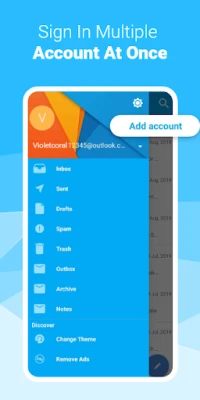
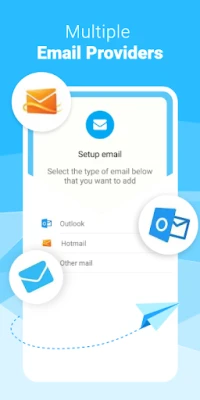
One of the standout features of a modern email client is its ability to support multi-account access. Users can effortlessly log in to various email services such as Hotmail, Outlook, iCloud, and more. This functionality allows you to manage all your emails from a single interface, eliminating the need to switch between different applications or browsers.
Professional Signature Creation
Crafting a professional image in your email correspondence is crucial. With customizable signature creation, you can easily add a personal touch to your emails. Whether you’re replying to a colleague or reaching out to a client, having a well-designed signature enhances your professionalism and ensures your contact information is always at hand.
Streamlined Attachment Editing
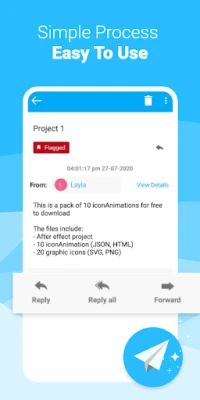
Editing attachments directly within your email client is a game-changer. This feature allows you to modify documents, images, and other files without leaving the app. Whether you’re using Hotmail, iCloud, or any other service, this capability streamlines your workflow, saving you time and effort.
Persistent Login for Hassle-Free Access
Forget the frustration of repeated sign-ins. A reliable email client offers persistent login features, ensuring secure access to your accounts without the need to enter your credentials each time. This convenience is particularly beneficial for users managing multiple accounts, such as Hotmail and Outlook.
Enhanced Security Features
In today’s digital landscape, security is paramount. A robust email client provides enhanced security features to protect your accounts from unauthorized access. With advanced encryption and security protocols, you can rest assured that your sensitive information remains safe while using services like Hotmail and Outlook.
Instant Notifications for New Mail
Stay on top of your communications with instant notifications. Receive alerts for new emails and customize notification sounds for different accounts, including Hotmail and iCloud. This feature ensures you never miss an important message, allowing you to respond promptly and maintain effective communication.
Effortless Account Switching
Managing multiple email accounts can be cumbersome, but with effortless account switching, toggling between your Hotmail, Outlook, and iCloud accounts is a breeze. This feature allows you to access different inboxes without the hassle of logging out, making it easier to stay organized and responsive.
Advanced Search Capabilities
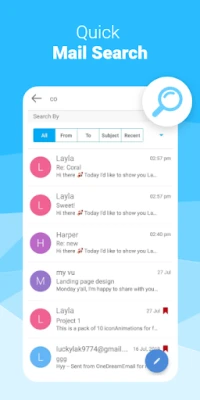
Finding specific emails can be a daunting task, especially when dealing with a high volume of messages. An advanced search feature enables you to locate emails by subject, content, date, or status across all your accounts, including Hotmail and iCloud. This functionality saves time and enhances your productivity by allowing you to quickly retrieve important information.
Customizable Language and Theme Options
Personalization is key to a satisfying user experience. A top-notch email client offers language and theme customization, allowing you to tailor the app’s interface to your preferences. Whether you prefer a sleek dark mode or a vibrant color scheme, customizing your email client enhances your overall experience while using services like Hotmail and Outlook.
Download the Ultimate Email Management Solution
Ready to elevate your email experience? Download the app today for an unparalleled email management solution that caters to your needs across Hotmail, iCloud, and other email services. For inquiries, feel free to reach out at avnsoftware@hotmail.com.
With these key features, your email client can transform the way you communicate, making it more efficient, secure, and personalized. Embrace the power of modern email management and take control of your inbox today!
Rate the App
User Reviews















Popular Apps










Editor's Choice









