
Latest Version
2.0.1
December 14, 2024
Patrick Näf Moser
Games
iOS
47.2 MB
0
Free
Report a Problem
More About Little Go
Discover the Ultimate Go Game Experience with Little Go
Little Go is a feature-rich application designed for both novice and experienced players of the ancient board game Go. With its user-friendly interface and extensive functionality, it offers an unparalleled gaming experience. Below, we explore the standout features that make Little Go a must-have for Go enthusiasts.
Flexible Board Sizes for Every Player
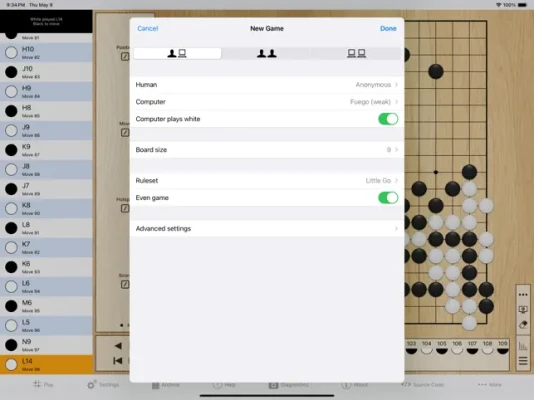
One of the most appealing aspects of Little Go is its versatility in board sizes. Players can choose from a range of board dimensions, from a compact 7x7 to the traditional 19x19. This flexibility allows users to tailor their gaming experience according to their skill level and preferences. Simply start a new game to select your desired board size.
Intelligent Move Suggestions
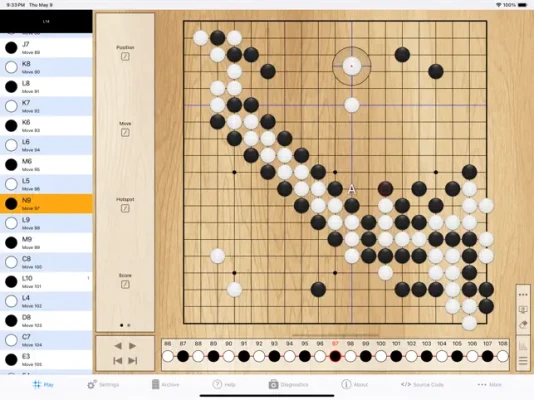
For those looking to improve their skills, Little Go offers an intelligent computer player that can suggest moves or even play them automatically. This feature is perfect for beginners who want to learn strategies and tactics while playing. The computer's suggestions can help players understand the nuances of the game and enhance their overall performance.
Real-Time Score Calculation
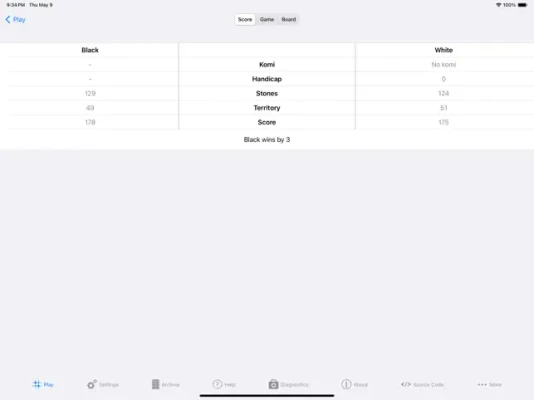
Keeping track of the score during a game is crucial, and Little Go simplifies this process. Players can calculate their scores at any point in the game, with area scoring set as the default. For those who prefer territory scoring, this option can be selected at the beginning of a new game, ensuring a personalized experience.
Customizable Game Settings
Little Go allows players to adjust the computer's playing strength and resignation behavior through various presets or advanced settings. This customization ensures that players can enjoy balanced games, whether they are playing against the computer or another human opponent. Additionally, users can choose to play even games or utilize 2-9 handicap stones for a more competitive edge.
Pre-Defined Rulesets and Customization
When starting a new game, players can select from five pre-defined rulesets or customize the game rules to their liking. Options include adjusting komi, ko rules, scoring systems, and the number of passes to end the game. This level of customization allows players to create a gaming environment that suits their style and preferences.
Initial Board Setup and Move Management
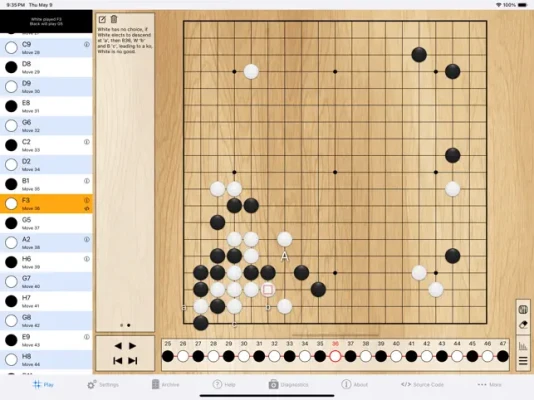
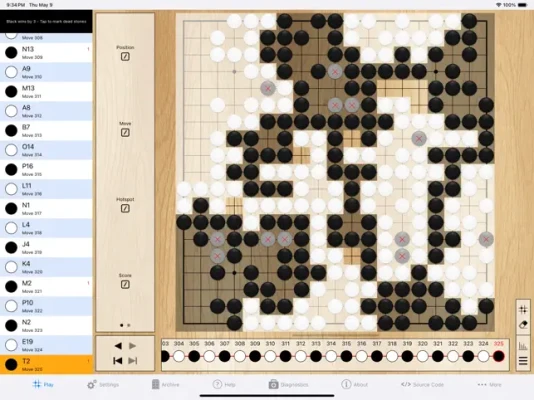
Before diving into a game, players can place arbitrary black and white stones for their initial board setup. During gameplay, Little Go provides the ability to view previous moves, create game variations, and even discard moves with the "undo" feature. This functionality enhances the strategic depth of the game and allows players to analyze their decisions.
Enhanced Board Interaction
Little Go offers a range of interactive features to enrich the gaming experience. Players can zoom and scroll the board, create and edit annotations for moves, and add textual notes to specific positions. Additionally, users can mark intersections with symbols, labels, and arrows, providing a visual representation of their strategies and thoughts.
Player Influence and Territory Statistics
Understanding territory ownership is vital in Go, and Little Go provides players with insights into player influence through territory statistics. This feature helps players estimate who controls specific areas of the board, adding another layer of strategy to the game.
Computer vs. Computer Entertainment
For those who enjoy watching Go games, Little Go includes a computer vs. computer mode. This feature allows users to observe AI players compete against each other, providing entertainment and insights into advanced strategies without the need for direct participation.
Game Management and File Sharing
Little Go makes it easy to save and load games from an archive, ensuring that players can pick up where they left off. The app also supports file sharing, allowing users to transfer saved games between their iOS devices and computers. Additionally, players can import and export game files to and from other applications, such as Mail and Dropbox, enhancing accessibility and convenience.
In-App Support and Community Contributions
Little Go includes an in-app user manual to assist players in navigating its features. Users can also submit bug reports directly from the app, contributing to its ongoing development. The project has seen years of dedicated development since its inception in January 2011, and the community is encouraged to participate through coding, UI design, testing, and more.
Future Development and Open Source Commitment
With a focus on fixing bugs and ensuring compatibility with future iOS versions, Little Go continues to evolve. Released under the Apache License 2.0, the app remains open source, inviting contributions from developers and enthusiasts alike.
In conclusion, Little Go stands out as a comprehensive and engaging platform for playing Go. Its extensive features, customizable settings, and community-driven development make it an excellent choice for players of all levels. Whether you're a beginner looking to learn or an experienced player seeking a challenge, Little Go has something to offer everyone.
Rate the App
User Reviews














Popular Apps










Editor's Choice









