

Latest Version
1.8.5
January 28, 2026
Any Studio
Tools
Android
0
Free
any.shortcut
Report a Problem
More About Links-Shortcut Manager
Revolutionize Your Mobile Experience with Custom Shortcuts
Are you exhausted from the constant tapping and navigating through endless menus on your mobile device? With Shortcut, you can place everything you need right at your fingertips. This innovative tool allows you to create personalized shortcuts for apps, files, links within applications, and even specific system settings, all accessible directly from your home screen. Streamline your mobile experience and enhance your productivity with powerful, tailored shortcuts.
Take Control of Your Apps and Files
With Shortcut, managing your apps and files has never been easier. Here’s how you can take full control:
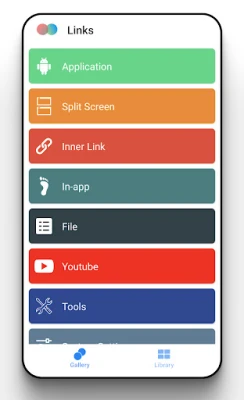
- App Shortcuts: Instantly launch your favorite applications with a single tap, eliminating the need to scroll through your app drawer.
- Split Screen Master: Open two apps simultaneously in split-screen mode with just one tap. This feature is perfect for multitasking, allowing you to work efficiently.
- File Access: Gain quick access to your photos, videos, documents, and audio files without navigating through multiple folders.
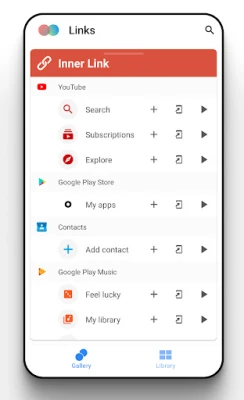
- Links: Jump directly to specific pages within your apps, saving you valuable time and reducing unnecessary clicks.
- In-app Shortcuts: Access key features of your favorite apps faster than ever before.
Supercharge Your Workflow with Essential Tools
Access vital tools directly from your home screen to enhance your productivity:
- Search: Quickly find what you need without opening multiple apps.
- Downloads: Manage your downloaded files effortlessly.
- Stopwatch: Keep track of time for various tasks.
- Alarm: Set alarms with ease to stay on schedule.
- Call: Make calls directly from your shortcuts.
- Storage Cleaner: Free up space on your device quickly.
- Voice Recorder: Record important notes or ideas instantly.
- Battery Usage: Monitor your battery consumption effectively.
- Ringtone Settings: Customize your ringtones without hassle.
Customize Your System Settings Access
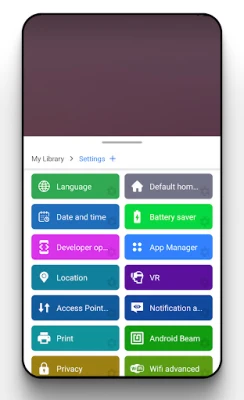
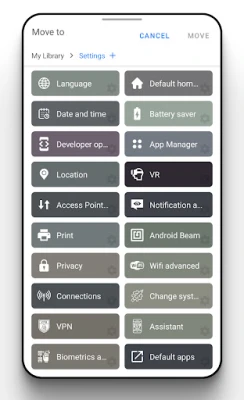
Configure shortcuts for frequently accessed system settings to simplify your mobile experience:
- Wi-Fi: Toggle your Wi-Fi connection on and off with a single tap.
- Bluetooth: Connect to devices quickly without navigating through settings.
- Display: Adjust your screen brightness and settings effortlessly.
- Sound: Manage your sound settings with ease.
- Location: Enable or disable location services quickly.
- And More: Access dozens of other settings without digging through menus!
Unlock Quick Access to Your Favorite Social Media
Stay connected with your social media accounts by creating shortcuts that lead directly to key features:
- Instagram: Jump straight to posting or messaging.
- Twitter: Access your feed or compose a tweet instantly.
- Facebook: Dive into your notifications or messages with one tap.
- YouTube: Explore your subscriptions or upload videos quickly.
Personalize Your Shortcuts with Custom Icons
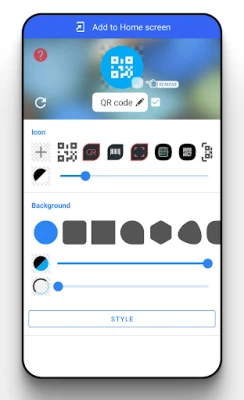
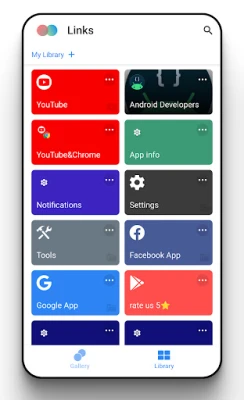
Make your shortcuts truly yours by choosing from tens of thousands of built-in icons and styles. Alternatively, use the universal icon editor to create a unique look that reflects your personality and preferences.
Conclusion
In a world where efficiency is key, Shortcut empowers you to take control of your mobile experience. By creating custom shortcuts for apps, files, and system settings, you can streamline your workflow and enhance your productivity. Don’t let endless tapping and navigating slow you down—embrace the power of personalized shortcuts today!
Rate the App
User Reviews















Popular Apps










Editor's Choice









