



Latest Version
1.4.9
October 16, 2024
InfoTronix UAE
Tools
Android
0
Free
com.memorycleaner.phonecleaner.datacleaner.storagecleaner
Report a Problem
More About Limpiador de teléfono y datos
Maximize Your Phone's Storage: The Ultimate Guide to Data Cleaning
In today's digital age, smartphones are essential tools that store a plethora of data, from cherished photos to important documents. However, as we accumulate more files, our devices can become cluttered, leading to decreased performance and limited storage space. Fortunately, with the right tools, you can efficiently manage your data and reclaim valuable storage. This article explores how to eliminate junk data and optimize your phone's storage using powerful cleaning applications.
Why You Need a Phone Cleaner
Over time, your phone collects unnecessary files that can slow it down and consume precious storage space. A phone cleaner app is designed to help you identify and remove these unwanted files, ensuring your device runs smoothly. By utilizing a data cleaning application, you can:
- Enhance your phone's performance
- Free up storage space
- Organize your files efficiently
Introducing Data Cleaner: Your Go-To Solution
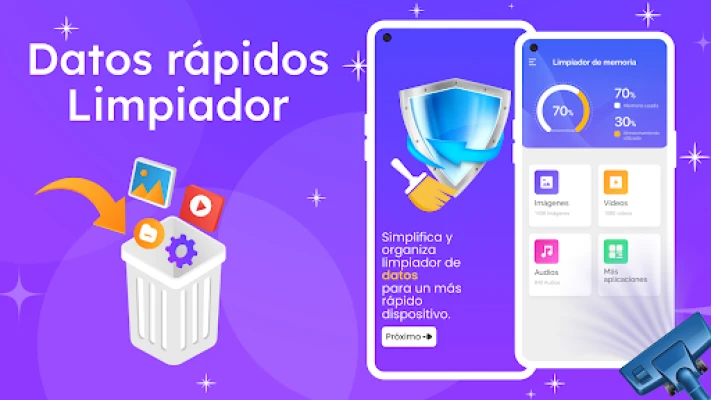
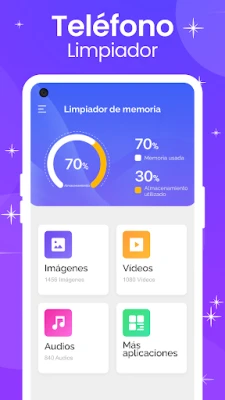
Data Cleaner is a robust application that simplifies data management on your Android device. This powerful tool not only helps you clean up junk files but also organizes your videos, images, and audio files by size, allowing you to preview and delete unwanted items easily. With its user-friendly interface, Data Cleaner makes it simple to reclaim storage space.
Key Features of Data Cleaner
Data Cleaner offers a variety of features that make it an essential tool for anyone looking to optimize their phone's storage:
- File Size Visualization: View files sorted by size, from largest to smallest, making it easy to identify what takes up the most space.
- Preview and Delete: Quickly preview files before deletion to ensure you only remove what you no longer need.
- Storage Management: Efficiently manage your phone's storage and free up space with just a few taps.
- Duplicate Photo Removal: Automatically identify and delete duplicate photos from your library, saving even more space.
- Memory Optimization: Clear out unnecessary data and memory to enhance your device's performance.
How to Use Data Cleaner Effectively
Using Data Cleaner is straightforward. Follow these steps to maximize its benefits:
- Download and Install: Get the Data Cleaner app from the Google Play Store and install it on your device.
- Scan Your Device: Open the app and initiate a scan to identify junk files, duplicates, and unnecessary data.
- Review Results: Examine the list of files presented by the app, sorted by size and type.
- Preview Files: Use the preview feature to check files before deletion, ensuring you don’t remove anything important.
- Clean Up: Select the files you wish to delete and confirm the action to free up storage space.
Storage Cleaner: A Complementary Tool
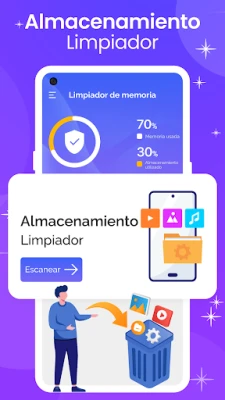
In addition to Data Cleaner, consider using Storage Cleaner, another powerful feature within the app. This tool focuses specifically on removing unnecessary files, such as duplicate photos and videos, from your device's storage. With Storage Cleaner, you can:
- Effortlessly delete redundant files
- Optimize your phone's storage capacity
- Maintain a clutter-free device
Benefits of Regular Data Cleaning
Regularly cleaning your phone's data offers numerous benefits, including:
- Improved Performance: A cleaner device runs faster and more efficiently.
- Increased Storage Space: Freeing up space allows you to store new apps, photos, and files without worry.
- Enhanced User Experience: A well-organized phone is easier to navigate and use.
Conclusion: Take Control of Your Phone's Storage
In conclusion, utilizing applications like Data Cleaner and Storage Cleaner can significantly enhance your phone's performance and storage capacity. By regularly cleaning your device, you not only improve its speed but also create a more enjoyable user experience. Don’t let junk files slow you down—download these powerful cleaning tools today and take control of your phone's storage!
Rate the App
User Reviews















Popular Apps










Editor's Choice









