

Latest Version
8.1.7
April 23, 2026
FUNEASE TECH LTD.
Tools
Android
0
Free
com.ldy.funpass
Report a Problem
More About LDPlayer: Auto Clicker & Cloud
Unlock Your Gaming Potential with LDPlayer: The Ultimate All-in-One Gaming App
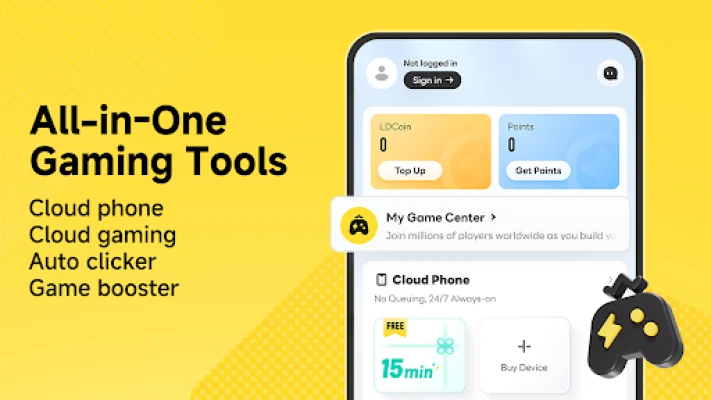
In the ever-evolving world of mobile gaming, efficiency and convenience are paramount. LDPlayer emerges as a game-changer, combining a free auto clicker, cloud phone, cloud gaming, and player rewards into a single, user-friendly application. This innovative platform allows you to farm, level up, complete daily tasks, and enjoy your favorite games with unparalleled ease.
Why Choose LDPlayer for Your Gaming Needs?
If you’re seeking powerful gaming tools that offer free features, long-term rewards, and minimal interruptions, LDPlayer is tailored for you. Say goodbye to intrusive popup ads and video interruptions, allowing you to immerse yourself fully in your gaming experience without distractions.
Key Features of LDPlayer
1. Free Auto Clicker
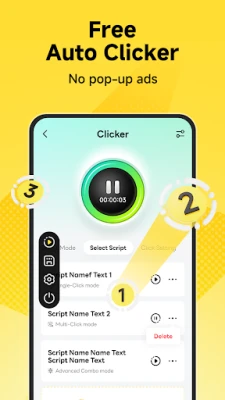
LDPlayer’s smart auto clicker is designed to enhance your gaming efficiency. Whether you need to perform taps, swipes, or multi-point actions, this feature is perfect for AFK (Away From Keyboard) games, farming, leveling, and managing repetitive daily tasks.
- Completely free to use
- No forced popup ads
- No intrusive video ads
- Supports custom scripts for personalized automation
- Significantly reduces the need for manual actions
2. 24/7 Cloud Phone
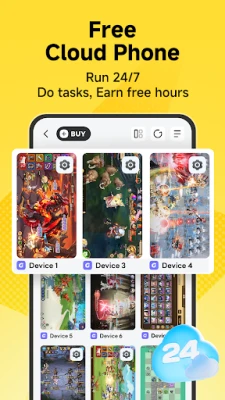
With LDPlayer, your games can run continuously in the cloud, even when your device is turned off or out of reach. This feature ensures that you can maintain your gaming progress without draining your battery or overheating your device.
- Earn free cloud phone time by completing in-app tasks
- No battery drain on your device
- No overheating issues
- No local storage consumption
- Ideal for AFK gameplay, farming, and leveling
3. Instant Cloud Gaming
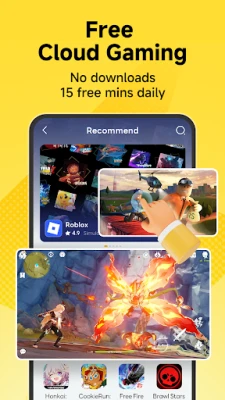
Experience the thrill of gaming without the hassle of downloading large files. LDPlayer’s cloud gaming feature allows you to jump into your favorite games quickly and efficiently.
- Enjoy 15 minutes of free cloud gaming time daily
- Save valuable storage space on your device
- Minimize the need for extensive downloads and installations
- Perfect for trying out new games or switching between titles seamlessly
4. Rewards Center: Play and Earn More
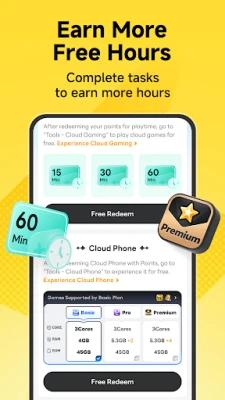
LDPlayer rewards its active users with various opportunities to earn cloud time. Engage with the platform, complete tasks, and accumulate points that can be redeemed for additional cloud phone and gaming time.
- Complete tasks to earn points
- Redeem points for cloud phone and gaming time
- Participate in rewarded ads and activities for extra points
- The more you play, the more rewards you unlock
All-in-One Gaming Tools for Maximum Convenience
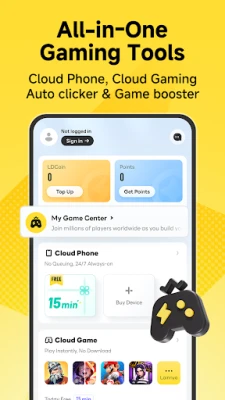
LDPlayer consolidates essential gaming tools into one application, eliminating the need for multiple apps. With features like auto clicking, cloud phone, cloud gaming, and rewards all in one place, players can enjoy a more streamlined and efficient gaming experience.
Future Developments: More Tools on the Horizon
LDPlayer is committed to enhancing the gaming experience further. The development team is actively working on additional tools, including a Game Booster, to optimize performance and provide even more features in future updates.
Download LDPlayer Today!
Don’t miss out on the opportunity to elevate your gaming experience. Download LDPlayer now to access a free auto clicker, 24/7 cloud phone, instant cloud gaming, and long-term rewards—all in one convenient app. Enjoy a gaming environment free from forced popup ads and video interruptions, and unlock a suite of powerful tools designed for mobile gamers.
Permission Description
LDPlayer utilizes the AccessibilityService API to deliver auto-click features, enabling user-configured taps, repeated taps, swipes, and other automation actions. These features are activated only after the user grants the necessary permissions, which can be disabled at any time through system settings.
Additionally, the app employs overlay permissions to display a control panel over other applications, simplifying the process of starting, pausing, or stopping the auto-click function.
Your privacy is paramount. LDPlayer does not collect, upload, or share any personal data through the AccessibilityService. The permissions granted are solely for implementing the auto-click features described within the app.
Experience the future of mobile gaming with LDPlayer—where convenience meets performance!
Rate the App
User Reviews















Popular Apps










Editor's Choice









