

Latest Version
3.60
April 19, 2026
C. Ghisler
Tools
Android
0
Free
com.ghisler.tcplugins.LAN
Report a Problem
More About LAN plugin for Total Commander
Essential Guide to Using Total Commander: Troubleshooting SMB Connection Issues
When it comes to file management, Total Commander stands out as a powerful tool. However, users often encounter challenges, particularly with server connections. This guide will help you navigate these issues effectively.
Understanding Total Commander and Its Dependencies
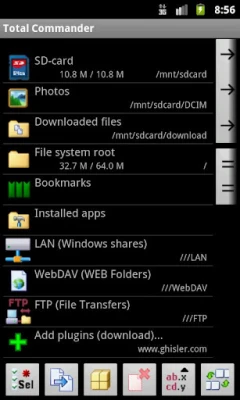
Total Commander is not designed to function independently. It requires specific configurations and plugins to operate optimally. If you attempt to use it without the necessary components, you may face significant limitations. Therefore, ensure you have Total Commander installed before proceeding with any additional plugins or features.
Common Connection Issues with Total Commander
One of the most frequent problems users face is the inability to connect to their servers, especially when using version 3 of Total Commander. If you find yourself in this situation, it’s crucial to understand the underlying causes.
SMB2 Protocol Compatibility
Many servers today utilize the SMB2 protocol for file sharing. However, not all servers support this protocol. If you cannot establish a connection, it’s likely that your server does not support SMB2. In such cases, you will need to adjust your connection settings.
Steps to Resolve Connection Issues
Follow these steps to troubleshoot and resolve your connection issues with Total Commander:
1. Access Connection Settings
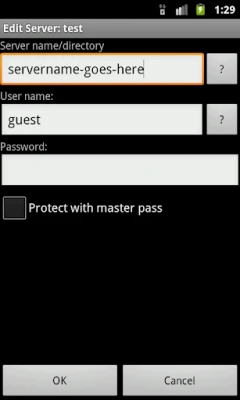
To modify your connection settings, perform a long tap on the connection name within Total Commander. This action will open the settings menu, allowing you to make necessary adjustments.
2. Disable SMB2 Protocol
Once you are in the connection settings, look for the option to disable the SMB2 protocol. By doing this, you will revert to the older SMB1 protocol, which is more widely supported by various servers and NAS devices.
3. Automatic Detection of Protocol Support
Typically, Total Commander should automatically detect whether your server supports SMB2. However, some NAS devices may not respond as expected. If you continue to experience issues after disabling SMB2, consider checking your server’s documentation or contacting support for further assistance.
Additional Tips for Smooth Operation
To ensure a seamless experience with Total Commander, consider the following tips:
Keep Your Software Updated
Always use the latest version of Total Commander and its plugins. Updates often include important fixes and enhancements that can improve compatibility and performance.
Consult the Community
If you encounter persistent issues, don’t hesitate to reach out to the Total Commander community. Forums and user groups can provide valuable insights and solutions based on real-world experiences.
Explore Alternative Protocols
If SMB1 does not resolve your connection issues, consider exploring alternative protocols supported by your server. Protocols such as FTP or WebDAV may offer better compatibility depending on your server’s configuration.
Conclusion
While Total Commander is a robust file management tool, it requires proper setup and configuration to function effectively. By understanding the importance of the SMB protocol and following the troubleshooting steps outlined in this guide, you can overcome connection issues and enhance your file management experience. Remember, keeping your software updated and engaging with the community can further streamline your use of Total Commander.
Rate the App
User Reviews















Popular Apps










Editor's Choice









