Latest Version
1.0.4
July 23, 2026
Kartina Digital GmbH
Tools
Android
0
Free
com.comigo.mobile.app
Report a Problem
More About Kartina RC
Enhance Your Viewing Experience with Kartina RC: Control Your TV from Your Smartphone
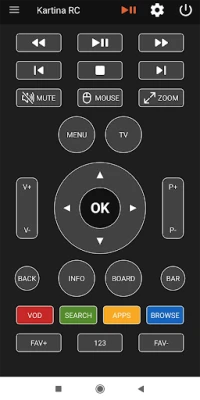
In today's digital age, convenience is key, and Kartina RC takes your television viewing experience to the next level. This innovative solution allows you to manage your TV viewing directly from your smartphone, serving as an excellent alternative to the traditional remote control. With the virtual remote feature, you can access all the functionalities you typically use with a standard handheld remote, making your entertainment experience seamless and user-friendly.
What is Kartina RC?
Kartina RC is a cutting-edge application designed to transform your smartphone into a powerful remote control for your television. This app is particularly beneficial for those who prefer the ease of using their mobile devices over traditional remotes. With Kartina RC, you can navigate channels, adjust volume, and access various features without the hassle of searching for a physical remote.
Key Features of Kartina RC
- Intuitive Interface: The app boasts a user-friendly design that makes it easy for anyone to navigate. Whether you are tech-savvy or a novice, you will find the interface straightforward and accessible.
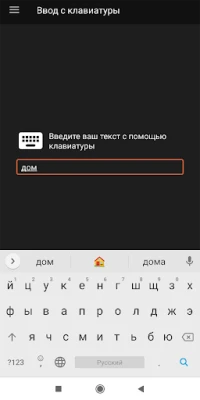
- Full Control: Enjoy complete control over your TV functions. From changing channels to adjusting settings, Kartina RC provides all the capabilities of a standard remote.
- Accessibility: With the app installed on your smartphone, you can control your TV from anywhere in your home, eliminating the need to be in close proximity to the television.
- Compatibility: Kartina RC is compatible with a wide range of television models, ensuring that you can use it regardless of your device.
How to Set Up Kartina RC
Setting up Kartina RC is a straightforward process that can be completed in just a few steps:
- Download the App: Start by downloading the Kartina RC app from your smartphone's app store, available for both iOS and Android devices.
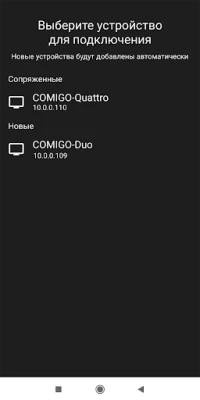
- Connect to Your TV: Ensure that your smartphone and TV are connected to the same Wi-Fi network. This connection is crucial for the app to communicate with your television.
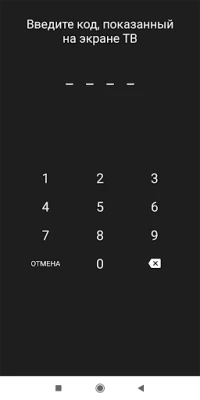
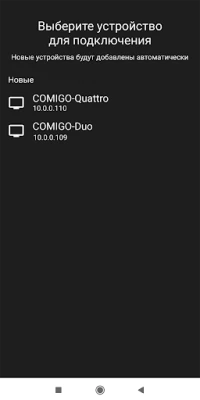
- Launch the App: Open the Kartina RC app on your smartphone. Follow the on-screen instructions to pair your device with your TV.
- Start Controlling: Once paired, you can begin using your smartphone as a remote control. Explore the various features and enjoy a new level of convenience.
Benefits of Using Kartina RC
Switching to Kartina RC offers numerous advantages that enhance your overall viewing experience:
- Convenience: No more fumbling around for the remote. With Kartina RC, your smartphone is always within reach, making it easier to control your TV.
- Customization: The app allows for personalized settings, enabling you to tailor your viewing experience according to your preferences.
- Multi-Device Support: If you have multiple TVs in your home, you can easily switch between them using the same app, simplifying your entertainment setup.
- Regular Updates: Kartina RC frequently updates its features, ensuring that you always have access to the latest functionalities and improvements.
Conclusion
Kartina RC revolutionizes the way you interact with your television. By allowing you to control your viewing experience from your smartphone, it eliminates the need for a traditional remote and enhances convenience. With its intuitive interface, full control capabilities, and compatibility with various TV models, Kartina RC is an essential tool for modern entertainment. Embrace the future of television viewing and enjoy the freedom that comes with managing your TV from the palm of your hand.
Rate the App
User Reviews















Popular Apps










Editor's Choice









