


Latest Version
22.8.6.17079
February 17, 2026
Pulse Secure
Tools
Android
0
Free
net.pulsesecure.pulsesecure
Report a Problem
More About Ivanti Secure Access Client
Maximize Your Security with Ivanti Secure Access Client for Android
In today's digital landscape, ensuring secure access to corporate resources is paramount. Ivanti recommends deploying the Ivanti Secure Access Client (formerly known as Pulse Mobile Client) through Mobile Device Management (MDM) solutions. This approach enhances management capabilities, allowing administrators to maintain control over the clients deployed on various endpoints. By testing the latest releases of the Ivanti Secure Access Client for all relevant use cases, administrators can effectively mitigate environment-specific issues before upgrading endpoints.
Seamless Integration for Work and Personal Devices
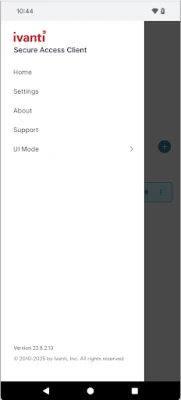
The Ivanti Secure Access Client for Android simplifies the process of using personal devices for work purposes. This all-in-one client securely connects your device to your workplace, providing a dedicated workspace to perform your job efficiently.
Effortless VPN Connectivity
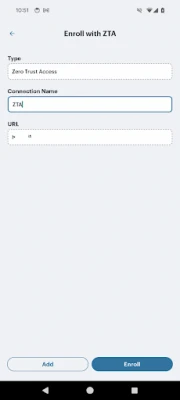
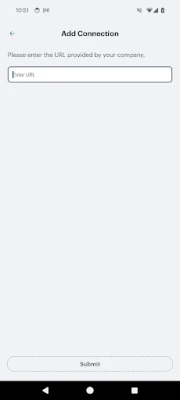
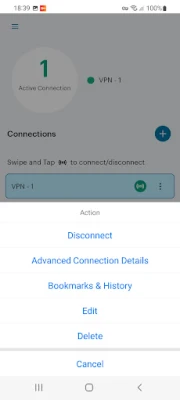
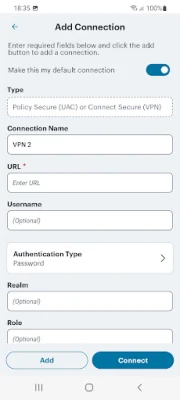
With the Ivanti Secure Access Client for Android, connecting to your corporate VPN is as easy as pressing a button. This feature ensures secure mobile access to vital information stored on corporate servers or in the cloud, enhancing productivity while maintaining security.
Integrated Workspace for Enhanced Productivity
Ivanti Secure Access for Android offers an integrated workspace that allows users to access the latest business applications for email, collaboration, and productivity. This workspace keeps corporate applications and data separate from personal apps and information, ensuring privacy. Consequently, your employer can only wipe the workspace, leaving your personal data intact.
Essential Requirements for Deployment
Before deploying the Ivanti Secure Access Client for Android, consult with your IT team to confirm that your VPN is prepared for integration. This step is crucial for ensuring a smooth transition and optimal performance.
Key Features of Ivanti Secure Access Client
- Secure Connectivity: Enjoy safe and secure access to web-based applications, enterprise networks, and bookmarks through an encrypted VPN tunnel.
- Privacy Protection: Robust privacy controls ensure that your company cannot access your personal information, allowing only the workspace to be wiped if necessary.
- Data Security: Corporate information is safeguarded through encryption, controlling data sharing between enterprise applications, and establishing a direct connection to the corporate VPN.
Special Considerations for Workspace Customers
The Ivanti Secure Access Android application utilizes the Android BIND-DEVICE-ADMIN and QUERY_ALL_PACKAGES permissions. These permissions enable your company's administrator to create a Managed Work Profile, which operates independently from your Personal Profile on your device. Within this Managed Work Profile, administrators can provision and control enterprise applications, enforce application policies, configure passcodes, erase data, and set up Wi-Fi or other profile-specific settings. Importantly, no personally identifiable data is collected within the Managed Work Profile, and the Ivanti Secure Access Android application does not access information from your Personal Profile.
Additionally, the application employs the USE_EXACT_ALARM permission solely for the on-demand VPN use case. Future updates will replace this with SCHEDULE_EXACT_ALARM, which will require user acceptance.
Privacy Policy and Legal Information
For more information regarding data handling and privacy, please refer to the Ivanti Privacy Policy. Additionally, you can review the Client Software End User License Agreement (EULA) for detailed legal terms.
Support and Resources
If you require assistance or have questions, visit the Ivanti Support Forum. For comprehensive documentation and release notes, check out the Ivanti Support Documentation.
In conclusion, the Ivanti Secure Access Client for Android is an essential tool for professionals seeking secure and efficient access to corporate resources. By leveraging its features, organizations can enhance productivity while ensuring the safety of sensitive information.
Rate the App
User Reviews















Popular Apps










Editor's Choice









