

Latest Version
June 08, 2026
DynamicApps
Tools
Android
0
$2.49
com.internet.speed.meter
Report a Problem
More About Internet Speed Meter
Unlocking the Power of Lite and Pro Features for Enhanced Internet Monitoring
In today's digital age, staying informed about your internet usage is crucial. Whether you're on a mobile network or WiFi, understanding your data consumption can help you manage your resources effectively. This article delves into the essential features of both Lite and Pro versions of a data monitoring application, highlighting their benefits and functionalities.
Lite Features: Essential Tools for Everyday Users
The Lite version of the application offers a range of features designed to provide users with real-time insights into their internet usage. Here’s what you can expect:
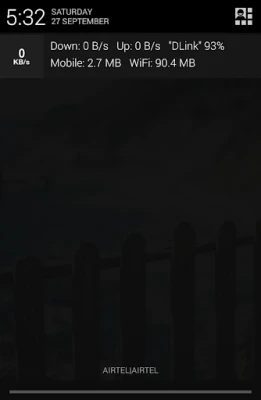
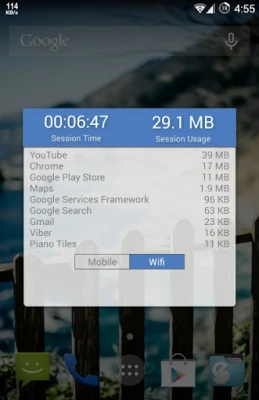
- Real-Time Speed Updates: Stay updated with instantaneous speed readings displayed in the status bar and notifications. This feature ensures you are always aware of your current internet speed.
- Daily Traffic Usage Notifications: Receive daily summaries of your data consumption directly in your notifications, allowing you to track your usage effortlessly.
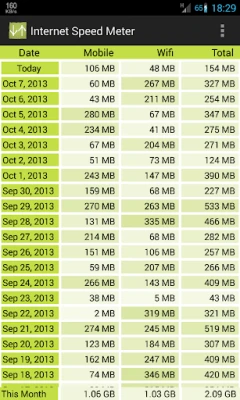
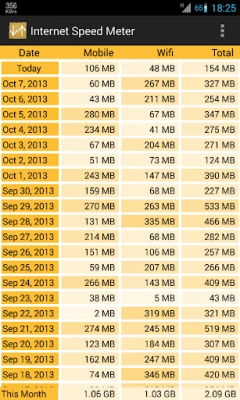
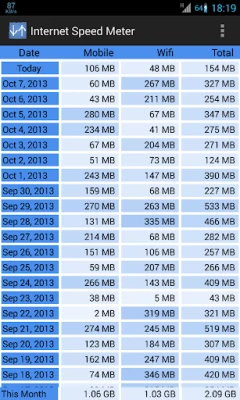
- Separate Statistics for Mobile and WiFi Networks: Gain insights into your data usage by differentiating between mobile and WiFi networks, helping you manage your data plans more effectively.
- 30-Day Traffic Monitoring: Keep a close eye on your traffic data over the past month, enabling you to identify trends and adjust your usage accordingly.
- Battery Efficiency: Designed to be battery-friendly, the Lite version ensures that monitoring your internet usage does not drain your device's battery.
Pro Features: Advanced Tools for Power Users
For those who require more in-depth monitoring and customization, the Pro version offers a suite of advanced features:
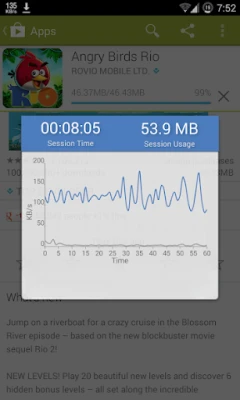
- Interactive Notification Dialog: Tapping on the notification opens a dialog that displays a graph of your internet activity over the last minute, along with the time and data usage of your current session. This feature provides a comprehensive view of your real-time internet performance.
- Smart Notifications: Notifications are intelligently designed to appear only when you are connected to the internet, reducing unnecessary alerts and keeping you focused.
- Customizable Themes: Personalize your user interface by selecting your preferred color scheme, allowing for a more tailored user experience.
- Blue Status Bar Icon: Users can choose between a blue or white status bar icon, specifically for devices running KitKat and earlier versions of Android, adding a touch of personalization to your device.
- Upload and Download Speed Notifications: Get detailed notifications that separately display your upload and download speeds, providing a clearer picture of your internet performance.
Important Usage Note
It is crucial to note that moving this application to an SD card may lead to functionality issues. The app may stop working (force close) if the SD card is removed. To ensure seamless operation, keep the app installed on your device's internal storage.
Conclusion: Choose the Right Version for Your Needs
Whether you opt for the Lite or Pro version, both offer valuable features that cater to different user needs. The Lite version is perfect for everyday users looking for essential monitoring tools, while the Pro version provides advanced functionalities for those who demand more from their internet monitoring applications. By understanding these features, you can make an informed decision that best suits your internet usage habits.
Stay connected, stay informed, and take control of your internet usage with these powerful monitoring tools!
Rate the App
User Reviews















Popular Apps










Editor's Choice









