


Latest Version
July 02, 2026
U77U.COM
Tools
Android
0
Free
com.mm.abrowser.plus
Report a Problem
More About InBrowser – Smart Web Browser
Unlock a Seamless Browsing Experience with InBrowser
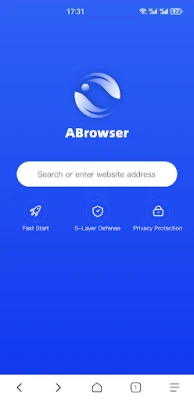
In today’s digital age, a reliable and efficient web browser is essential for navigating the vast online landscape. InBrowser stands out with its unique features designed to enhance your browsing experience while prioritizing privacy and usability. Let’s explore the key features that make InBrowser the go-to choice for users seeking a clean and secure online environment.
🌐 Smart Browsing: Experience Speed and Responsiveness
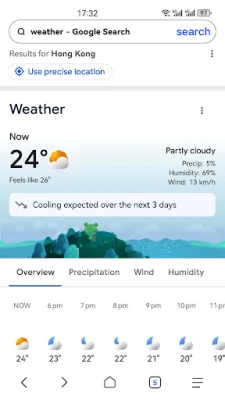
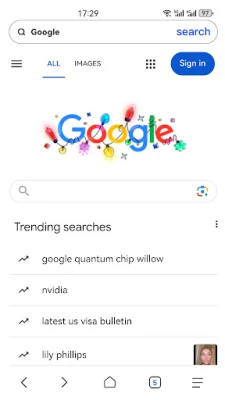
InBrowser offers a fast and responsive navigation experience that ensures you can access your favorite websites without delay. The browser’s optimized performance allows for quick loading times, making it ideal for users who value efficiency. Whether you’re streaming videos, reading articles, or shopping online, InBrowser keeps pace with your needs, providing a smooth and enjoyable experience.
🔒 Private Mode: Your Browsing, Your Privacy
With InBrowser’s Private Mode, you can surf the web without leaving a trace. This feature ensures that your history, cookies, and cache are not saved, allowing you to browse freely and securely. Whether you’re researching sensitive topics or simply want to keep your online activities private, InBrowser’s Private Mode gives you peace of mind, knowing that your information remains confidential.
📑 Tab Management: Effortless Navigation Between Pages
Managing multiple web pages has never been easier with InBrowser’s Tab Management feature. Users can open and switch between various tabs seamlessly, enhancing productivity and multitasking capabilities. This intuitive design allows you to keep your favorite sites at your fingertips, making it simple to navigate between different content without losing your place.
💾 Download Manager: Organize Your Files with Ease
InBrowser includes a robust Download Manager that helps you organize and manage your downloaded files efficiently. With this feature, you can easily track your downloads, ensuring that important files are readily accessible. The Download Manager simplifies the process of handling multiple files, allowing you to focus on what matters most—your online activities.
🌙 Dark Mode: Comfort for Your Eyes
For those who prefer a more comfortable viewing experience, InBrowser offers a Dark Mode option. This feature reduces eye strain during late-night browsing sessions, providing a visually appealing interface that is easy on the eyes. Whether you’re reading articles or watching videos, Dark Mode enhances your overall experience, making it enjoyable at any time of day.
⚙️ Custom Settings: Tailor Your Browsing Experience
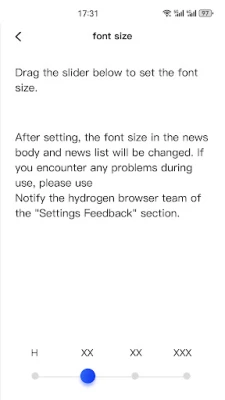
InBrowser empowers users with Custom Settings that allow you to personalize your browsing experience. Adjust your homepage, select your preferred search engine, and modify the appearance to suit your style. This level of customization ensures that your browser reflects your preferences, making it a truly personal tool for navigating the web.
Conclusion: A Clean, Reliable, and Private Browsing Solution
InBrowser is designed to provide a clean, reliable, and private web experience, making it perfect for everyday browsing. With its array of features, including Smart Browsing, Private Mode, Tab Management, Download Manager, Dark Mode, and Custom Settings, InBrowser caters to the needs of modern users. Embrace a new standard of online privacy and efficiency with InBrowser, and elevate your web experience today.
Rate the App
User Reviews















Popular Apps










Editor's Choice









