

Latest Version
5.43.6
April 06, 2026
Hampton Roads Educators Credit Union
Finance
Android
0
Free
com.cuconnections.hrecu
Report a Problem
More About HRECU Mobile Branch
How to Easily Access Your Hampton Roads Educators Credit Union Account
Getting started with your Hampton Roads Educators Credit Union account is a straightforward process. Follow these simple steps to access your online banking services seamlessly.
Step 1: Download the Mobile App
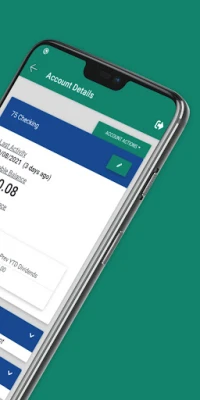
The first step in accessing your account is to download the Hampton Roads Educators Credit Union mobile app. This app is designed to provide you with a user-friendly interface, making banking on the go easier than ever. You can find the app in your device's app store—just search for "Hampton Roads Educators Credit Union" and hit download.
Step 2: Sign In to Your Account
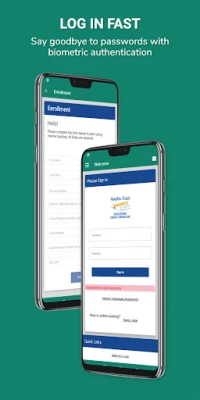
Once you have successfully downloaded the app, it’s time to sign in. Use your Hampton Roads Educators Credit Union Online Banking username and password to log in. This will grant you access to all the features and services available through the app.
Step 3: Enroll if You Haven’t Already
If you haven’t set up your online banking credentials yet, don’t worry! Simply click on the “Enroll now” option within the app. This will guide you through the enrollment process, allowing you to create your username and password. Make sure to have your account information handy to complete the registration smoothly.
Benefits of Using the Mobile App
Utilizing the Hampton Roads Educators Credit Union mobile app comes with numerous advantages:
- Convenience: Access your account anytime, anywhere, right from your smartphone.
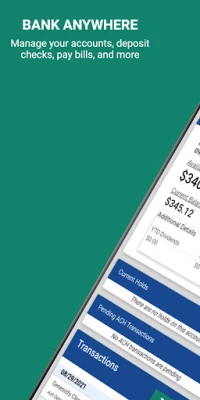
- Real-Time Transactions: Monitor your transactions and account balance in real-time.
- Secure Banking: Enjoy peace of mind with advanced security features protecting your information.
- Easy Transfers: Transfer funds between accounts or pay bills with just a few taps.
Conclusion
Accessing your Hampton Roads Educators Credit Union account is a simple and efficient process. By downloading the app, signing in, or enrolling if necessary, you can take full advantage of the banking services offered. Enjoy the convenience and security of managing your finances right from your mobile device!
Rate the App
User Reviews















Popular Apps










Editor's Choice









