
Latest Version
11.2.8
November 27, 2025
HiPER Labs
Tools
Android
0
Free
cz.hipercalc
Report a Problem
More About HiPER Scientific Calculator
The Ultimate Calculator: Over 40 Million Downloads and 200,000 Five-Star Ratings
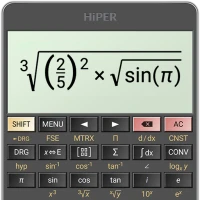
In today's fast-paced world, having a reliable calculator at your fingertips is essential. With over 40 million downloads and an impressive 200,000 five-star ratings, this calculator has become a favorite among users globally. Its intuitive design allows you to input expressions naturally while providing real-time calculations. The results are displayed in various formats, including simplified expressions and numerical values, ensuring clarity and ease of use.
Versatile Layouts for Every Device
This calculator is designed with versatility in mind, offering multiple layouts to cater to different screen sizes:
- Pocket Layout: Ideal for small devices, ensuring portability without sacrificing functionality.
- Compact Layout: Perfect for smartphones, available in both portrait and landscape orientations for optimal usability.
- Expanded Layout: Tailored for tablets, providing a spacious interface for enhanced interaction.
For tablet users, a multiline display feature can be activated, allowing you to view the complete history of your calculations and easily access previous results. This functionality is particularly useful for complex problem-solving and tracking your work.
Customizable Themes for a Personalized Experience
Users can choose from a variety of high-quality themes, allowing for a personalized touch that enhances the overall user experience. Whether you prefer a sleek, modern look or a more classic design, this calculator has you covered.
Comprehensive Functionality for All Your Needs
This calculator is packed with an extensive range of features, making it suitable for both casual users and professionals alike:
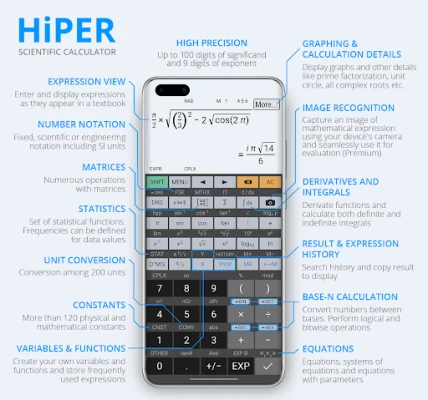
- Precision: Handle calculations with up to 100 digits of significand and 9 digits of exponent.
- Basic Operations: Perform essential arithmetic operations, including percentage, modulo, and negation.
- Fractions and Mixed Numbers: Easily work with fractions and convert them to mixed numbers.
- Periodic Numbers: Convert periodic numbers to fractions effortlessly.
- Advanced Operations: Utilize unlimited braces, operator priority, and repeated operations for complex calculations.
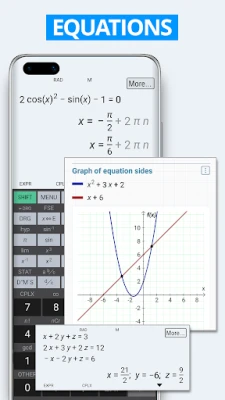
- Equations: Solve equations with one or more variables, including systems of equations.
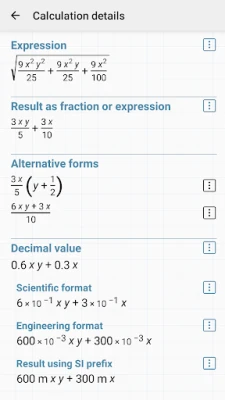
- Symbolic Computation: Work with variables and perform symbolic calculations.
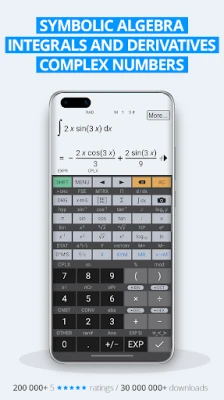
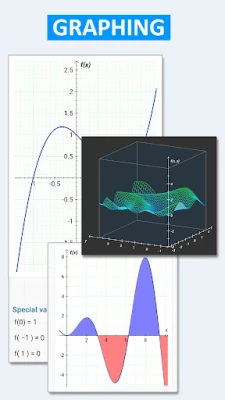
- Calculus Functions: Calculate derivatives, integrals, and graph functions, including 3D graphs.
- Matrix and Vector Operations: Handle matrices and vectors with ease.
- Statistical Analysis: Perform regression analysis and other statistical functions.
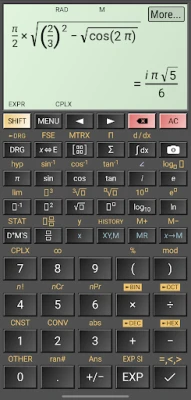
- Complex Numbers: Work with complex numbers and convert between rectangular and polar coordinates.
- Series Calculations: Calculate sums and products of series, limits, and advanced number operations.
- Trigonometric Functions: Access trigonometric and hyperbolic functions for advanced calculations.
- Display Options: Choose from fixed point, scientific, and engineering display formats, with SI unit prefixes for exponents.
- Memory and Clipboard Operations: Utilize 10 extended memories and various clipboard formats for efficient data management.
- Numeral Systems: Work with binary, octal, and hexadecimal numeral systems, including logical operations and bitwise shifts.
- Physical Constants: Access over 90 physical constants for scientific calculations.
- Unit Conversion: Convert among 250 different units seamlessly.
- Reverse Polish Notation: Use RPN for efficient calculations.
Customizable Settings for Enhanced Usability
The calculator offers a range of settings to optimize your experience. Manage full-screen mode, decimal and thousand separators, and more to tailor the interface to your preferences. This level of customization ensures that you can work in a way that feels comfortable and efficient.
Built-in Help for Seamless Navigation
To assist users in navigating the extensive features, the calculator includes a built-in help section. This resource provides detailed descriptions of all functionalities, ensuring that you can make the most of this powerful tool without any confusion.
Conclusion: Your Go-To Calculator for Every Calculation
With its impressive download numbers, stellar ratings, and a plethora of features, this calculator stands out as a top choice for anyone in need of a reliable calculation tool. Whether you're a student, a professional, or simply someone who enjoys crunching numbers, this calculator is designed to meet your needs. Experience the convenience and power of this calculator today and elevate your calculation game to new heights!
Rate the App
User Reviews















Popular Apps










Editor's Choice









