

Latest Version
2.8.3
July 13, 2026
First Row
Tools
Android
0
Free
com.myprog.hexedit
Report a Problem
More About HEX Editor
Unlocking the Power of Advanced Text Editors: Key Features You Need to Know
In the realm of programming and data manipulation, having the right tools can significantly enhance productivity and efficiency. Advanced text editors come equipped with a plethora of features designed to streamline workflows and improve user experience. This article delves into the essential features of these powerful tools, ensuring you can make the most of your editing experience.
Multi-File Editing: Seamless Workflow Management
One of the standout features of modern text editors is the ability to work with multiple files simultaneously. This functionality allows users to switch between different documents effortlessly, making it easier to compare code, reference data, or edit multiple scripts at once. By enabling a multi-file editing environment, these editors enhance productivity and reduce the time spent navigating between files.
Integrated Terminal Emulator: Command Line Convenience
Another significant advantage of advanced text editors is the built-in terminal emulator. This feature allows users to execute commands directly within the editor, eliminating the need to switch to a separate terminal application. With this integration, developers can run scripts, compile code, and manage version control systems without leaving their editing environment, thus streamlining their workflow.
Macro System: Automate Repetitive Tasks
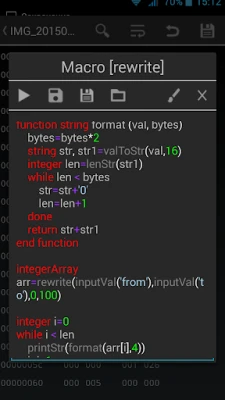
Efficiency is key in programming, and the built-in macro system in advanced text editors is a game-changer. Users can create custom macros to automate repetitive tasks, saving time and reducing the likelihood of errors. By recording a series of actions and replaying them with a single command, developers can focus on more complex aspects of their work, enhancing overall productivity.
Customizable Data Display: Tailor Your Viewing Experience
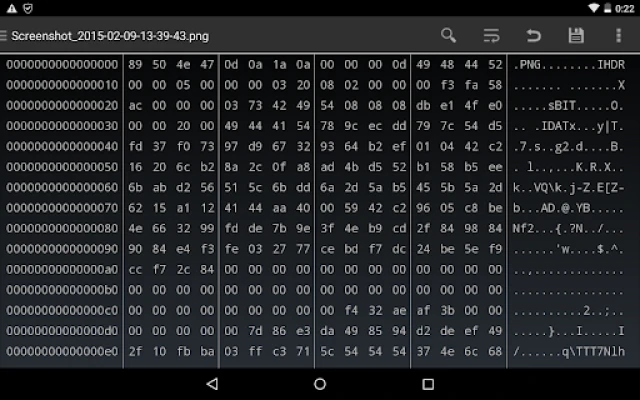
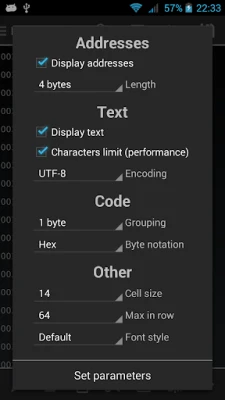
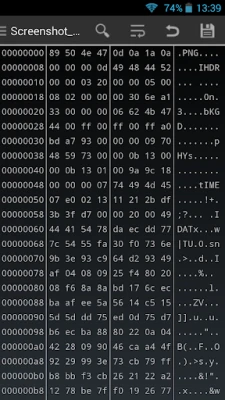
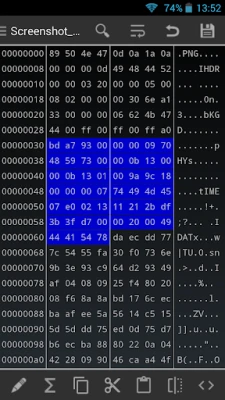
Advanced text editors offer extensive customization options for displaying data. Users can view information in various formats, including hexadecimal, decimal, and octal. Additionally, the ability to adjust the visible length of addresses and apply other tweaks allows for a personalized viewing experience. This flexibility ensures that users can work in a way that best suits their needs, enhancing clarity and focus.
Support for Multiple Encodings: Versatile Data Handling
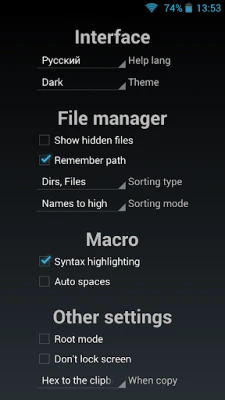
In today's globalized world, working with different data encodings is essential. Advanced text editors support a wide range of encodings, including ASCII, COI8-R, COI8-U, UTF-8, Windows-1251, UTF-16, UTF-16LE, and UTF-16BE. This capability allows users to view, search, and edit strings in various formats, ensuring compatibility with diverse data sources and enhancing the editor's versatility.
Custom Actions and Macros: Personalize Your Workflow
Beyond the built-in macro system, advanced text editors allow users to create their own actions and link them with macros. This feature empowers developers to tailor their editing experience further, enabling them to streamline specific tasks that are unique to their workflow. By customizing actions, users can enhance efficiency and create a more intuitive editing environment.
Comprehensive Help Documentation: Mastering the Features
To fully leverage the capabilities of advanced text editors, users need access to detailed help documentation. Comprehensive guides and tutorials provide insights into the various features and functionalities, allowing users to master the editor quickly. With well-structured help resources, users can explore the full potential of their tools, ensuring they can utilize every feature to its fullest extent.
Conclusion: Elevate Your Editing Experience
Advanced text editors are indispensable tools for developers and data professionals alike. With features such as multi-file editing, integrated terminal emulators, customizable data displays, and extensive encoding support, these editors significantly enhance productivity and streamline workflows. By taking advantage of the built-in macro systems and comprehensive help documentation, users can tailor their editing experience to meet their specific needs. Embrace the power of advanced text editors and elevate your editing experience today.
Rate the App
User Reviews















Popular Apps










Editor's Choice









