


Latest Version
1.0.44
September 23, 2024
mobirix
Games
Android
0
Free
com.mobirix.hdking
Report a Problem
More About Hero Defense King : TD
Upgrade Your Heroes and Conquer the Battlefield: A Comprehensive Guide
Step into a world of adventure and strategy with our thrilling game that allows you to upgrade your heroes and lead them into epic battles. With a variety of features designed to enhance your gaming experience, you’ll find yourself immersed in a captivating universe filled with unique challenges and formidable foes. This guide will walk you through the essential elements of gameplay, ensuring you maximize your potential as a commander.
Explore Diverse Defense Towers
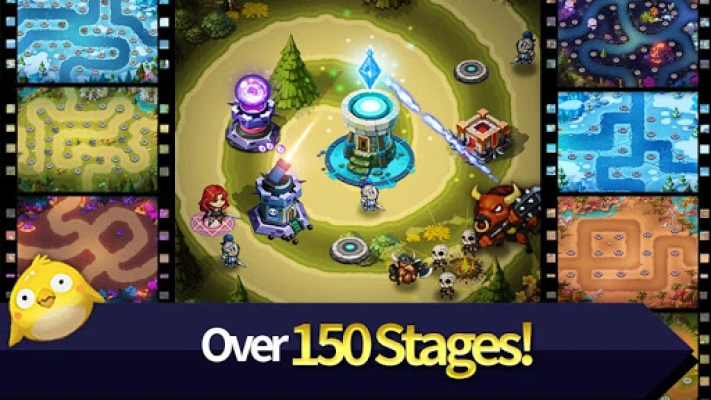
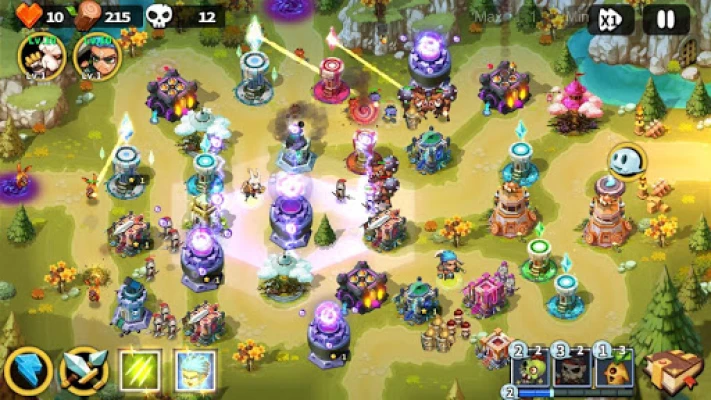
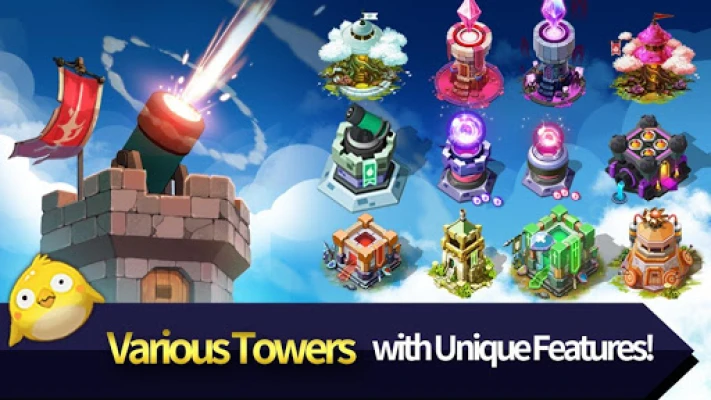
One of the standout features of our game is the extensive selection of over 24 different types of defense towers. Each tower offers unique capabilities, allowing you to tailor your strategy to fit the specific challenges of each map. Whether you prefer long-range attacks or rapid-fire capabilities, there’s a tower that suits your playstyle.
Diverse Maps for Unique Challenges
Prepare to navigate through a variety of maps that span across enchanting environments such as forests, volcanoes, icy terrains, deserts, and fantastical realms. Each region presents its own set of monsters, each with distinct characteristics and abilities. Understanding the strengths and weaknesses of these monsters is crucial for devising effective defense strategies.
Customizable Defense Towers
Your defense towers are not just static structures; they can be upgraded to enhance their effectiveness. You can customize their effective range, attack power, cost, and speed. This flexibility allows you to adapt your defenses to counter the unique threats posed by the monsters in each region. Invest wisely in upgrades to ensure your towers can withstand the onslaught.
Level Up Your Heroes
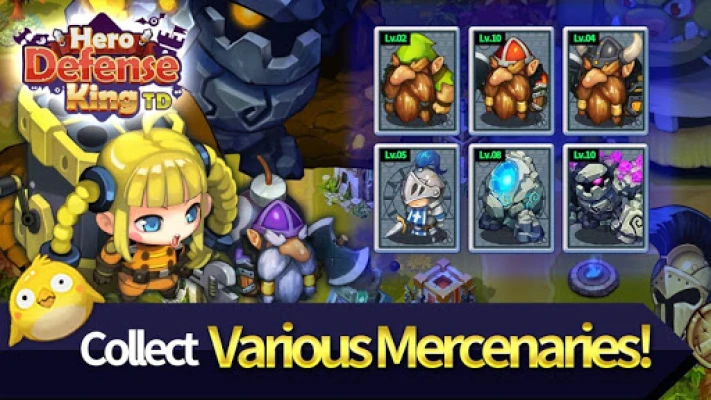
In addition to upgrading towers, you can also level up your heroes. Each hero serves as a battlefield commander, leading your forces to victory. As you progress, you’ll unlock powerful magical skills and hero abilities that can turn the tide of battle. Choose your heroes wisely and develop their skills to create a formidable team.
Reinforcements: The Knights
Knights play a crucial role in your defense strategy. By leveling up these warriors, you can deploy them as reinforcements during critical moments in battle. Their strength and resilience can provide the support needed to fend off waves of monsters, making them an invaluable asset in your quest for victory.
Utilize Magical Skills for Strategic Advantage
Each hero possesses magical skills that can unleash devastating effects on your enemies. Mastering these skills is essential for gaining a strategic advantage in battles. Timing and placement are key; use these powers wisely to maximize their impact and turn the tide in your favor.
Speed Up Your Gameplay
For those who crave a faster-paced experience, our game includes a 3x fast forward feature. This allows you to accelerate gameplay, making it easier to progress through levels and engage in battles without unnecessary delays. Use this feature to your advantage, especially during grinding sessions or when replaying levels for better scores.
Permissions Required for Optimal Gameplay
To ensure a seamless gaming experience, certain permissions are required when launching the game for the first time:
- External Storage Read/Write: This permission is necessary for saving and loading game data.
- Phone State Access: This is used to check your device information and import your game data.
To grant these permissions, follow these steps:
- When the game launches for the first time, allow permission for [Access to Device Photos, Media, and Files] in the pop-up message window.
- From your device's Settings menu, navigate to Storage and set it to Allow: [Application manager > Hero Defense King > Permissions > [Storage / READ_PHONE_STATE]].
Need Help? Contact Us!
If you encounter any issues or have questions about the game, feel free to reach out to our support team at cs@mobirix.com. We’re here to assist you!
Stay Connected
For the latest updates, tips, and community interactions, follow us on our social media platforms:
Embark on your journey today, upgrade your heroes, and lead them to victory in the ultimate battle for supremacy!
Rate the App
User Reviews













Popular Apps










Editor's Choice