


Latest Version
January 15, 2026
Risefall
Tools
Android
0
Free
hecate.risefall.org
Report a Problem
More About Hecate - PC Remote Control
Unlock the Power of Hecate: Your Ultimate PC Remote Control Solution
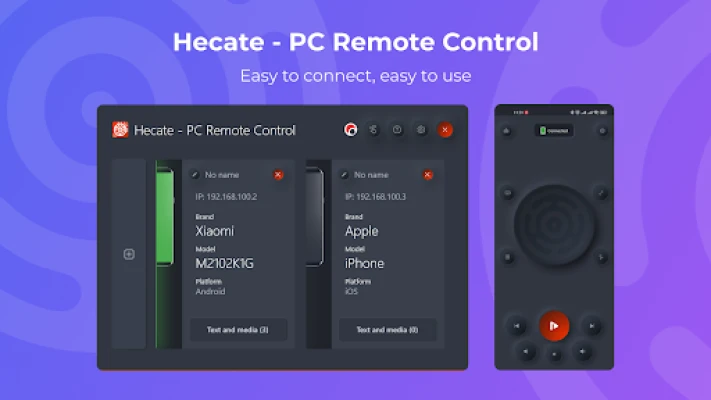
In today's fast-paced digital world, having seamless control over your computer from your mobile device can significantly enhance your productivity. Enter Hecate - PC Remote Control, an innovative application that transforms your smartphone into a powerful remote for your PC. This article delves into the standout features of Hecate, showcasing how it can revolutionize the way you interact with your computer.
Effortless Mouse Control
With Hecate, you can effortlessly control your computer's mouse using your smartphone. The app features a touchpad interface that allows you to click the left and right mouse buttons simply by tapping on the designated areas. Additionally, two-finger swipes enable you to simulate mouse wheel movements, making navigation smooth and intuitive. Whether you're browsing the web or working on a project, Hecate provides a user-friendly experience that keeps you in control.
Instant Text Input from Your Phone
Typing on a computer can sometimes be cumbersome, especially when you're away from your keyboard. Hecate eliminates this hassle by allowing you to type text directly from your phone. By clicking on the keyboard icon within the app, you can start typing, and your text will instantly appear on your computer screen. This feature is perfect for quick notes, messages, or any text input you need to make without being tethered to your desk.
Launch Applications with Ease
Hecate simplifies the process of launching applications on your computer. If you have applications pinned to your taskbar, you can easily select and open them directly from the Hecate app on your phone. This feature streamlines your workflow, allowing you to switch between tasks without the need to physically interact with your computer.
Control Your Computer's Volume
Adjusting your computer's volume has never been easier. Hecate enables you to control the volume directly from your smartphone, giving you the ability to increase or decrease sound levels without interrupting your activities. Moreover, you can manage media playback, including skipping tracks and pausing or playing music, all from the convenience of your phone.
Seamless Link Sharing
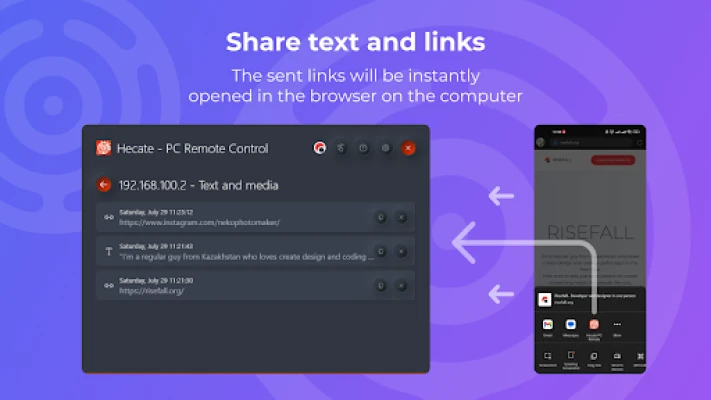
Sharing links between your phone and computer is a breeze with Hecate. When browsing on your mobile device, simply click the "Share" icon in your browser and select Hecate - PC Remote Control. The link will instantly open in your computer's browser, making it easy to continue your research or share content without any hassle.
Effortless Text Transfer
Need to send text from your phone to your computer? Hecate makes this process straightforward. Highlight the text you wish to transfer, click on the ellipsis, and select the "Share" icon. Choose Hecate - PC Remote Control, and the text will be copied to your computer's clipboard, ready for use. This feature is invaluable for transferring important information quickly and efficiently.
Access Your Data History
Hecate keeps a comprehensive record of all the data you've sent from your phone to your computer. This history feature allows you to easily access previously sent links and text, ensuring that you never lose track of important information. Whether you're working on a project or simply need to revisit a shared link, Hecate has you covered.
Connect Multiple Devices
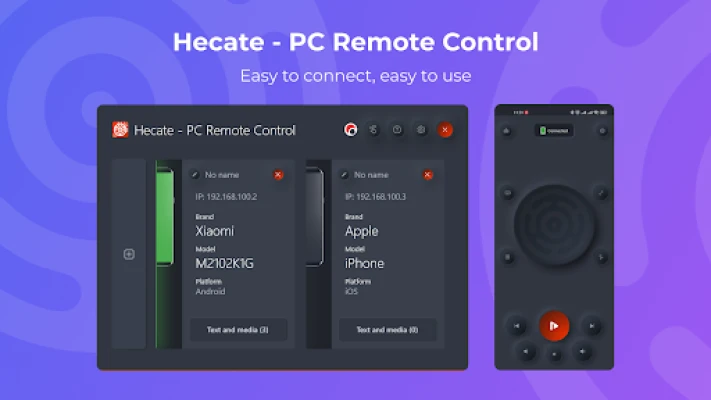
One of the standout features of Hecate is its ability to connect multiple devices to your computer. This means you can control your PC from various smartphones, making it an excellent choice for families or teams who need collaborative access. Whether you're sharing control with a colleague or a family member, Hecate ensures everyone can stay connected.
Getting Started with Hecate
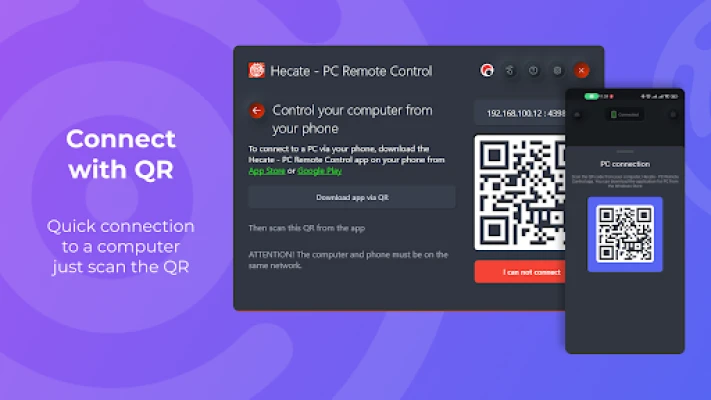
To use Hecate - PC Remote Control, ensure that both your phone and computer are connected to the same network. For instance, if your computer is connected to your home Wi-Fi, your phone must also be on that network to utilize Hecate's features effectively. Once connected, you can enjoy a seamless remote control experience.
Download Hecate - PC Remote Control Today
Ready to enhance your productivity and control your PC from your phone? Download Hecate - PC Remote Control from the Windows Store today and experience the convenience of remote access. Visit the following link to get started: Hecate - PC Remote Control on Windows Store.
In conclusion, Hecate - PC Remote Control is a versatile and user-friendly application that empowers you to manage your computer effortlessly from your smartphone. With features like mouse control, text input, application launching, and more, Hecate is the ultimate tool for anyone looking to streamline their digital experience.
Rate the App
User Reviews















Popular Apps










Editor's Choice









