

Latest Version
7.0
February 27, 2026
Handcent
Communication
Android
0
Free
com.handcent.sms.skin.onlylove
Report a Problem
More About Handcent NextSMS Skin OnlyLove
Ultimate Guide to Customizing Your Handcent Experience
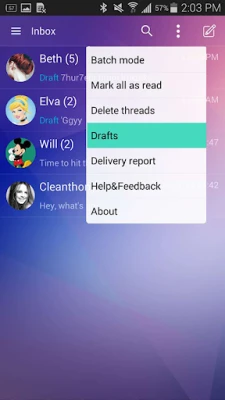
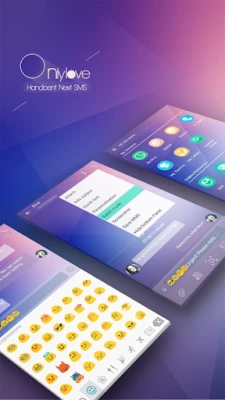
Handcent SMS is a powerful messaging application that allows users to personalize their texting experience. One of the standout features of Handcent is its ability to customize the look and feel of the app through various skins. This guide will walk you through the steps to apply a skin and also highlight the App2SD feature for enhanced storage management.
Applying Skins in Handcent SMS
Customizing your Handcent SMS interface is simple and enjoyable. Follow these steps to apply a skin that suits your style:
- Open the Navigation Drawer: Launch the Handcent SMS app on your device. Swipe from the left edge of the screen or tap the menu icon to open the navigation drawer.
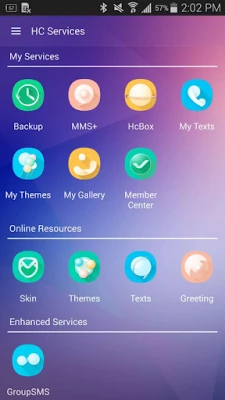
- Select Handcent Services: In the navigation drawer, locate and tap on the Handcent Services option. This section contains various customization features.
- Choose Your Skin: Within the Handcent Services menu, find the Skin option. Browse through the available skins and select the one that appeals to you the most.
- Apply and Enjoy: After selecting your desired skin, apply it to your app. Enjoy a refreshed and personalized messaging experience!
Maximizing Storage with App2SD
For users who need to manage their device storage effectively, Handcent SMS supports the App2SD feature. This allows you to move the app to your SD card, freeing up valuable internal storage space. Here’s how to utilize this feature:
- Access System Settings: Go to your device's Settings menu. This is typically found in the app drawer or by tapping the gear icon in the notification shade.
- Navigate to Application Manager: Scroll down and select Application Manager or Apps, depending on your device.
- Find Handcent SMS: In the list of installed applications, locate Handcent SMS and tap on it to open the app settings.
- Move to Storage Card: Look for the option labeled Move to Storage Card or Move to SD Card. Tap this option to transfer the app to your SD card.
Benefits of Customization and Storage Management
Customizing your messaging app not only enhances your user experience but also allows you to express your personality. With Handcent SMS, you can choose from a variety of skins that reflect your style, making texting more enjoyable.
Additionally, utilizing the App2SD feature helps you manage your device's storage efficiently. By moving apps to your SD card, you can keep your internal storage free for essential applications and files, ensuring your device runs smoothly.
Conclusion
Handcent SMS offers a unique blend of customization and functionality. By following the steps outlined in this guide, you can easily apply skins to personalize your messaging experience and utilize the App2SD feature for optimal storage management. Enjoy a seamless and stylish texting experience with Handcent SMS!
Rate the App
User Reviews















Popular Apps










Editor's Choice









